Top 5 WordPress CRM Plugins Index

Want to boost up your online business? Customer relationship management can help it to develop.
How? Which WordPress CRMs are ready to help you?
Let’s have an open discussion where you will get the answers.

Basic knowledge of WordPress CRM
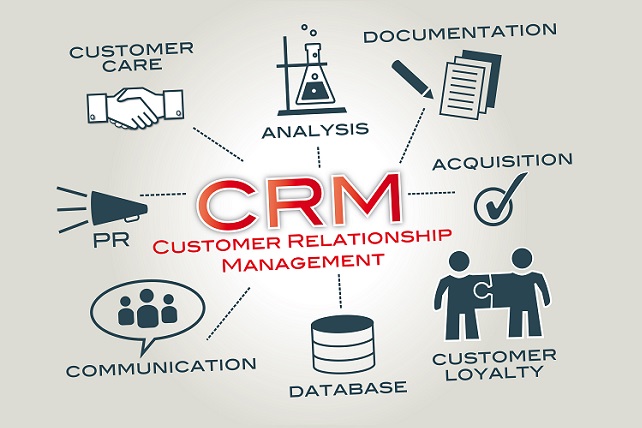
Which is the hardest part in customer care service? To engage customers as with their demands. Customers always want to get easy data and free to provide data. So there needs a tool. The idea has formed into Customer Relationship Management. In short, CRM.
CRM plugins on WordPress website have mottos-
  • The fastest way to grow business
  • Increase profit and customer retention
  • Ensure customer security
  • Certify company security by keep records of customers
  • Compete in affiliation aspect
Also for increasing sales, a company WordPress website needs WordPress CRM plugin.

Top 5 WordPress CRM Index

The major motto of WordPress CRM is-
  • To increase the potential of sellers and
  • Maintain connection with clients
Here I present the index of top 5 WordPress CRM plugin.

WP ERP
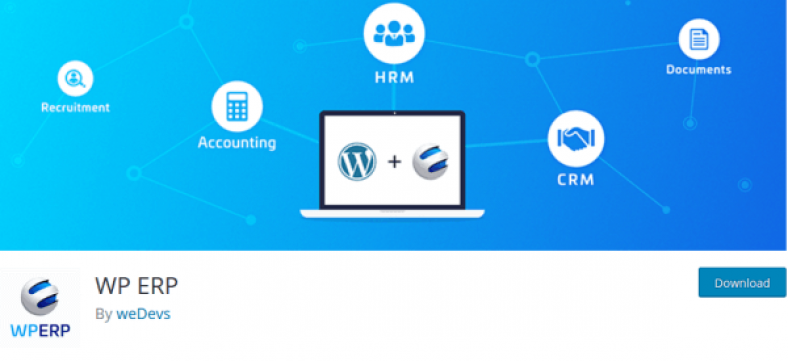
As the contribution of weDevs, WP ERP CRM has created. This one is adjustable for CRM, HRM and accounting solutions. By the few days, it has achieved 3000+ active installs.
Core Features of WP ERP
  • Smooth lead and community opportunity listing
  • Build Schedules and email notification
  • Company profile listing
  • Easy activity overview
  • Logging feature for every event
User Rating: 5/5
It is on top of the index. Why? Because of its’ dashboard. Once you add this on WordPress website, handle customers by upholding different level. So this one is very much speedy and full of versatility.
To know in detail about WP ERP, click here.

UpiCRM
UpiCRM is not old enough in the market. As this one serves as the lead management and WordPress CRM. With this service, has achieved 2000+ active installs.
Core Features of UpiCRM
  • Great integration with Contact Form 7, Gravity Forms and Ninja Forms
  • Create maps on existing database
  • Import present data from Contact forms record
  • Supports URL tagging
  • Increase traffic on the website
User rating: 4.8/5
This assigns the lead to team members. Also, this is effective for marketing and tracking customers. It creates traffic on site through the campaign. And has full set up option for a full picture of marketing effectiveness. To create own data analysis, export data to MS Excel. In short, UpiCRM is a perfect tool.

UkuuPeople CRM

Know any WordPress CRM which emphasizes simplicity and tangibility?
You are in right place. UkuuPeople is compatible with huge contact management overview. Most encouraging part is the amenabilities with GDPR. This one has reached 1000+ active installation.
Core Features of UkuuPeople CRM
  • Track relationships activity via Touchpoints
  • Attach documents to Touchpoints record
  • A quick view of favorite contacts and upcoming schedule
  • Automatic data collection from frontend
  • Simple to access and share data
  • Capture donation and payment information
User rating: 5/5
Touchpoint, tribes, integrations and dashlets are the elements of this CRM. Also, it contains free demos on its site. Besides, it has exclusive add-ons to remove your difficulties.

WP CRM
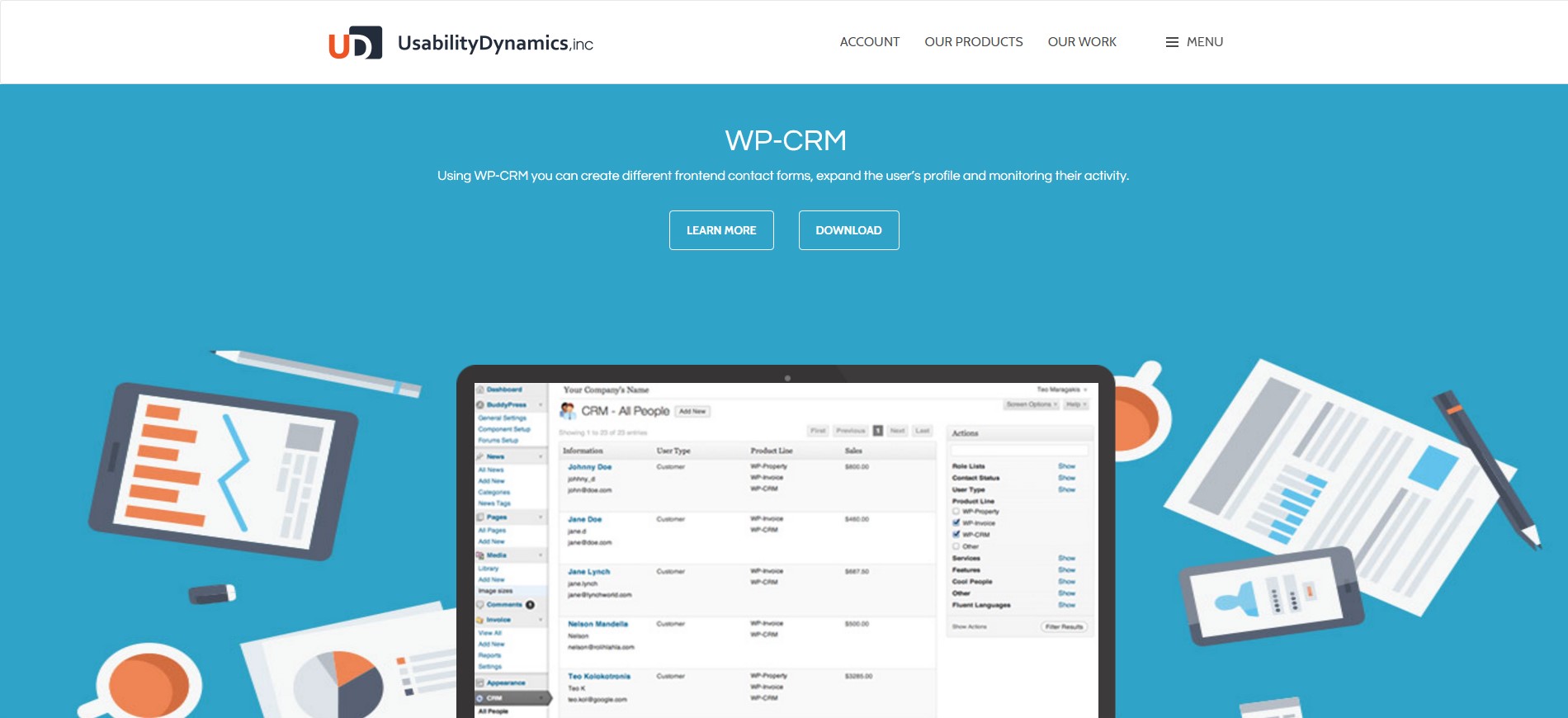
This plugin has some plain actions which will expand ideas. For what? To improve and expand user management with significance. With its interactive skills, has reached over 5000+ installs. Now WP CRM is also available on Github.
Core Features of WP CRM
  • Effective admin control panel
  • Organize users custom attributes with quantifiable data
  • Excellent filtering and editing
  • WP- invoice integration
  • User CSV exporting
  • Group notification (Add-on)
  • Integration with contact forms for frontend
User rating: 3.9/5
WP CRM allows generating custom fields. Later for simple contact resolution, contains filter option. So this plugin marks your business a progressed one.

Zero BS WordPress CRM
Need a great approach to self-host your own CRM? Everyone does. With this plugin, you can manage customers with transactions. Along with this, managing invoices and quotes are such smooth.
Core Features of Zero BS WordPress CRM
  • Interactive quote and invoice builder
  • B2B mode to access contact
  • Super easy extensions
  • Sales Dashboard for self-data analytics
  • CRM audit system and CRM API
  • Zero feature bloat
User rating: 4.8/5
Here Good CRM means Zero BS WordPress CRM. Why? Here is the documentation.
Online business and related customers are not tough to handle. The above index of WordPress CRM can thrive your business. Making the right choice of CRM can advance your one. Those free WordPress CRM can alter your asset into loyalty. WordPress push you your site to development and CRM will one step more.
This is the time to choose the right one and try it out.

WordPress Resolution: General Settings in WordPress

Are you a newbie? This article and the instructions are for you.
You have installed WordPress. Working with this as it is an open source. But you are facing problems while using it. The sections of WordPress are so cool to set. Besides WordPress settings will secure and optimize your site. So let’s notify you with the following checklist.

Sections of WordPress settings

Once WordPress has installed, there will seem some necessary settings. These divide into three sections.
1. General settings
 
2. Intermediate settings and
 
3. Advanced settings

General settings in WordPress

Today’s’ article will help the beginners as a guide. The ensuing are the general settings in WordPress. This section will teach you the appropriate settings and why you need these.

Reset installation password

This is the first step after installing WordPress. Reset installation password will secure your account. Also, make your site vulnerable by avoiding the hacking problem.
Reset your password in this way-
  • Login to WordPress Dashboard
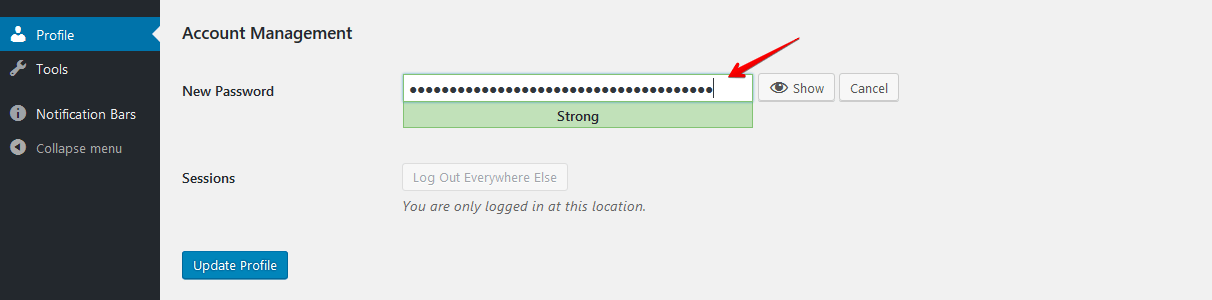
  • On the left sidebar, press Users -> Your Profile
  • Generate Password -> create New Password

  • The advisable password is strong and Copy -> Save

LastPass is an alternative password generation software. Download it and let it generate strong site password.

Fresh WordPress dashboard

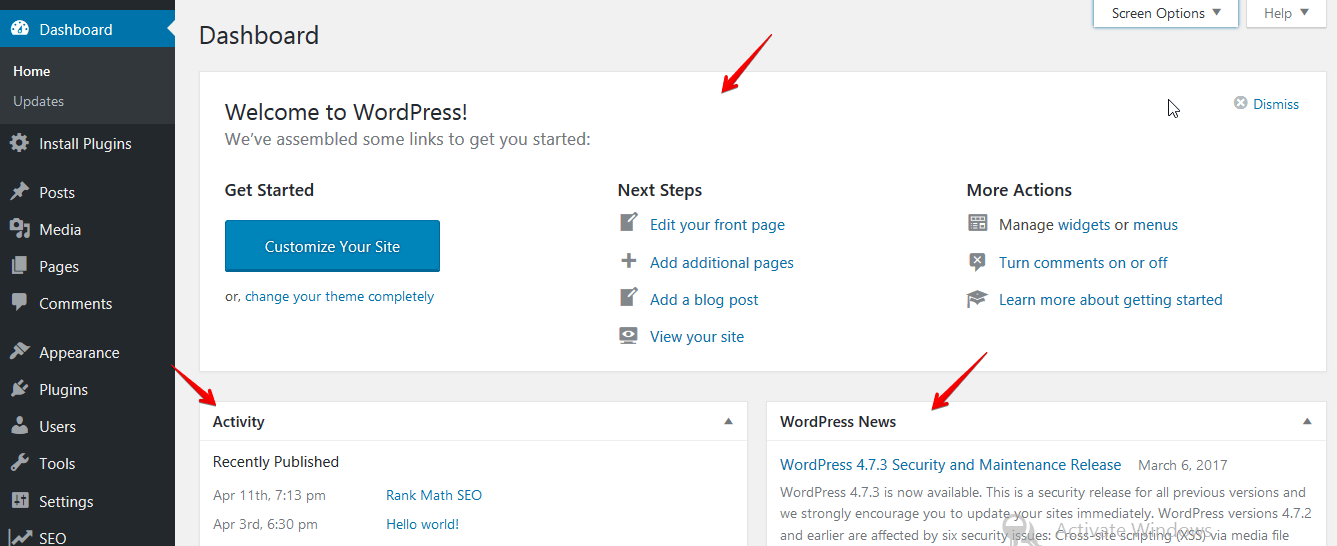
Welcome to the WordPress Dashboard. The second step is to create a fresh dashboard. Some unnecessary dashboard widgets and plugins together bundle up in WordPress cPanel software. So clean them from the dashboard.
  • Click on Dashboard > Screen Options on the top right corner

  • After clicking on Screen Options, a drop-down will appear

  • The top right sidebar will show Welcome and uncheck it

Hide the unnecessary widgets through this settings. This will avoid confusion for beginners.

Setup website title

Before setting the tagline set website title first.
  • Move to Settings > General Settings
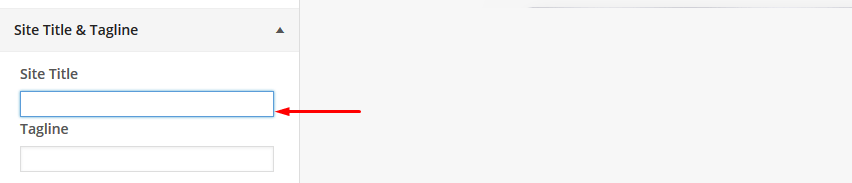
  • Type your site title on Site Title box

  • Under Appearance Menu > Customize Sub Menu

  • After the appearance of the customizer, edit the site title
Save the settings after editing. Now the site title will show on your front page.

Set site tagline

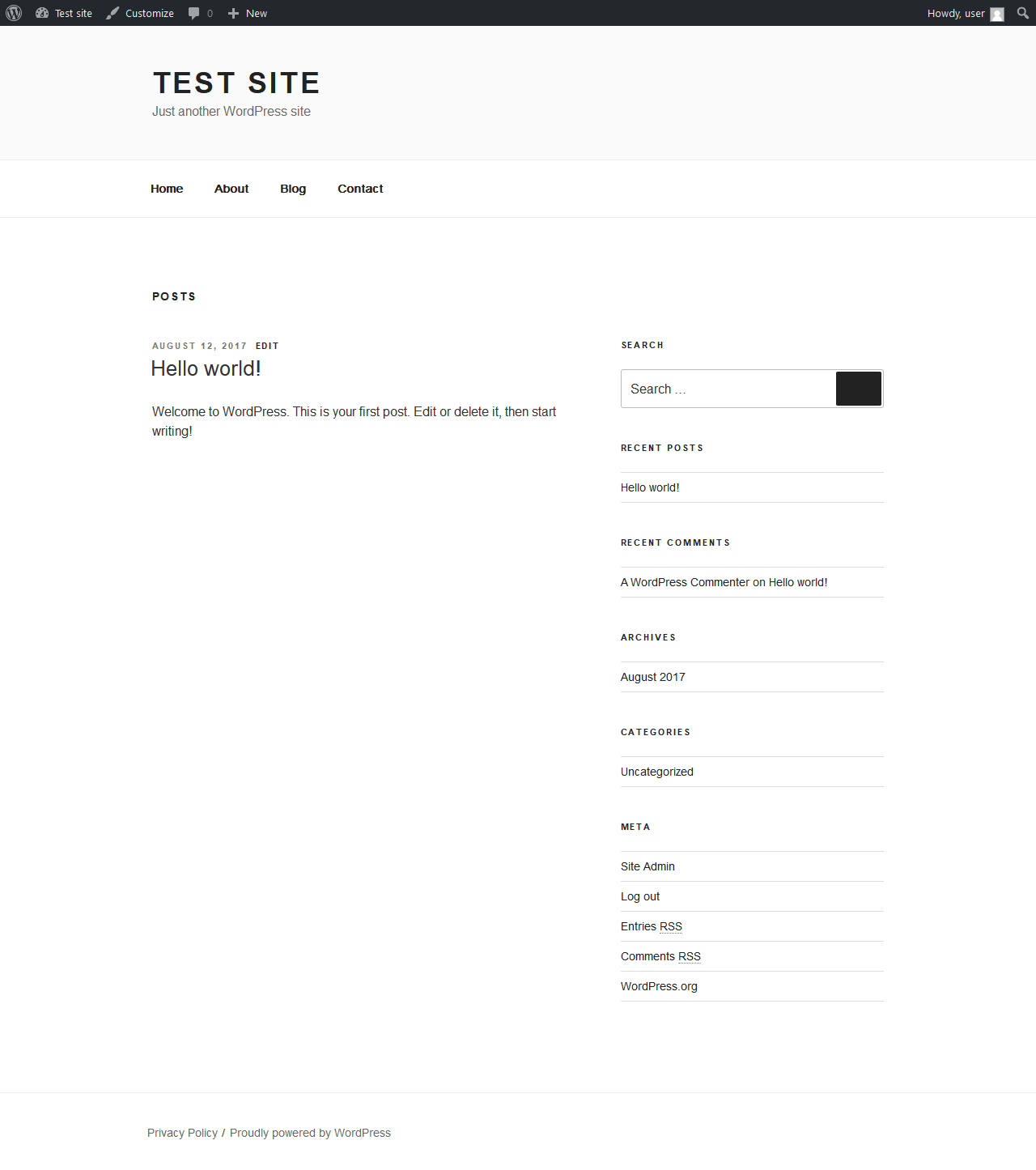
A tagline is so important for any website. It represents the website branding and summarizes in it. WordPress has the first tagline “Just Another WordPress Site”. You have to change this tagline as it appears on search results.
  • General Settings > Site Title Settings
  • Type in tagline as have shown below

  • Save the settings. The title tag is now your preferred one.
Now a new title will appear in WordPress search results.

Site address and WordPress address

Edit your site address (URL) and WordPress address (URL). There are two ways- “www” or “HTTP” to edit the WordPress address field in the URL. Depending on this address field, the customers will find you.
To have a different home page based on URL-
  • Go to Settings > General Settings
  • Edit WordPress address and Site address

  • Save the URL addresses
Next, the homepage will show with model URL address.

Set the time and date

Want to know time and date while working?
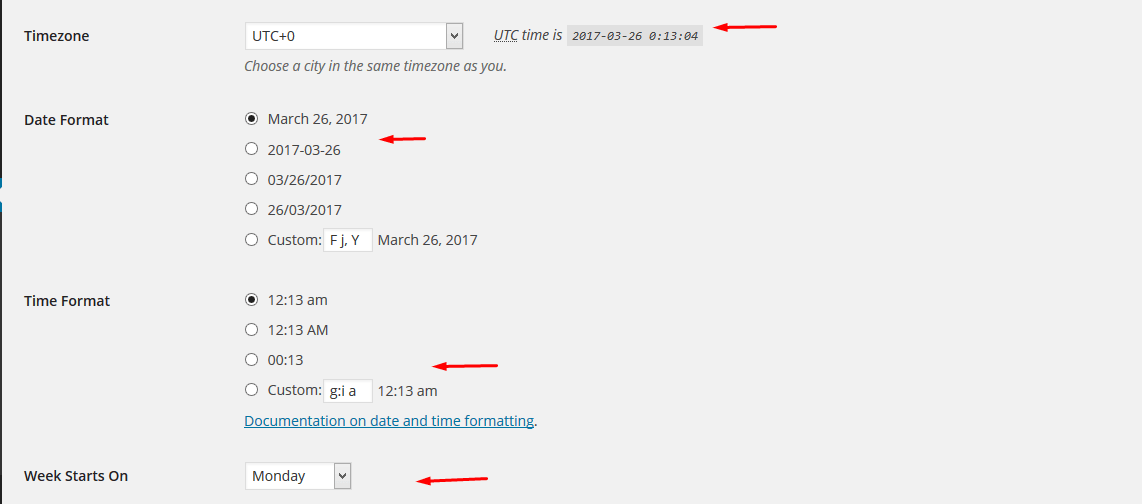
WordPress gives the opportunity. WordPress will inform about weeks, date and time. Follow the process-
  • Fix your time zone from General settings

  • Use date and time format to control date
  • Select the weekday you want to start from
This feature of WordPress is so important for bloggers. Time and date will make the schedules of content to publish in the future.

Membership option

Uncheck your site registration as you can control membership. This option helps to secure your site. Also, the spammers cannot register on your site.

Setup language preference

Don’t you know other languages except your native one?
No problem. WordPress has the option to change languages.
  • Go to General Settings
  • Press on Site Languages box
  • Select one language and save it

Some themes are ready for translation. You can translate blogs in your native languages.

Create new profile content

After fixing WordPress, it is common with “Hello World” post. Delete this pre-maid post and create a new one.
  • Click on All Pages -> All Posts
  • Delete the pages and posts by clicking on the trash

  • Create new profile content
The fresh profile content will perform on your first page.

Generate basic site pages

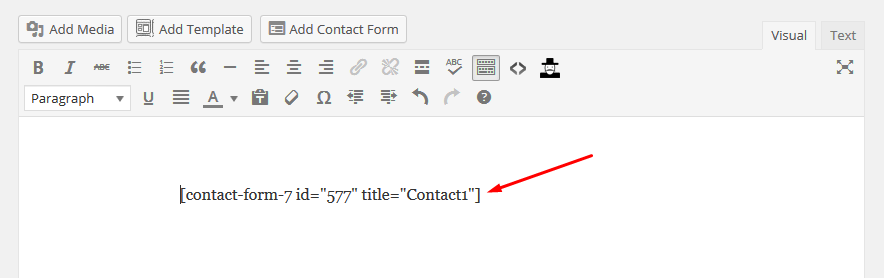
After generating a new page, the above content will appear. So first generate basic site page in this way-
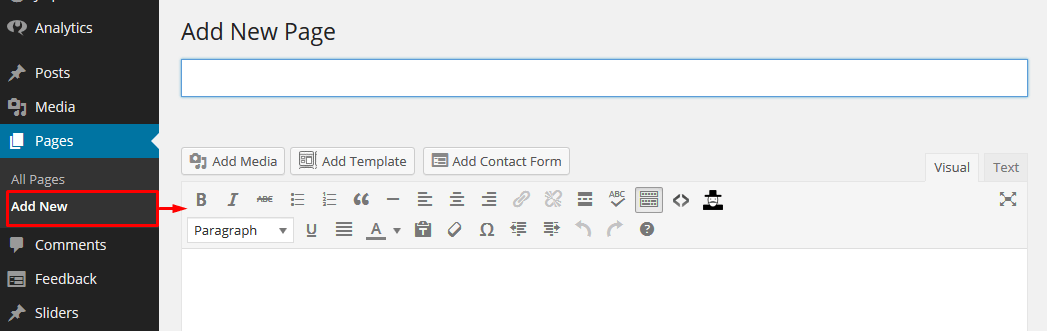
  • Press on Pages -> Add New
  • Fill up the page title

Note that, make a website menu before creating a basic site page.

Setup navigation menu

The most important part is to set up the menu. This will support you to control the parts of your account.
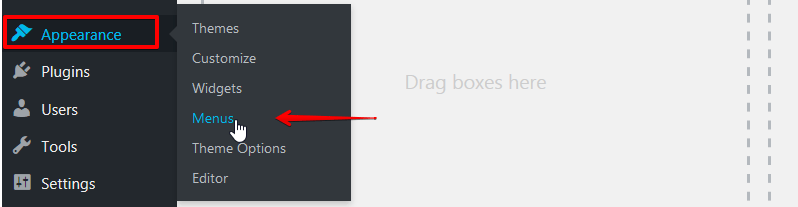
  • Navigate to the Appearance > Menus
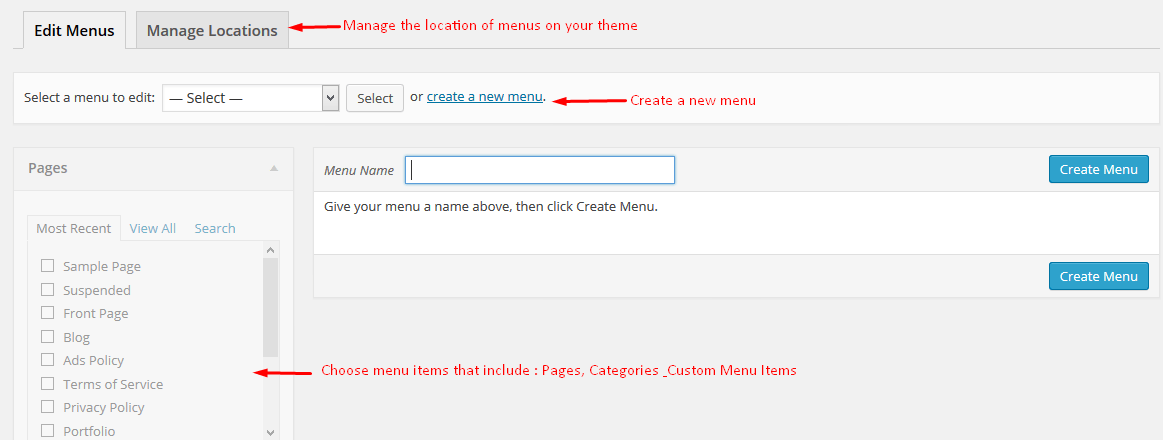
  • Create a menu and named after “Primary Menu”

  • Add preferred items to the Menu
  • Check pages on the left and click on “Add to Menu”

  • Use drag and drop to reorganize items
  • Select the appearance of Menu using the “Manage Menu Tab”
Save the menu and view it on the frontend.

Hide description after updating plugins

This part is much significant to the newbies. If you do not update plugins, will spam your site. So update the pre-packaged plugins and hide the description.
  • Plugins > check pre-packaged plugins
  • Press on the below like Akismet has in the image

  • Update now and get the upgraded version
  • Go to above Screen Options > hide the description of the plugin

Format permalinks

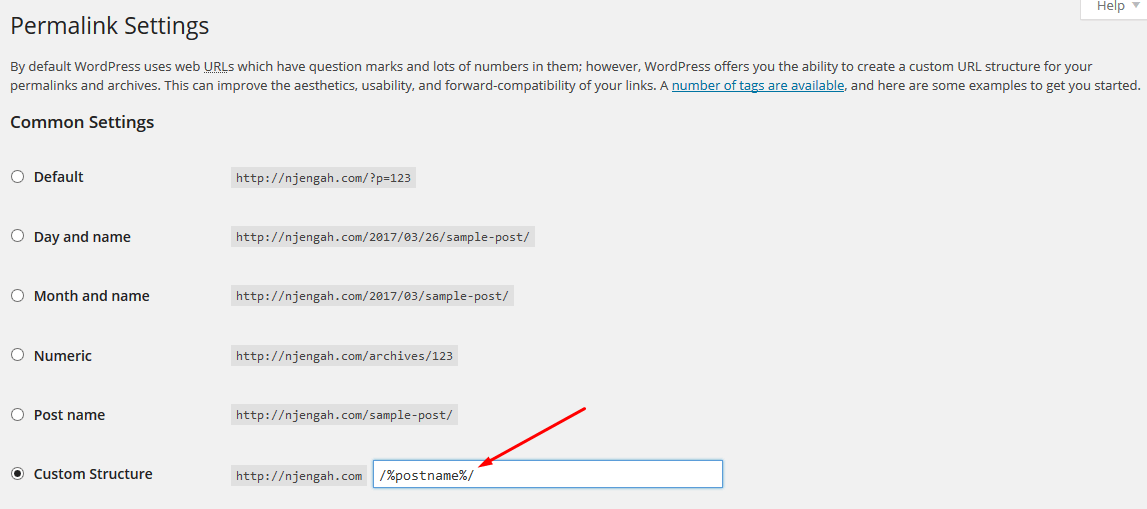
Setting permalinks is paramount. Why? While publishing posts and pages, WordPress permalinks control website URL.
Default permalinks settings changes into the custom structure.
  • Navigate to Settings > Permalinks
  • Add “/%postname%/” in the custom structure box

  • Include category, post ID and Post name by- /%category%/%postname%/%post_id%/
The permalinks won’t change before publishing contents. Also before publishing the modification to 404 pages.

Update WordPress version

Always try to update with your WordPress versions.
  • Navigating to WordPress Dashboard
  • If there is an updated version, the dashboard will show
  • Press on “Please Update Now” option as in the image

The WordPress associates you with earning money. This one is the easiest Content Management System. So bloggers and web developers feel satisfied with it. Above general settings in WordPress will relief your worries after installing WordPress.
Follow those and leave comments if you face any problem.

How to Create A Page with Brizy Page Builder

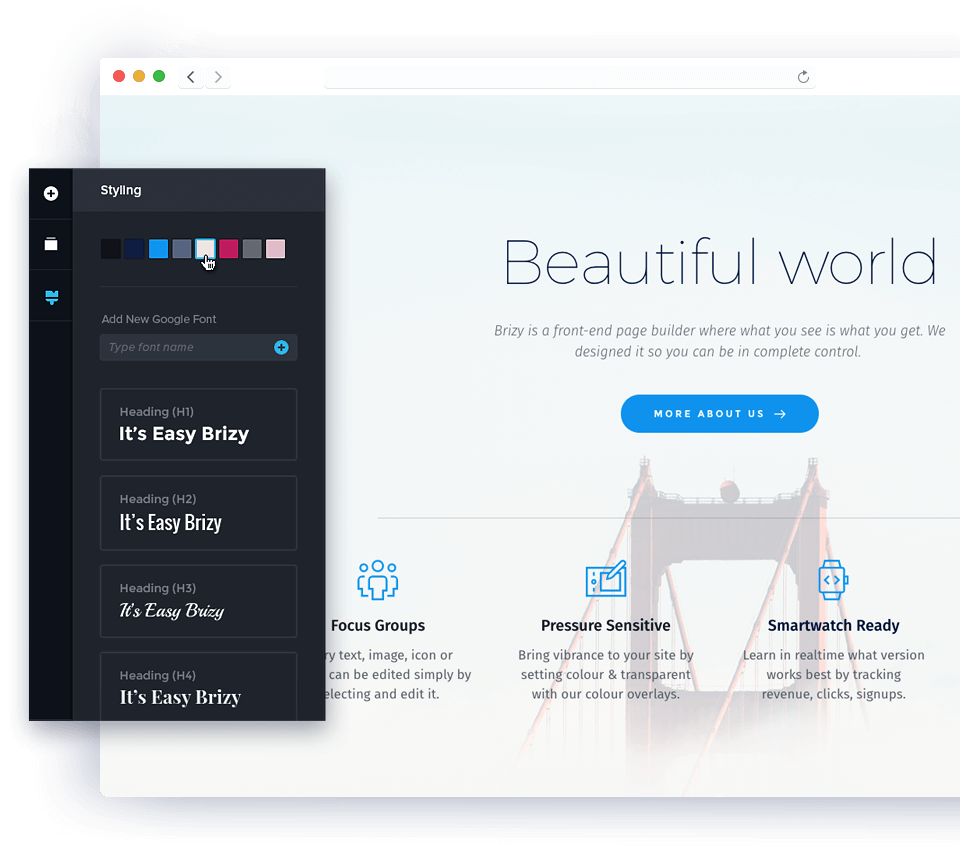
Searching for the fastest way to create web pages? It is quite possible with the new Brizy web page builder. You might have heard about Brizy Pro web page builder. This version of Brizy has supporting features such as:
  • Dynamic content
  • Pop-up builder
  • Premium designs
  • Headers and footers
  • Role manager
  • Advanced forms
  • 3rd-party integration
  • A/B testing
Brizy Pro is alike Brizy. Though Brizy has designed with remote different interfaces. But to create web pages with Brizy has become easier than previous plugins.
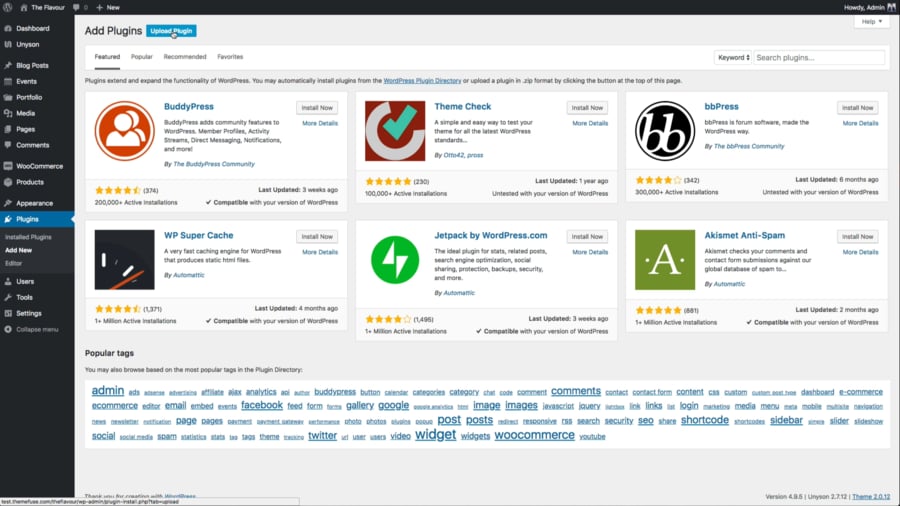
At first, you should have WordPress account for blogging on localhost. You can use admin search method or upload method to add Brizy on your WordPress.

How to create web pages with Brizy?

Requirements:

  • WordPress 4.9.6
  • PHP 5.4

Step By Step:

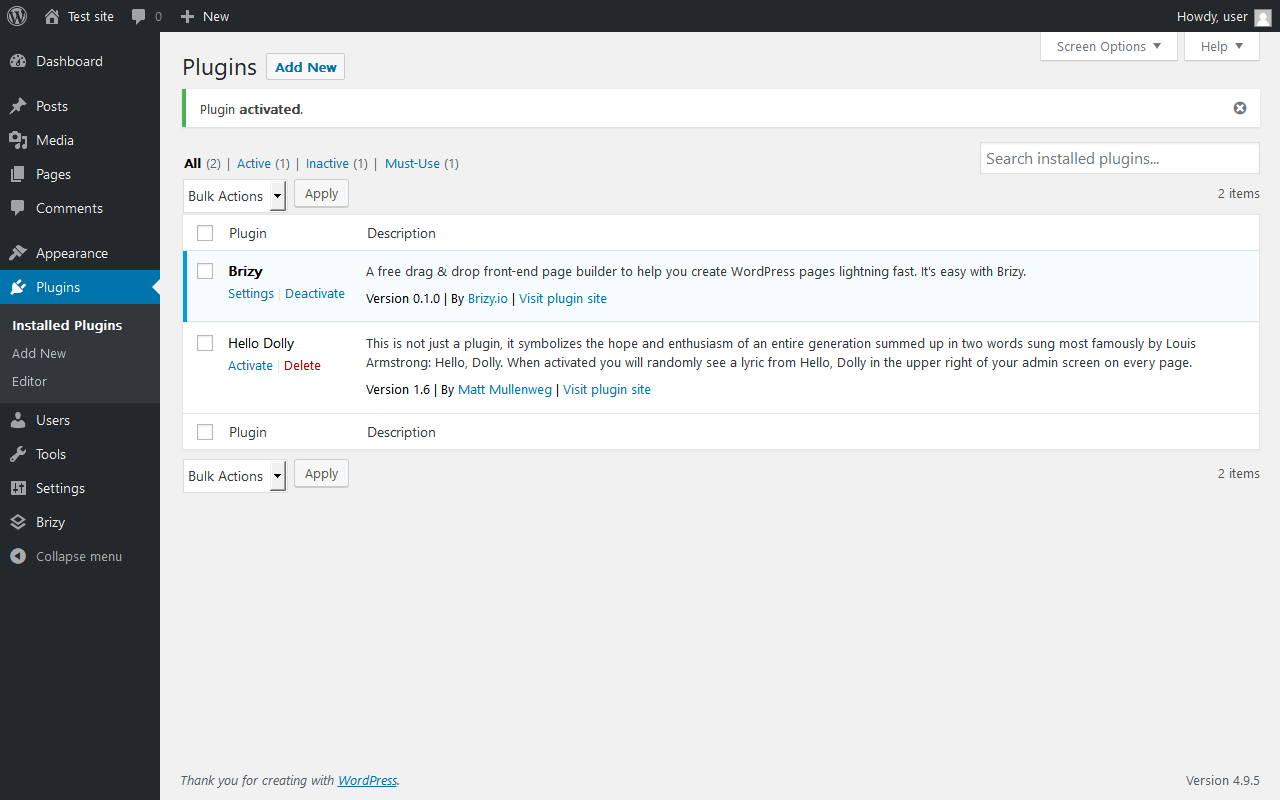
  • At first click on your WordPress Admin Dashboard> add Brizy

  • Click on Brizy and set up for visual editing

  • Next click on Pages> Add New> Set Title> Publish

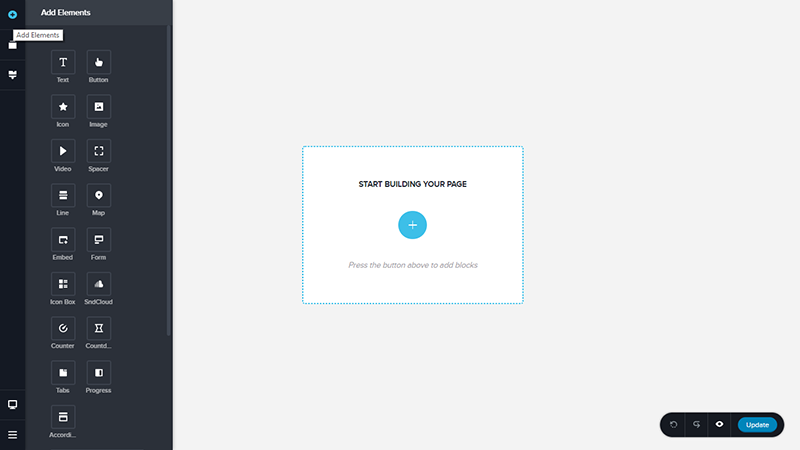
  • After publishing, click on Edit with Brizy option. You will see the Start Building Your Page

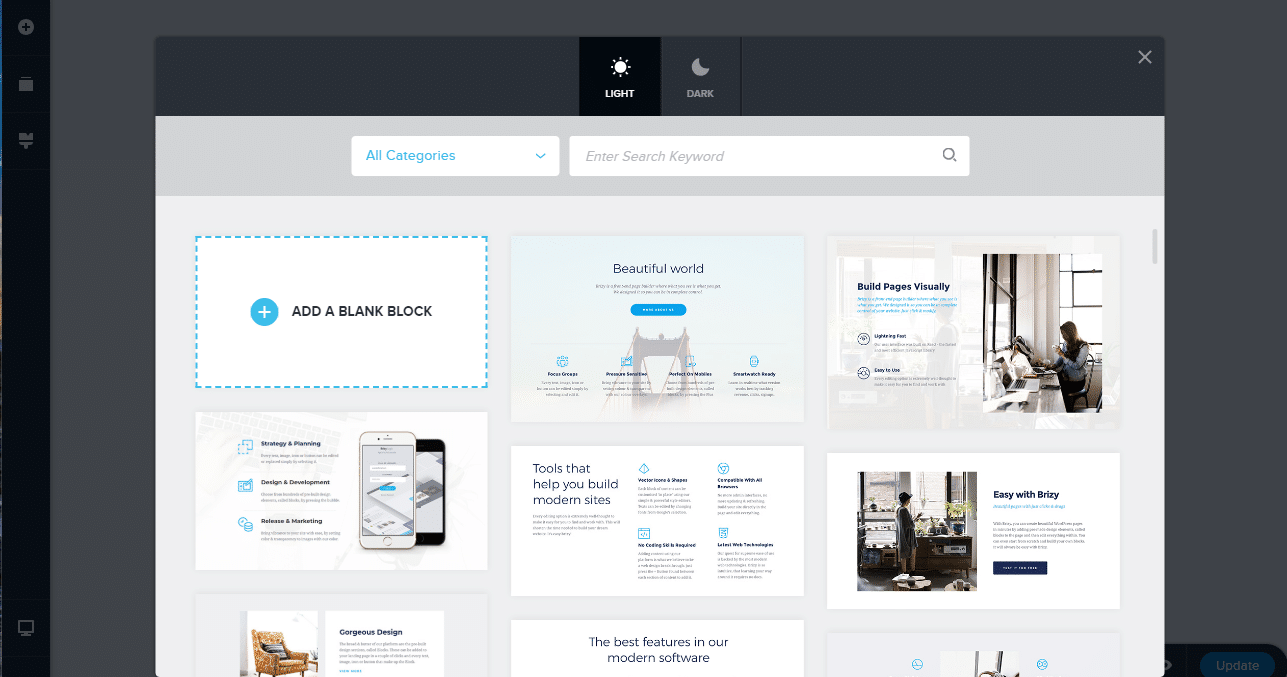
  • Now you see the add a block with many pre-maid blocks

  • Press on the preferred block and edit your content with Brizy features

  • In each of block sections, edit your site visually.
For example:
  • Click on Light Blocks option or Dark you want

  •  Press on any blocks like Tools That Help You Build Modern Sites
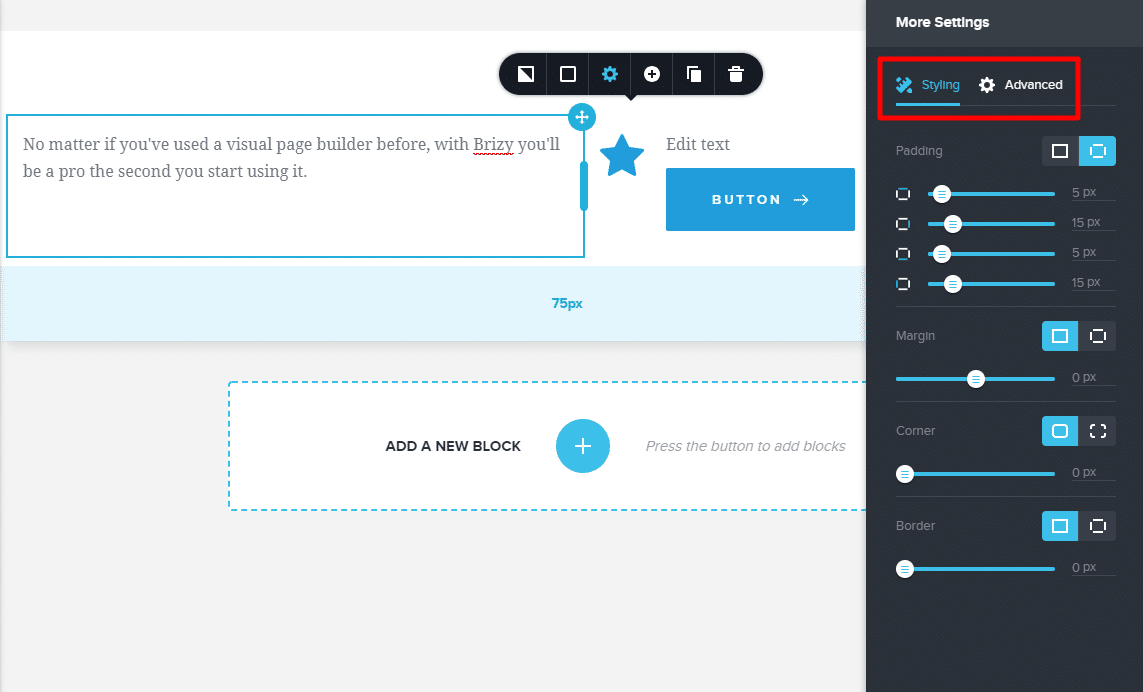
  • On the right side of block page, contains options with other 7 options
  • Click on the first left option which asks your consent for Make it Global and Make it Slider
  • Turn on the Make it a Global option
  • Now edit this block’s each section globally
  • Edit blocks section through adjusting colors, letters and adding images

  • For saving each section again click on the right corner option and save
  • If you want to search for your saved and global layout click on them

You can edit your site by the categorized blocks. All you need to know how mouse and keyboard can use.
All options cover to edit sites. Like typography, colors, align, bold and settings options are compatible with visual editing. As WordPress is quite mobile optimization, Brizy also has this compatibility. So wherever you move, can create and design your site at ease. It also customizes your sites without formality.

Limitations

Sometimes WordPress clashes with Brizy such new web page builders. After or before the installation of Brizy, occurs some problems as it is new. But Brizy has its own limitations.
  • The color change is not well because it changes all in one click. Sometimes finding preferred colors for sites makes one irritating
  • The desired customization is not always available
The indeed is Brizy is the bright future web page builder. With the updated configurations, you can do all by yourself. Install free or premium layout for WordPress site designing.
Please leave a comment. We would love to help you with installing and work with Brizy!

Elementor Next Level: Elementor 2.1

An Introduction on Elementor 2.1

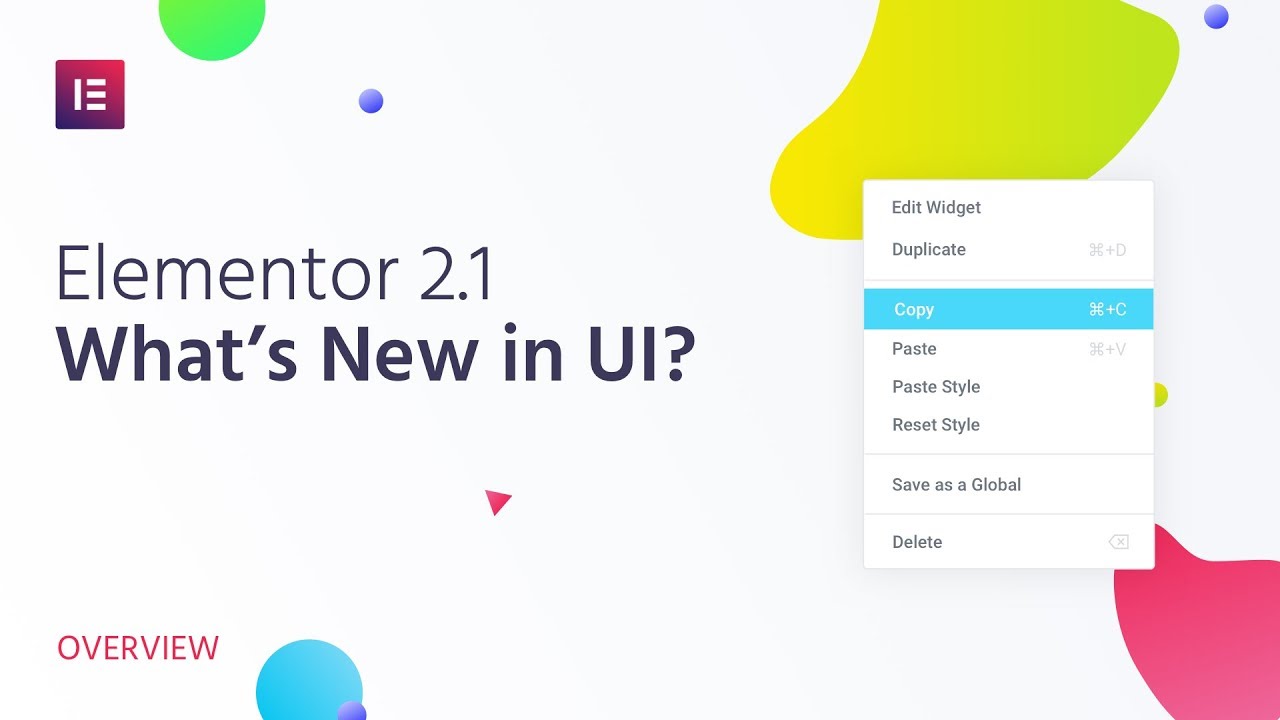
An end to drag, drop and wait. Elementor has created it’s each version with improvements in features. The new and distinctive features will give you a better workflow. With this demand, Elementor has come with its next level Elementor 2.1.

What features do you expect from this version? Will it be successful to please you? Let’s discuss these issues.

What are unique in Elementor 2.1?

Frustrated with restructuring same style? Of course, every web developers must be.
Elementor 2.1 has come with Copy Style configuration. Now you are free to copy any style if you want again and again. This feature has added as because of streamlined users’ request. Reuse web design elements into different pages is a common issue. This time, you can not only replica styles but also design elements as well. This upgraded version has some other upgraded interfaces.
Let’s notify you with the unique and new ones.

Introducing Copy style

“Copy here and paste there”– the motto of this feature. Elementor web developers have operated hard on perfecting this structure. For instant speed up your design procedure, use copy style. This will make fun allowing you to copy styles of-
  • Column
  • Section
  • Widget
It helps to less focusing on technical adjustments and more on the creative process. If you are a streamlined user, this configuration is a must.
Now switch components around and move layouts anywhere on the page. Technical ways to copy style as well as the elements-
  • For copying: press on CMD/ CTRL+C
  • For pasting: CMD/ CTRL+V

Copy Paste between Pages

This part is game-changing for Elementor 2.1. You can copy and paste the styles from one page to another. It is like taking a section from the homepage and put into the contact page. The whole possibilities are endless.
To copy and save the sections from one page to another, follow the previous way-
  • Press CMD/ CTRL+C
  • Again press on CMD/ CTRL+V
Now your preferred ones have saved to a new location. The plus point is easy to remember the process to copy paste between pages. This will stretch fun while copying and pasting the entire elementor page. In the blink of an eye, copy and paste have done.

Other features of Elementor 2.1

Elementor 2.1 has another two advanced UI. Introducing you with the advanced ones.

Quick Restart

Have you bored with retracing your steps while designing websites? Elementor 2.1 has the greatest solution. By clicking on “Reset Style”, reverse to the default mode settings.
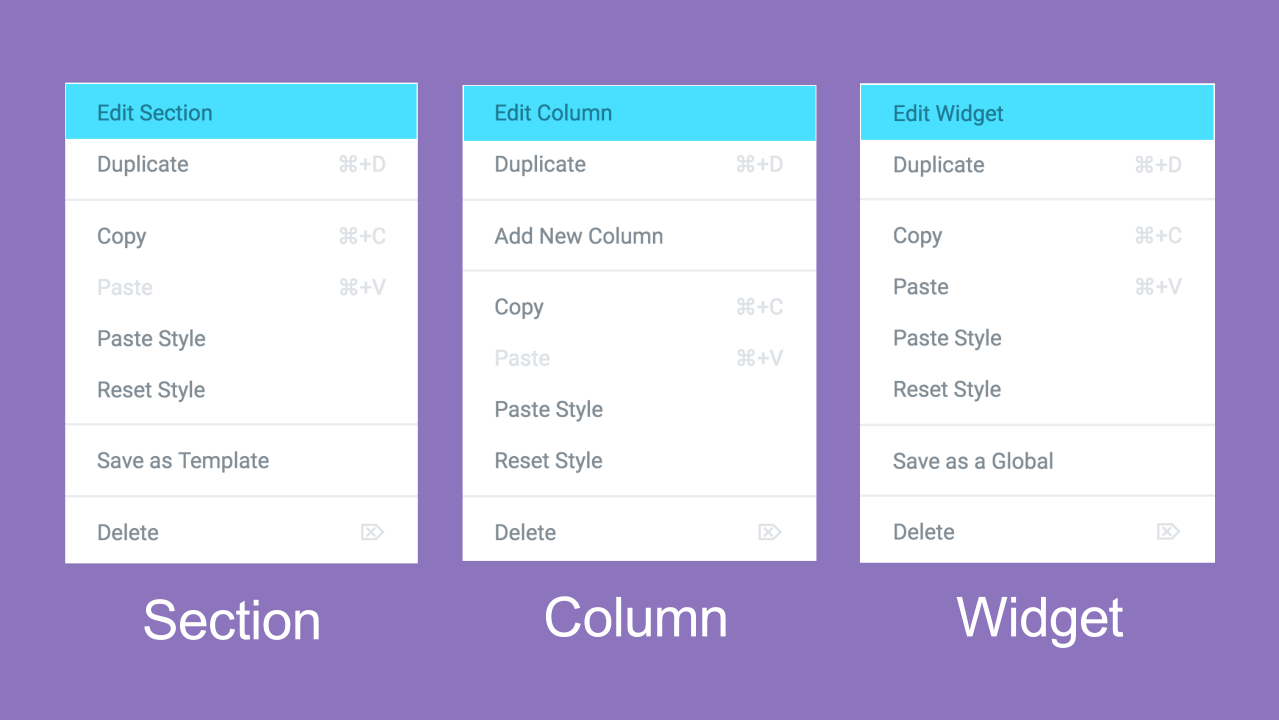
After right clicking on sections, widgets or columns will display the following options:
  • Edit
  • Duplicate
  • Copy style
  • Paste style
  • Reset style
  • Delete
  • Save as template (for sections)
  • Save as Global (for widgets)
  • Add a new column
Hit on “Add Section”, will display the following options:
  • Paste
  • Copy all content
  • Delete all content
Inspect the  Elementor 2.1 in this way.

Context Menu

The new UI has introduced developers with “Right Click”. The Right Click is a cleaner interface for a much workflow. This feature is the new setting handler to control all thing belong to this plugin.
The web developers of Elementor has added a Context Menu. Right Click opens a drop-down presenting all the prior actions. This feature discloses the copy style and copy paste features as well. Press on CTRL / CMD+ Right Click to reveal the context menu.
Many UI has improvements have included in Elementor 2.1, such as-
  • The Right Click menu
  • New minimalistic setting handles
  • Copy style and
  • Add Section/ template button
In the following, we will lead you to other new features. Such enhancements are- Gutenberg compatibility, image CSS sifters, CLI and custom breakpoints. So till that moment explore the next level of Elementor. Do not forget to share the innovative copy style and copy-paste between pages features.

For more updates and queries of Elementor 2.1, comment on the section below.

Where should you go for WordPress premium themes and plugins

Do you know about WordPress premium themes and plugins? Where should you go for premium themes and plugins? Which marketplaces are reliable to find premium WP products?
Let’s focus on these questions’ answers.

WordPress premium themes and plugins

Premium themes and plugins offer a bundle of benefits. As long premium objects are better than free ones. Premium ones offer upgrade features, unparalleled support and higher quality product. In short, premium ones boost up your visibility with money.
Two types of avenues theme and plugins vendors and marketplaces. Go down with premium themes and plugins searching sources.
With responsibility, themes and plugins marketplaces work better than vendors. Actually, vendors only enlist the high-quality products as long they are beyond standard. But products marketplaces offer good rated ones. Here themes and plugins developers pay a commission on each sale. In brief, here nothing to hide about products you prefer to buy.
Have a look on the reliable marketplaces for premium themes and plugins.

VoidCoders

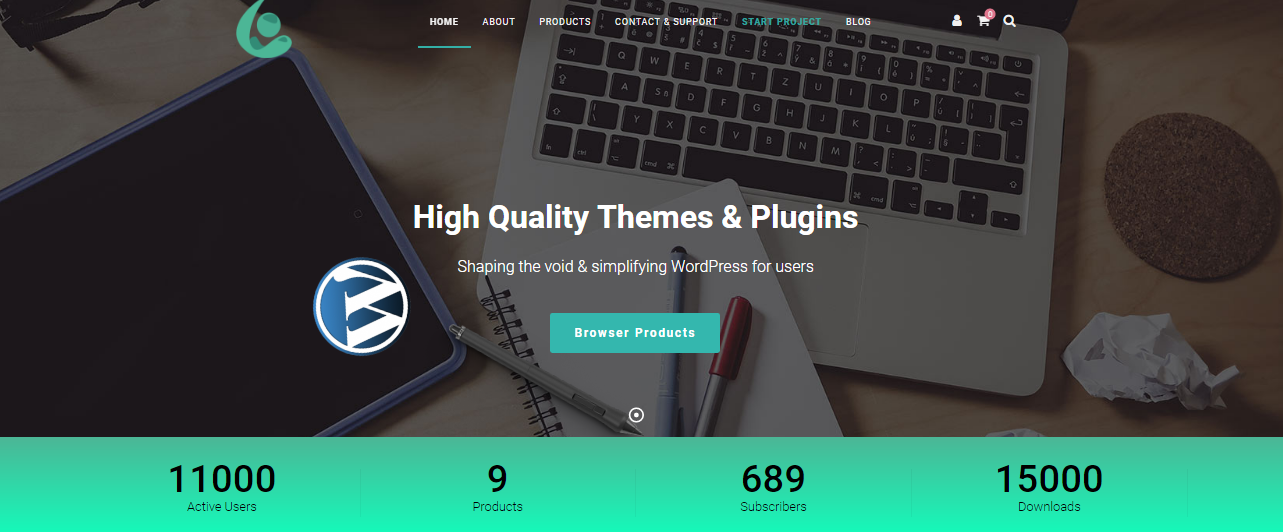
We should not kick off with our top WordPress products, should we? In recent, we have launched some themes and plugins. These will help to design your sites. Our theme and plugin platform upfront make customizing sites in a better way. Also, we are supportive of PSD and HTML.
With amazing quality, we release less product. Why? Because we maintain rules and think about usability and portability before product release. Elementor WHMCS Elements and Post Grid Add-on for Elementor are examples. Within a short time, have recorded about 11000 active users and 15000 downloads.
Thus “Shaping the void and simplifying WordPress for users” is our motto. Also, we are live 24/7 with our experts.

weDevs

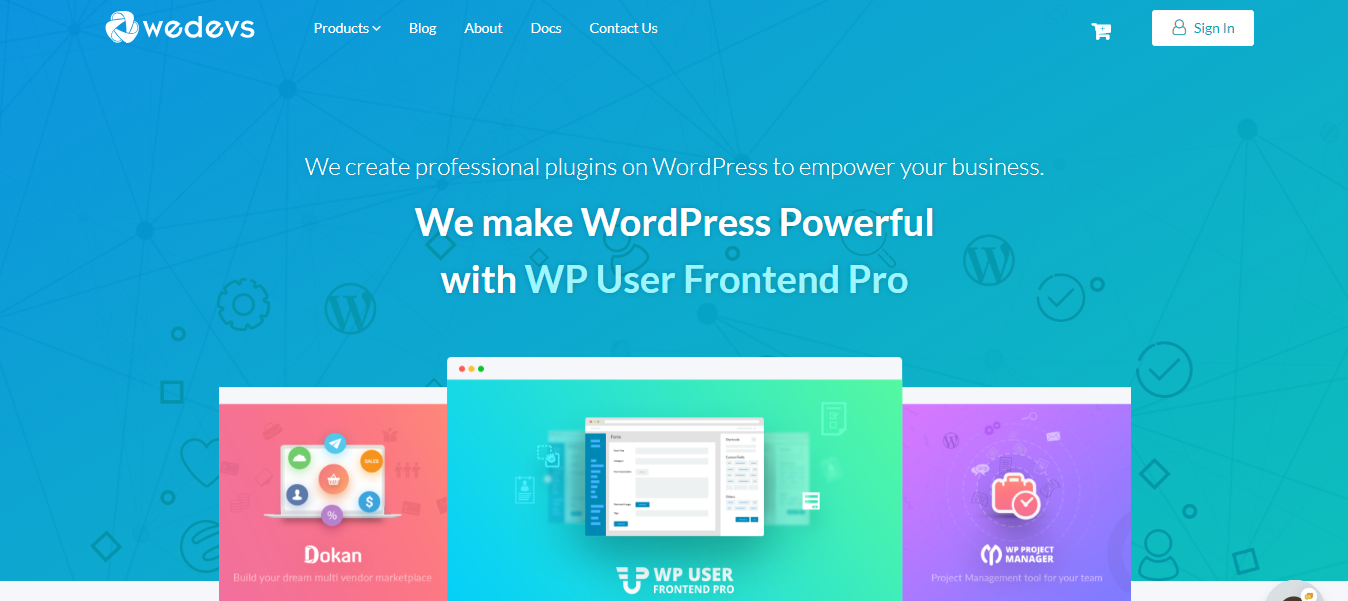
weDevs has more than 50 premium plugins and some of them are very popular and useful in fact. Like- Dokan Multivendor plugin and WP ERP.

This company started in 2013 and till then they are publishing great products. You can make a purchase from them without any hesitation as they have a refund policy under 14 days!

WPMU DEV

For better code quality, documentation and reliable support, check this place. You can deal with every WordPress site from the hub. They have several sections to handle your websites.
  • Security
  • Performance
  • Updates
  • Backups
  • SmartCrawl SEO
  • Reports and Revenue

Envato market

This is one of the largest marketplace ever for premium themes and plugins. They let you search for their categorized products. With the opportunity for the budget, see the recommended products.
They have service based on-
  • Community
  • Web development
  • eCommerce
The skilled and necessary web developers are at your service 24/7. Also, the digital assets and tutorials help millions of people. Envato market is such a big place where up to 4 billion items sold. With its monthly update, buy your required ones and design sites at ease.

Themify

Seeking for affordable themes and plugins, Themify is another alternative. With a view to intercepting customer, offers products in every occasion. This marketplace is the largest solution as your inclinations.
They commit to creating responsive WordPress sites with premium themes and plugins. Including different type of builder add-ons, each of plugins is easy to drag and drop. Also, the helpful abilities that can make your site beautiful.
  • Themify builder
  • Post type builder
  • PTB addons
  • Own ready shortcodes
  • Trusted by over 80 thousand customers
  • 24/7 virtual help
  • Plugins and themes are available within $79/year

Elegant Themes

A very high attention WP products you can get within $69/year. So for friendly and unique collection, check Elegant Themes site for once. Let’s check their deals at a glance.
  • Dedicated virtual help
  • Pack of business and professional toolkits
  • Free access to 3 plugins and 87 themes after being a member
  • Simple pricing and unlimited use
  • Trusted products by over 50 thousand customers from past ten years
So? You can go and make a purchase from any of these sites! No hassle! Some of them will cost you a lot and can shrewd somehow. But the best ones are not a competitor to others. So go to these sites and start with your desired ones.

House Manager: Complete Property and Renter Management Tool

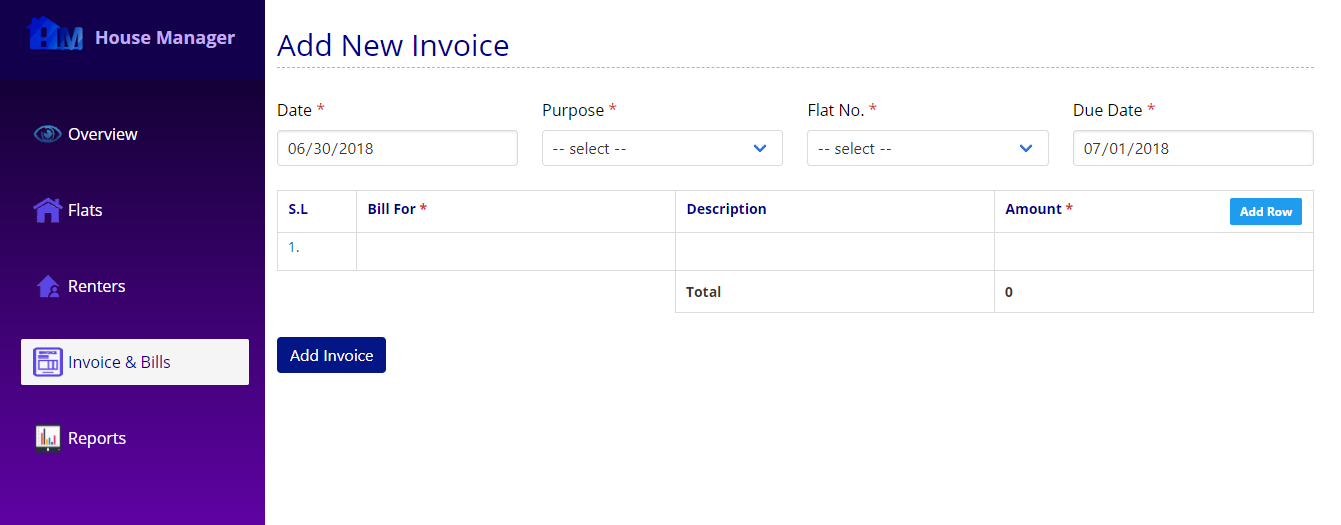
Searching for the manager to manage your apartments, buildings, flats and renters? If you are, then House Manager plugin is the best option. Let the habit leave to save information in the diary. Now manage your flats, buildings, apartments, renters & billing from your WordPress Frontend!

House Manager- Property and Renter Management Tool (WordPress)

House Manager is the newest FRONT-END plugin for WordPress. But you will feel the best to manage apartments, flats, buildings and renters. House Manager is an online frontend plugin. So get to do your agents online now!
Why is it the best property and renter management plugin? Why do you choose House Manager?
This one frontend plugin is always ready to manage and enlist your properties online. If you are the owner of one building, flat and apartment or like more of them, renters may be numeric. But if you install this software, will be easy to cope up with all them in one click. Complete feature real house organization website and entrance are available here. Besides, you are going to benefit yourself as well as your renters by-
  • Monthly charges
  • Advances
  • Dues
  • Bills and
  • Many more….
Let’s notify you with core structures of House Manager.

Core features of House Manager

Manage Your Flats

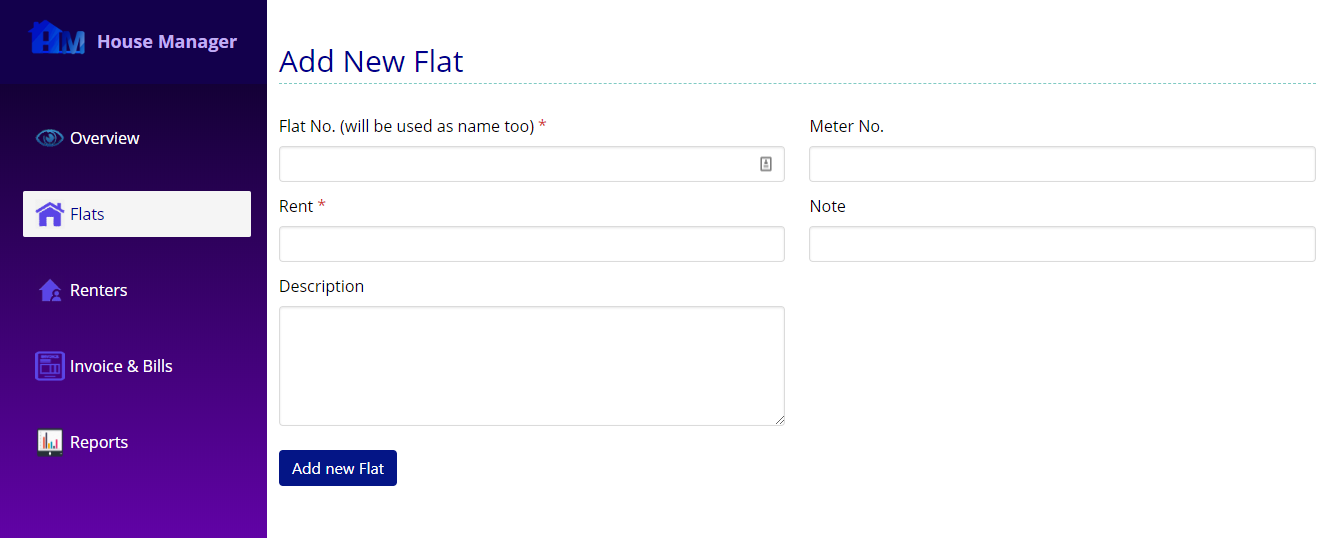
  • Enlist all your flats in one directory
  • Add flat numbers of many building

  • Use slug-like- B1 H2 means building 1 and home number 2
  • You can add flats on renters name or with their details
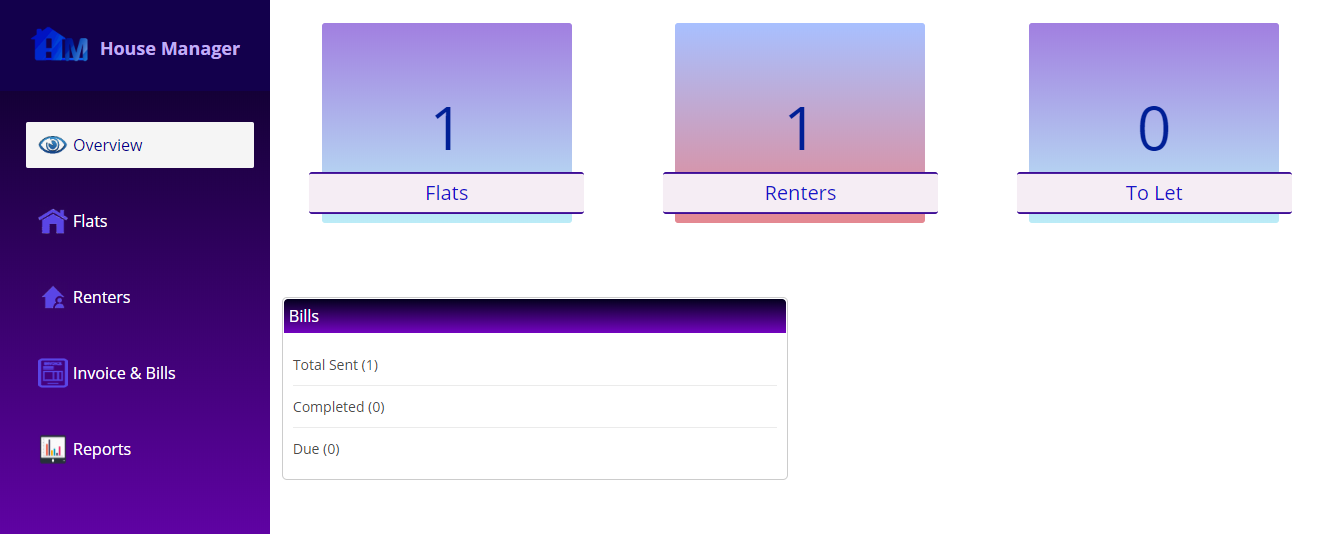
  • Able to see available flats for rent, rented and total flats
  • Get an overview of details in a single page

Invoice or Bill Managing

  • All bills in one page
  • Renters monthly rent catalog
  • Make invoices for house rent, advance, current bill and so on
  • Mark sheet for marking the paid bills

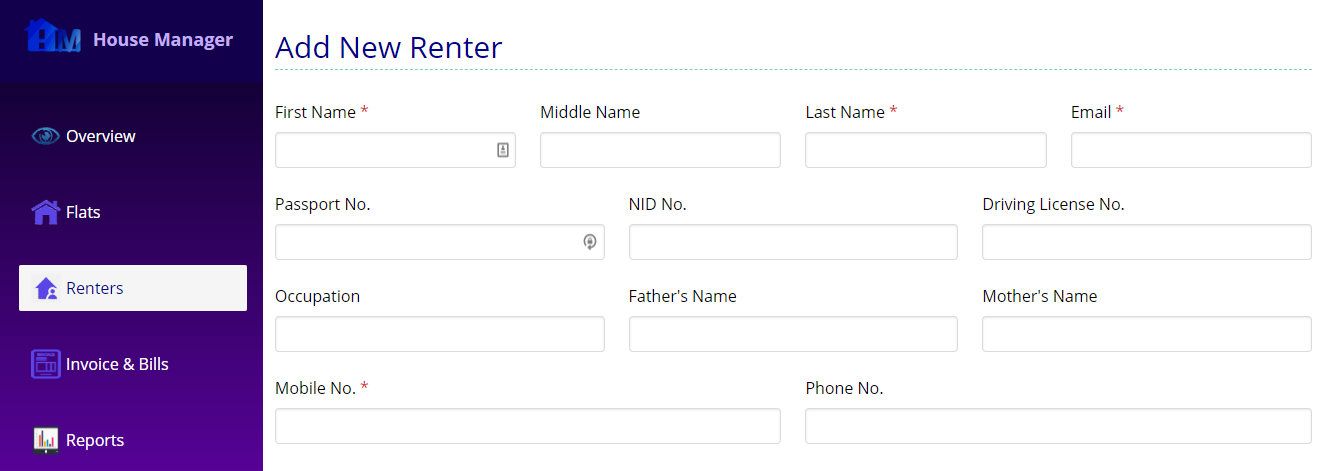
Manage renters’ details

  • include renters information for security purpose
  • Data such as- renters’ NID No, Driving License No and Passport No you can store online
  • Create copies of those data
  • Transfer data from one file to another
  • Copy and upload each file by upcoming House Manager PRO

Email invoices as PDF

  • Each renter can see their paid and unpaid bills
  • The timing of paid ones save online
  • Renters can correct information and any living problem to proprietors
  • All files save as PDF
Reports (Upcoming feature)
  • Generates reports
  • Observe the dues at a glance
So? Do not waste your time. Install House Manager if you feel the necessity to handle your property and renters online. Extra advantages are- easy to install and translate into other languages.
Our web developers have created this one. So we are much eager to know about your experiences. Share your experiences through comments!

Download it now      See Documentation        Get Support