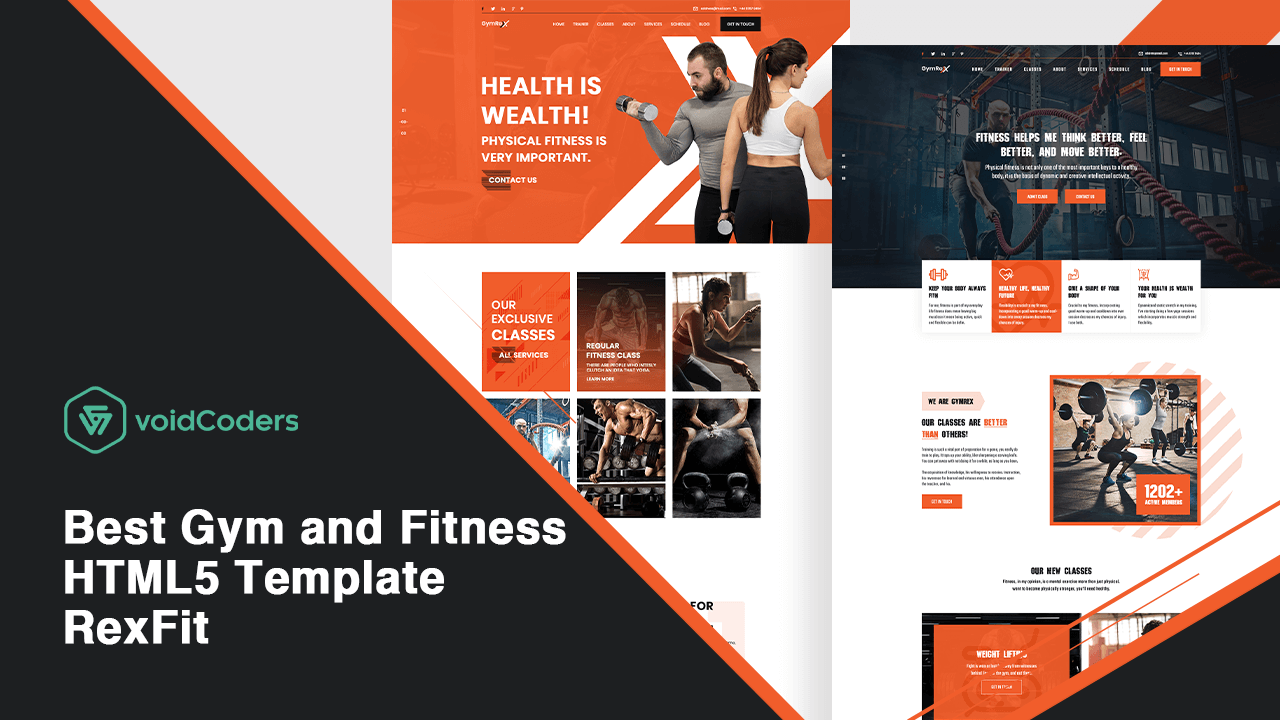
Best Gym and Fitness HTML5 Template-RexFit

Wanna start an incredible gym and fitness-based website? We prefer RexFit the upgraded HTML5 template. Along with the bunch of HTML5 templates, builds a website without discreet coding. Only the drag and drop feature does not make this one very special to build a gym and fitness-based commercial website.

Let’s have an overview inside the pouch of this HTML5 template.

RexFit – Gym and Fitness HTML5 Template

RexFit – Gym and Fitness HTML5 Template

RexFit is a library that helps to redefine health gaining and yoga regarding issues. RexFit works for health-conscious people for maintaining the time of yoga, meditation, fitness and similar health issues.

RexFit is based on Bootstrap 4x and 100% of all types of device responsive. This one tends to build own portfolio or personal site. The template works as a contact form with different web layouts. What are the most amazing features that can attract you to use this one? Let’s have a quick overview of the features.

Why Should You Choose RexFit?

Pricing: $13

Notable Features:

  • Template design based on Bootstrap V4
  • 12 columns
  • 4 blog pages
  • 3 homepage
  • 3 blog details page
  • 3 navigation style
  • 3 gallery pages
  • 2 about page
  • 2 class page
  • 2 class details page
  • 2 trainers page
  • 2 trainers details page
  • 2 schedule page
  • 2 service page
  • 2 contact page
  • 1 service details page
  • One 404 error page
  • Total 31 HTML files included- 3 index files, 2 about files, 4 blog files, 3 blog details files, 2 class files, 2 class details files, 3 gallery files, 2 trainers files, 2 trainers details files, 2 contact form files, 2 schedule files, 4 service and service details files and one 404 error file
  • 100% pixel perfect design
  • 100% responsive and editable
  • Work with related Contact Forms
  • Fully customizable and
  • Free Google Fonts

Files Included:

  1. 30 HTML files
  2. 1 help file

Font Used: Poppins

Icon Used: Font Awesome and Flaticon (IconFont)

Wrap Up

A question may arise in your mind. Is this one compatible with SAAS? Yes, of course. Software As A Service (SAAS) means as a software distribution model. Third-party companies used to host applications to make it available to online customers. Get ready to simply change own site UI. Also, for learning progress, placeholders have Included documentation.

Still, have you not installed RexFit? Let us know your website making experiences with the HTML5 template.
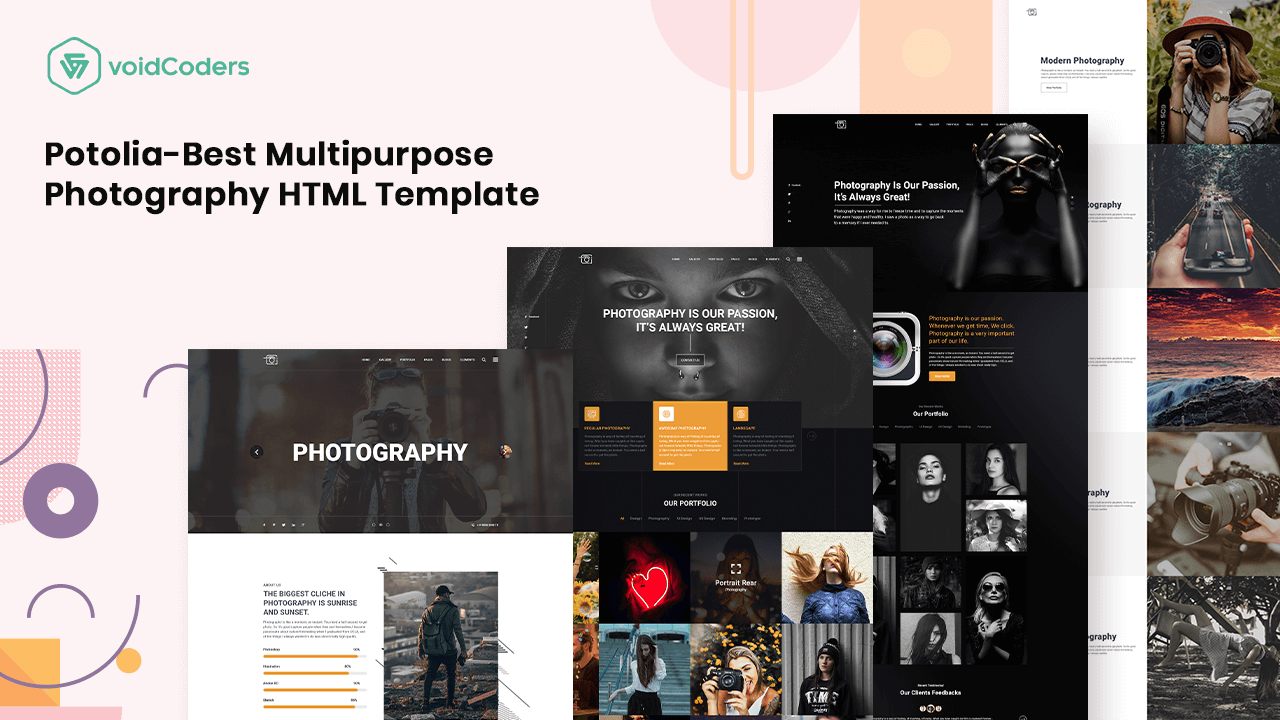
Potolia- Best Multipurpose Photography HTML Template

Which photography software is the most important for all web designers? Obviously, Adobe Photoshop. Adobe Photoshop permits to edit your web layout with responsive features. But there need such templates to figure out and represent a website in a prestigious and lucrative way. Also, the PSD templates work on creating own portfolios that pull potential customers to a verified site. The site could be similar to eCommerce, WooCommerce and multi-purpose.

Voidcoders has introduced an HTML template Potolia. This one basically suits for various types of photography portfolios and presentation.

Potolia- Multipurpose Photography HTML Template

Potolia- Best Multipurpose Photography HTML Template

It is Potolia! A multipurpose photography HTML5 template. Potolia arranges your photo gallery in a specific way according to name, date, place and category. Is not it enough to attract new and old potential customers to your website?

If it is not enough, give a try with your team at first. Let’s know something more about this convenient HTML template.

Does It Worth to Choose Potolia?

Pricing: $12

Notable Features:

  • Designed based on SAAS and Bootstrap 4x
  • 1140 grid system
  • Great integration with Revolution slider plugin which worth $16
  • 23 homepage
  • 19 SCSS files
  • 14 portfolio
  • 12 columns
  • 9 blog pages
  • 5 service page and 1 service details page
  • 4 gallery pages
  • 3 blog details page
  • Three about page
  • 3 album page
  • Total of 67 pages
  • 1 contact page
  • 1 pricing page
  • One 404 error page
  • 100% pixel perfect design
  • 100% responsive and fully customizable
  • Free Google Fonts
  • 24/7 customer support

Icon used:

Font Used:

User Rating: 4.9/5

Pros Cons
1140 grid system 24/7 customer support is not that much of valid
Simple but stylish web layouts  
Free Google Fonts  
Responsive icon used  
Huge number of homepages which separate from other templates  
Available at the cheapest price  
Total 67 types of pages  

Wrap Up

If you are capable of design own website, then you can download free, premium and pre-designed PSD templates. It is undoubtedly an initiative for starting an eCommerce business. Also, eligible for the web designers who are already inconstant to operate a small budget business. Hope Potolia covers all the requirements that an HTML template must-have. The documentation may let you feel free to install this on your site.

Do not forget to share experiences with Potolia through the comment section.

Sean- Software and App Landing Page HTML Template

Suppose, you have generated a webpage. Your visited or created website may have terms such as Sign up, Buy, Pre-order and so on. Already it has confirmed that you have browsed a landing page. You must agree that this is the era of web development. With this rapid development and expansion, in most of the cases, web pages are introducing as landing pages.

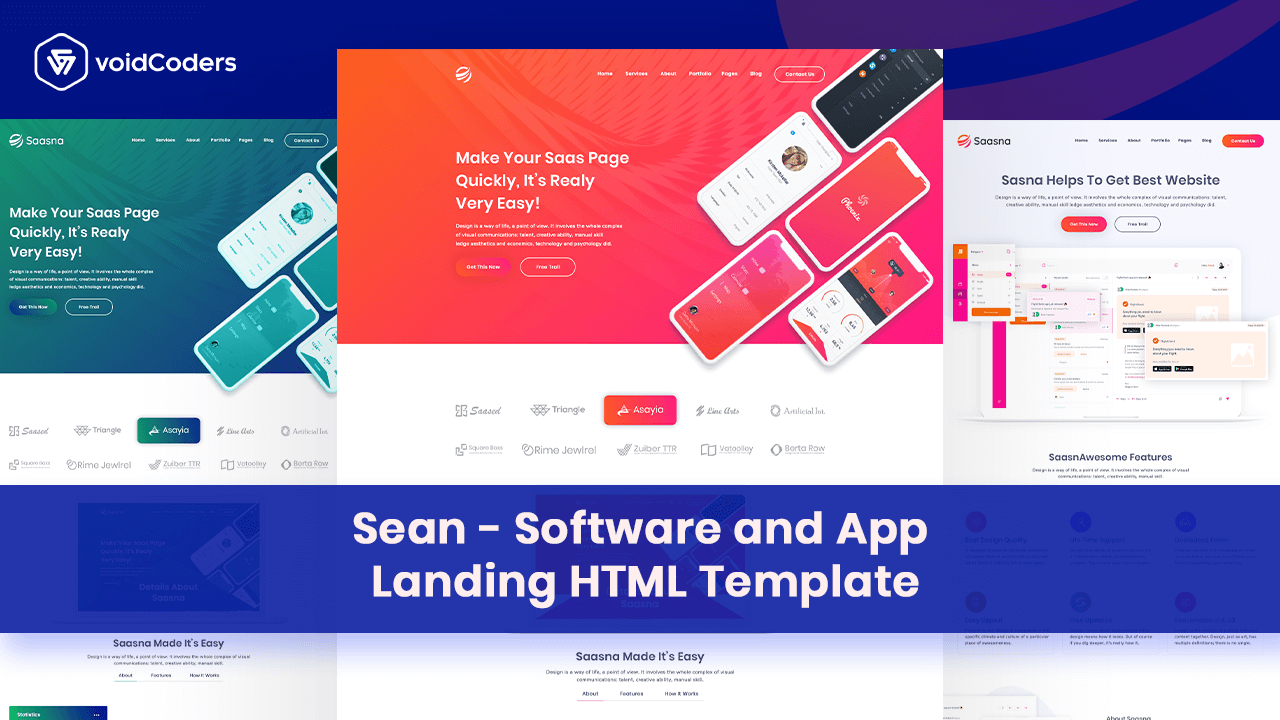
Such software and app landing page HTML templates assist in focusing on the more particular type. eCommerce startup, minimum required costs and pre-requirements could be the particular issues. To fulfill newbies demand, Voidcoders has launched Sean. This one is not just an HTML template for bloggers and businessmen. Also, eligible for software and app landing page which transfers files from one language to another.

Sean – SaaS Software and App Landing Page HTML Template

Sean – SaaS Software and App Landing Page HTML Template

Sean has designed in a unique system which is much preferable to operate landing pages with HTML5 format. This is not the end. User can convert the format from the latest HTML5 to CSS3 and SASS. Let’s see from the feature box that what is waiting for you.

Why Need Sean for Your Site?

Pricing: $14 with 6 months of customer support.

Notable Features:

  • Designed based on SASS and Bootstrap 4x
  • 28 HTML files
  • 25 SCSS files
  • 12 homepages
  • 12 columns
  • One help file
  • 1140 special grid system
  • 100% pixel perfect design
  • 100% customizable
  • Free Google Fonts
  • Modern design standards and typography

List of HTML pages:

  1. Index.html
  2. Index-2.html
  3. Index-3.html
  4. Index-4.html
  5. Index-5.html
  6. Index-6.html
  7. Index-7.html
  8. Index-8.html
  9. Index-9.html
  10. Index-10.html
  11. Index-11.html
  12. Index-12.html
  13. Blog.html
  14. Blog-2.html
  15. Blog-3.html
  16. Blog details.html
  17. Blog details-2.html
  18. Blog details-3.html
  19. Portfolio.html
  20. Portfolio-2.html
  21. Portfolio-3.html
  22. Portfolio details.html
  23. About.html
  24. Service.html
  25. FAQ.html
  26. Contact.html
  27. Contact-2.html
  28. 404.html

Font Used: Poppins and Nunito

Icon Used: Font Awesome and Flaticon

User Rating: 4.9/5

Wrap Up

Sean is a perfect HTML5 template, isn’t it? Well, Sean suits software and app landing page. The basic design is based on upgraded Bootstrap 4x, SAAS, CSS3 and HTML5. All noob-friendly documentation and editable files enforce to keep attached with this one.

Have you enjoyed the thrill of this showcase template? If not yet, just download it on your website and share the experiences.

SEO Hacks to Drive More Sales on WooCommerce

After opening an online store, it seems yourself on the waiting list for the fastest-selling. Soon enough eagerness crawls on. We have mentioned before that conversion rate is something to maintain a website. By the passage of time, understand customers’ perceptions to optimize WooCommerce sales.
SEO is one of the most effective keys to drive more sales in WooCommerce. Surprised? Let’s acknowledged some more surprises belonging to this.

SEO Hacks to Drive More Sales on WooCommerce

Have you ever focused much on SEO? Such SEO hacks can drive more sales on WooCommerce. How? Get the tips below.

1. Select Yoast SEO plugin

Why not start with an SEO plugin. Yes, talking about the most effective Yoast SEO plugin. This optimizes along with search engines and pulls customers. How will you create more traffic by this one? This tool allows for choosing a focus keyword. Also, provides suggestions as an SEO hack to attract potential customers.
Click and learn how to use Yoast SEO plugin on own website.

Yoast SEO plugin

2. Use more focused keywords

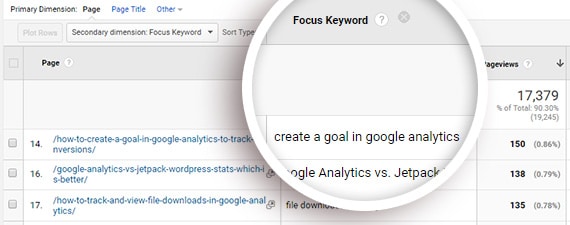
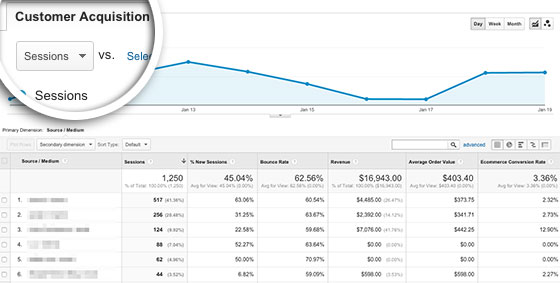
Use more focused keywords that have already searched by potential customers. If you are a Yoast user, both focus keyword tracking and SEO score of contents are more visible. Gain data-driven insights. This helps to prefer focus keywords according to content and boost traffic.
To track focus keywords, enable custom dimensions.

3. Acquaint with eCommerce tracking

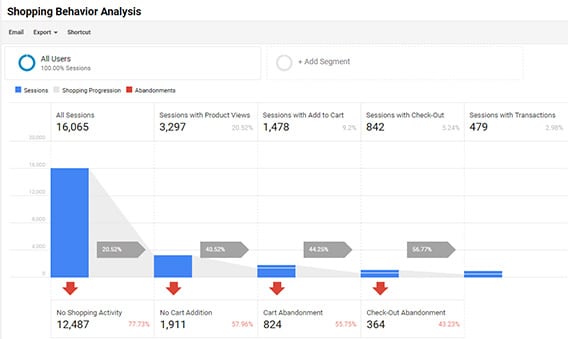
Without coding knowledge, acknowledge with the top methods. This enhance eCommerce tracker to drive more sales on WooCommerce. Have a look at how it works. This one shows such important reports like-
· Checkout conduct
· Shopping conduct
· Price list of products and performance listing
· Sales performance
Now start to analyze the above data reports from Google analytics.

4. Boost organic traffic

Do you identify how qualitative traffic bring off in online business?
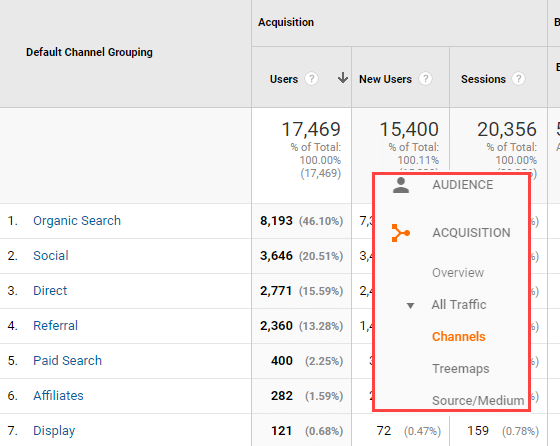
Get your site integrated with any Google Analytics plugin. Catch the channels report from scratch by navigating through Acquisition>> All traffic>> Channels.


Get a custom report that defines per your requirement.

5. Provide custom offers

If you get a 30% discount at first purchase, how will you feel? So do every customer.


Lead generation plugins, in that case, generate campaign posters in the site. OptinMonster is one that displays coupon posters before viewers. Also, the exit-intent technology prompts viewers before they leave.

6. Add more internal links in the product showcase

Promoting high-priority products in own authoritative pages boost sales in WooCommerce. In that case, need such internal links. The links help users to navigate your website. Also, gives an SEO friendly structure for the site.
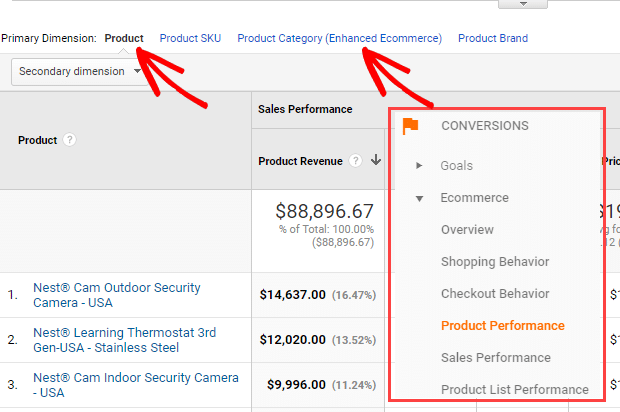
Relate content links in itself. Use an earmarked widget for displaying high-priority product in the sidebar. Also, show top-selling products according to their categories. After enabling Enhanced eCommerce, move to Conversions>> eCommerce>> Product Performance.

7. A/B test

You may have cleared that how SEO hacks can drive more sales in WooCommerce. It’s time for testing website performance. Use Google optimize to get a proper view of your site performance.

Final Thoughts

Above SEO hacks are enough to drive more sales and achieve organic traffic on site. Also, keywords intent and focusing KPIs elaborate eCommerce sales with a great reputation. Try to understand and define buyers’ demand. Keep the latest goods and deliver them.
With great concern, customer happiness is a blessing. Try the above methods else business could lag behind.

WePaint- Best Creative HTML5 Template for Painting Business

Do you have such passionate about which apt your soul? You can evaluate the creative templates for painting. Similar to the profound things as cooking, yoga, writing and traveling. Generally, painting template comes with lots of customization and editing options. Also, the user can extend image support and sort galleries.

So these templates is a must for photographers, painter and makeup artist who can dabble in each profession.

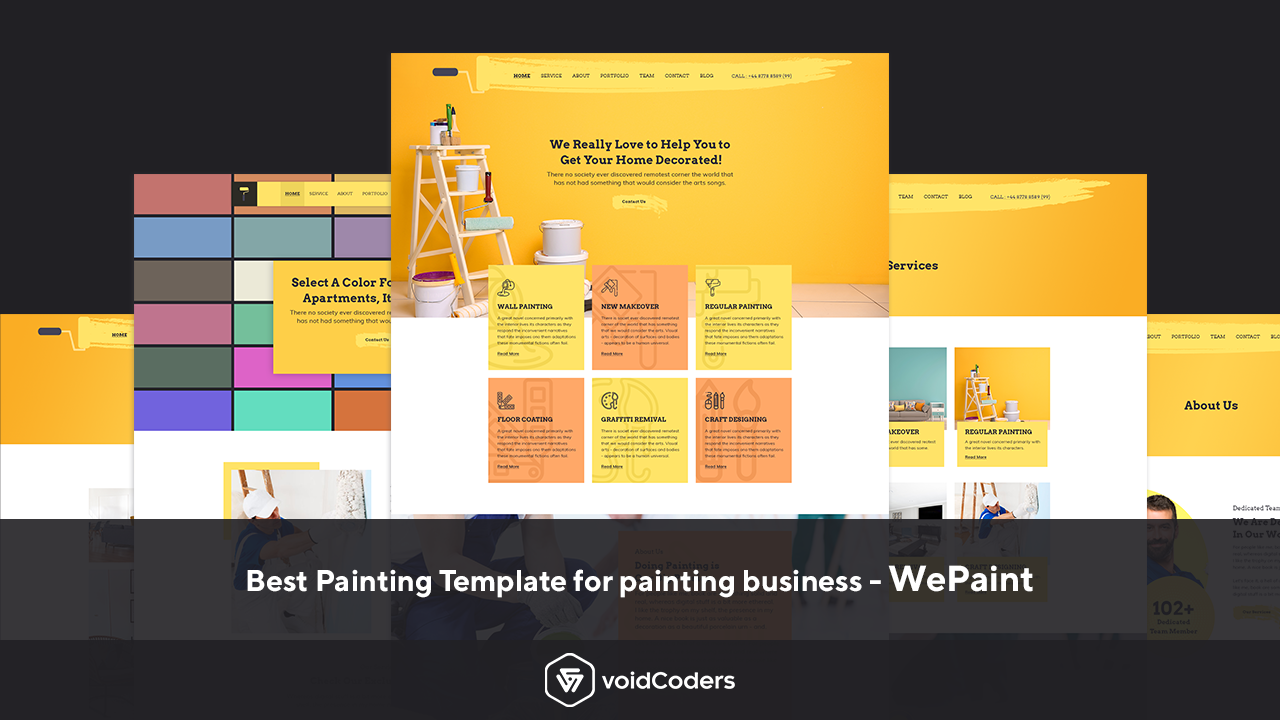
WePaint- Creative HTML5 Template for Painting Business

We gave a short details of creative painting templates. With this perception, Voidcoders have launched WePaint which is a creative HTML5 Template for a painting business. This is a well-suited template that offers professional HTML5 and CSS3 codes together.

Also, the coding methods assist to generate unique portfolios of single hosts or painting companies.

Tips to remember while choosing a painting template:

  • Endless editing option
  • Latest coding methods which must be professional to represent well enough site
  • Bootstrap 4X compatibility
  • All software supported
  • Customizable quote calculator
  • Colorful demos and several new designed layouts
  • All device responsive

Can WePaint offer the overall features? Let’s perceive from WePaint offers.

What WePaint Offers You?

Similar to other ones, WePaint has come up with a beautiful variety of features. Let’s get amazed by WePaint latest forms.

  • Planned based on Bootstrap 4X
  • 1140 Grid system
  • 12 columns
  • 23 HTML files
  • 3 homepages
  • 100% all device responsive
  • 100% pixel perfect design
  • Free Google Fonts
  • Customizable with such different layouts and colors
  • Live chat or text message option

Font Used:

  1. Arvo and
  2. Muli

Icon used:

  1. Font Awesome and
  2. Falticon (IconFont)

Bonus offer: List of 23 HTML pages

  • index.html
  • index-2.html
  • index-3.html
  • about-us.html
  • about-us-2.html
  • blog-details.html
  • blog-details-2.html
  • blog-details-3.html
  • blog-details-4.html
  • blog-right-sidebar.html
  • blog-left-sidebar.html
  • blog-main.html
  • Coming-soon.html
  • Contact-us.html
  • Contact-us-2.html
  • Our-team.html
  • portfolio.html
  • portfolio-2.html
  • portfolio-details.html
  • service.html
  • service-2.html
  • service-details.html
  • 404.html
ProsCons
Compatible with Bootstrap 4X, HTML5, CSS3  and JS5 
All device responsive 
Available noob-friendly documentation 

Pricing: $12. Get extended 12 months customer service at $2.63.

Wrap Up

The whole thing about WePaint is a collection of such perfect features. The features that enable painting company or small color shops to generate a suitable site according to their demands. Because the whole features follow all moderated standard bases.

Do you like WePaint? Share experience with us about this budget-friendly template.


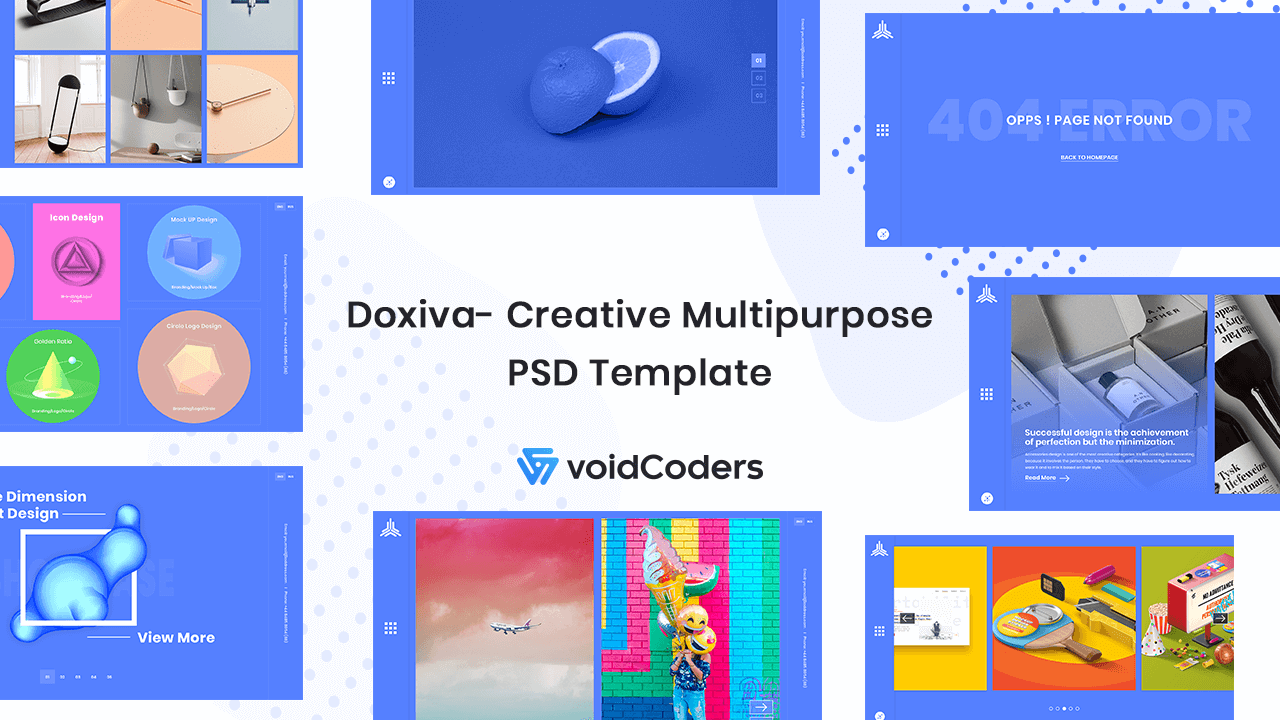
Best Creative Multipurpose PSD Template – Doxiva

PSD templates! These are creatively designed to convert into such platforms like WordPress, Joomla and so on. PSD templates basically produce under some creative designing process. The templates help in providing significant dimensions. Also, front-end developers get info about elements from such templates.

Such a PSD template is Doxiva. Voidcoders has launched this product to implement converting process being done in CSS. Let’s dive into the depth.

Doxiva- Creative Multipurpose PSD Template

Doxiva is a PSD template that works like a graphics designer for any blogging platform sites. Such as WordPress, Joomla, HTML, Magento and more. At first, enhance site visual and forward to ingenious developers to execute the enrolment. This one actually a pre-designed web layout. It determines to display the web pages how should they look before viewers when they placed in HTML and CSS.

Including the above features, this one does a very amazing job to convert PSD to HTML, WordPress, Joomla and more. Let’s check what features from this toolkit are waiting for us.

What Should You Look for in a PSD Template?

  • Utilize with basic web design
  • Sketch
  • Visual design
  • Wireframe
  • Presentation with slideshow
  • Prototype

Are you waiting to know if Doxiva contains all requirements? Read below to know more.

Check it out!

Bringing Out Doxiva Offers

  • 6+ Homepage variation
  • 6 blog styles
  • 12 portfolio variations
  • 30+ stunning PSD templates
  • 100% pixel perfect
  • 100% of all types of device responsive
  • Modern layouts
  • Compatible with Bootstrap 4X
  • 1170px grid system
  • Fully customizable
  • Sorted photo galleries
  • Free Google Fonts

Font’s type: Poppins

Icon: Flaticon

Why should one choose Doxiva?

  • Creative and stunning PSD templates
  • Detail layered PSDs
  • Sorted Photoshop
  • Endless image editing options
  • 24/7 customer service

Pricing: $14 including buyer fee for a regular license.

Wrap Up

Above article is all about two concepts. One is the PSD template and another one Doxiva which is also in the same category. Also, an elegant and modern web layout. If front-end developer cut out a related asset like the icon, this one will help in it as a basic feature. It’s clear that Doxiva doesn’t leave a stone unturned to show your website as a unique one among other sites.

Perhaps, you may use for your personal need. We are waiting to know some great experiences from you!