Changing Hamburger Menu Icon of Elementor

Elementor is a great page builder and at the time of my post which is 2019, July it is the most popular page builder out there for WordPress.

The Pro version of Elementor offers various features such as building header, footer, single page template, archive, woocommerce builder, popup builder and all. But for some reason, the developers choose to use one specific icon for their Nav menu widget which they don’t want you to change. Probably there is a good reason behind this which is why they didn’t add this feature ( As one of their developers once said – It’s tempting to add new controls but you can’t always do that carelessly ).

Now in this post, I am going to show you how you can change the hamburger icon of Elementor’s nav menu widget. Remember Elementor just moved to Fontawesome 5 and in this tutorial, I am also going to use FA5 here.

Now after you drag and drop the Nav menu widget go to the Advanced Section > Custom CSS section and put the below css –

selector .elementor-menu-toggle .eicon-menu-bar:before{
    font-family: "Font Awesome 5 Free"; 
    font-weight: 900; 
    content: "\f84c";
}
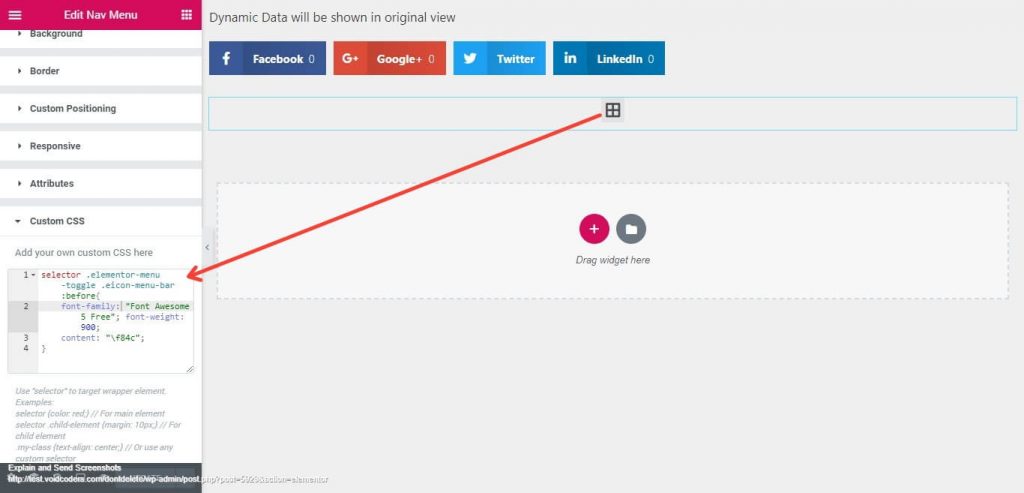
Explanation: We are using the ‘selector’ word here in the css so that only this nav menu widget that we are writing css on is affected by the css. Font-family – is loaded how it should be according to the font awesome website. If you use font-awesome 5 pro you need to change the font-family name accordingly. The most important part is the ‘content’ part where we used ‘\f84c’. You can get Unicode for each of the FA5 icons here. The font-weight is also needed and without it there will be no icon show as FA5 requires a weight set as well when icons are called.

Best Creative AGENCY WP Theme – STRICK @39$ only!

If you want this icon to be applied throughout your whole site in any nav menu widget of Elementor you can use the below CSS in your theme’s customizer ( wp-admin dashboard > Appearance > Customizer > Additional CS ) . I am just removing the ‘selector’ word so that it can target any of the nav menu widgets on your site.

.elementor-menu-toggle .eicon-menu-bar:before{
    font-family: "Font Awesome 5 Free"; 
    font-weight: 900; 
    content: "\f84c";
}

If this tutorial really helped you can subscribe to our website for more tutorials in the future.
Also, if you need any kind of custom projects to be done which are based on Elementor know that we can help.

Guidelines to Lock Down WordPress Site

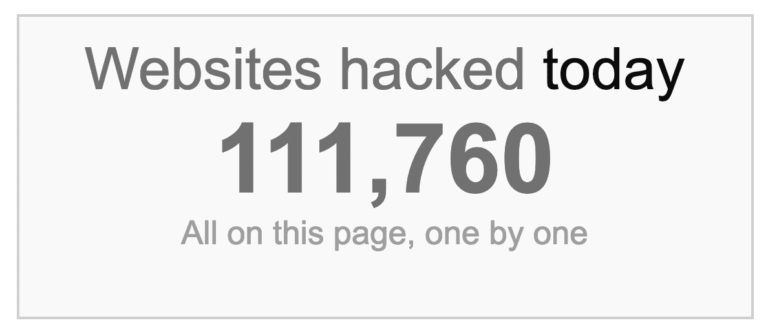
How many websites getting blacklisted for phishing and malware problems? 50k for phishing and 10k for malware in every week.

Do the best practices to lock down WordPress. Why is it important? We have discussed through the vulnerabilities that may affect the WP site.

Guidelines to Lock Down WordPress Site

Here narrated down methods to lock down WordPress site. Check them at once.

1.      Lock down WordPress Admin

The most demotic strategy is to lock down WordPress admin. The harder the firewall, hackers will be less capable to attack. How to lock down WordPress admin?

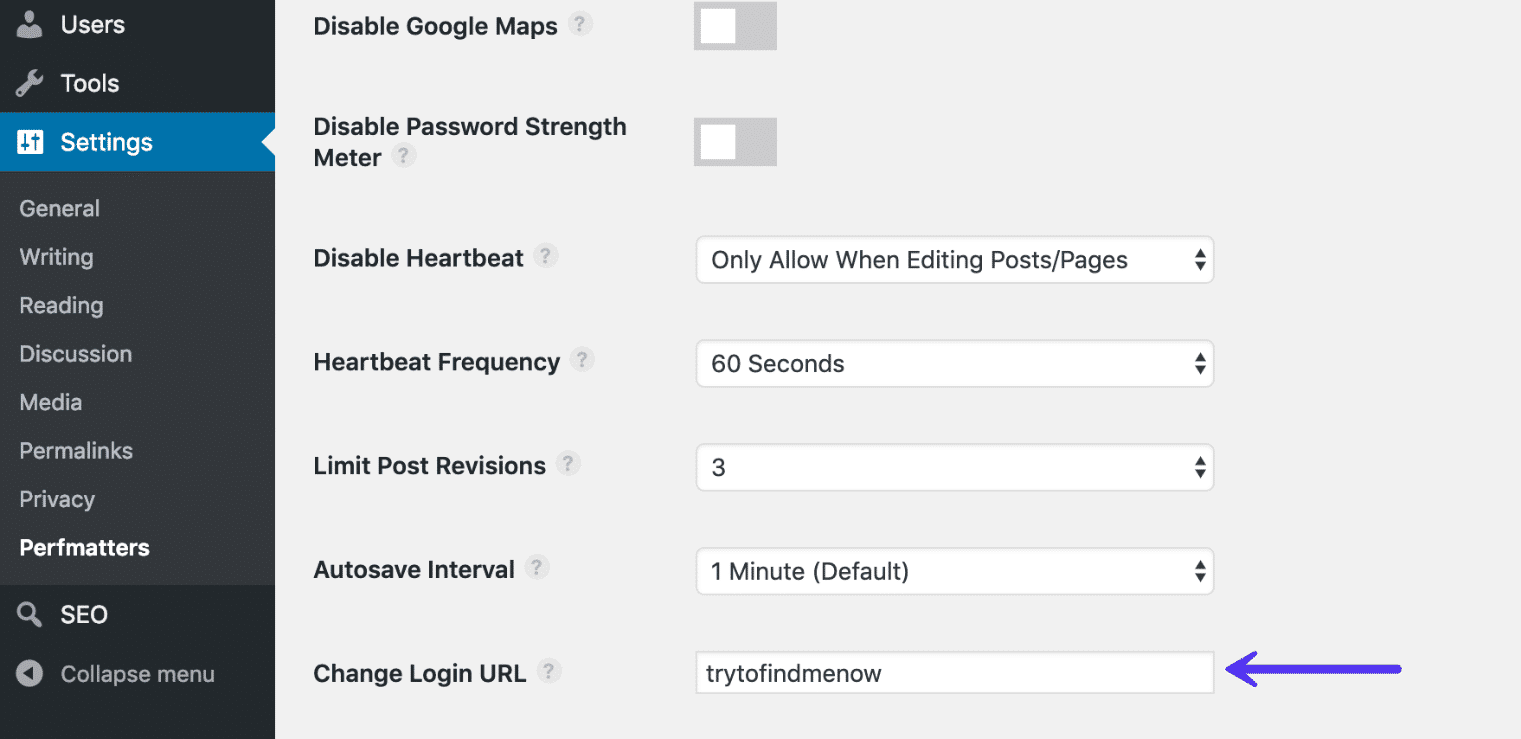
  • Change the WordPress login URL is the best protection. Every hacker knows common URLs like domain.com/wp-admin. Premium Perfmatters or WPS Hide Login plugins will help in this process.
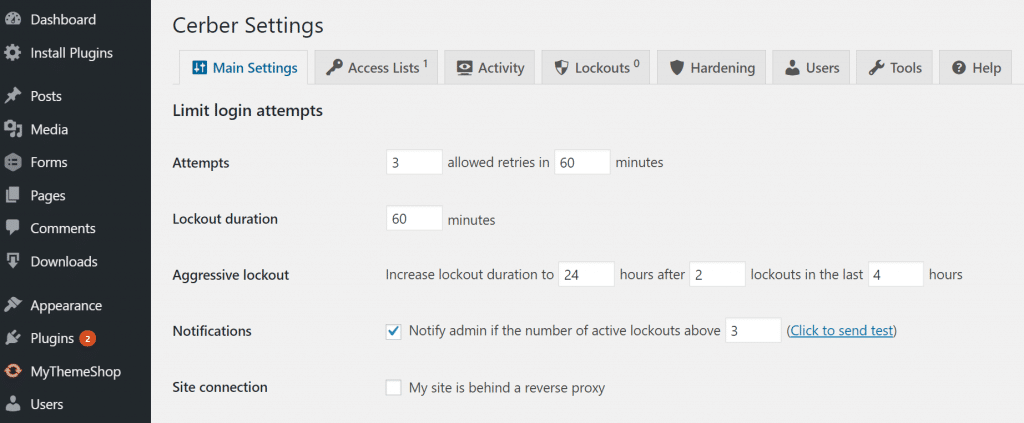
  • Limiting the login attempt is another solution. Cerber Limit Login Attempts tool assist in this field. This makes login approvals, IP blacklist and whitelist and setup lockout duration to an extent.

2.      HTTPS-SSL Certificate

HTTPS is a ranking part for SEO. It’s not less important beyond eCommerce. Opening a new agency, blog and news site have benefitted from HTTPS. Because HTTPS lock down WordPress as well as create a secure connection. Limiting access through HTTPS can lock down WordPress site.

3.      WordPress Protection Plugins

Sucuri Security, iThemes Security and WordFence Security are a couple of WP protection plugins. What features these contain?

  • Update WP security keys
  • User action logging
  • Two-step verification
  • Malware scanning
  • ReCAPTCHAs
  • Control DNS and more.

4.      DDoS Defense

DDoS is kind of Denial of Service attack (DoS). It leads to the attack of the single system by multiple ones. The DDoS attack is able to waken your website within a minute.

Back in 2000, this type of expedition down millions of websites within a minute. DDoS target the ICMP, UDP and SYN protocols.

Sucuri plugin can save and lock down WordPress site. What else they serve you with premium plans? Hide IP address with a proxy firewall. For instance, a client downloads this. All on a sudden all server requests and bandwidth usage drop down. Isn’t it a good investment?

5.      Server and File Compliance

Both web server and file compliance are severe to lock down WordPress site. Read below which compliance how to get worked.

Server Compliance

  • Writing permission let users add or delete folders.
  • Reading permission means to give access to admin in the directory.
  • Executive permission means the user can command to perform any functions inside an actual directory.

File Compliance

  • Writing permission leads to modify files by admin.
  • Reading permission assigns to let users read inside folders.
  • Executive permission means that users can run or accomplish files as a script.

6.      Rigid wp-config.php

One’s wp-config.php contains the data of WordPress installation. Also, with encrypting info, can lock down WordPress by different methods.

  1. By moving wp-config.php to a non-www accessible directory. Transfer all folders in a separate file. Include the following snippet in a wp-config.php folder. This can vary by hosting providers.
<?php
include('/home/yourname/wp-config.php');
  1. Changing WordPress security keys helps to lock down WordPress site. The 4 security keys are- Logged In Key, Auth Key, Security Auth Key and Nonce Key. If the user has installed WP in several ways, will be helpful to update new keys.

7.      Database Security

Two-step verification for the WP database is a common process to lock down WordPress site. You have to login site through password and the confirmation email, message or phone call.

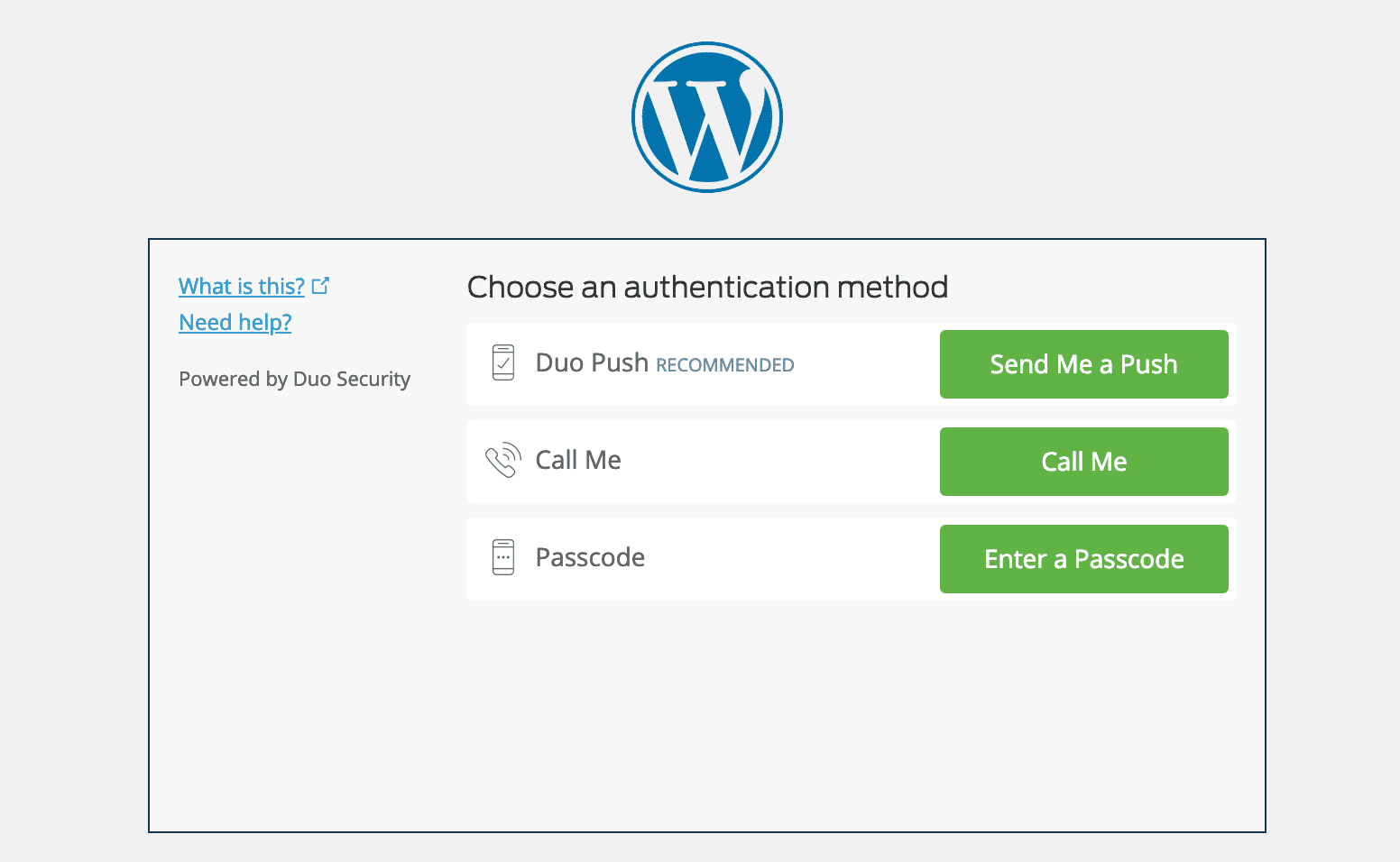
Such plugins- Google Authenticator and Duo Two-Factor Authentication. For instance, Duo tool changes the URL path of the website. Then choose the two-step authentication option.

Wrap Up

Hackers install backdoors on intuitive website. Your less concern may take your business down with such issues. To lock down WordPress site is quite time-consuming. Even to last longer, nothing is comparable to its security. Disable editing on the dashboard, taking backups, prevention of hotlinking and disabling XML-RPC are such methods to protect the website.

Share your thoughts with us in the comment section!

Hello BigCommerce: New Alternative for WooCommerce

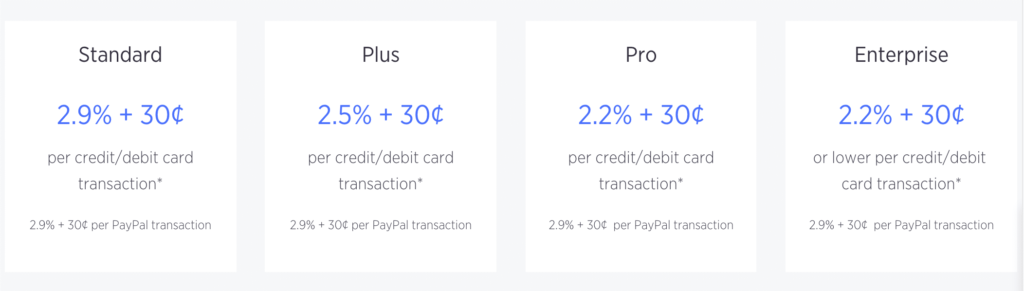
Suppose, you are an eCommerce site owner incorporating with WordPress. You want to integrate with popular payment gateway. Which is the first choice? Of course, WooCommerce. This has now changed. Now a lot of alternate SaaS (Software as a Service) has designed to opt out. In this race, BigCommerce has launched own plugin.

Hello BigCommerce: New Alternative for WooCommerce

Considering newbies growing eCommerce business, BigCommerce appeared as a platform in 2009. Why has it become more popular rapidly? It assists in building a quick website with built-in functions. Moreover, BigCommerce supports as an add-on in-

The corresponding back-end functions of BigCommerce for WordPress plugin are-

  • Order management
  • Processing management
  • Support with designed logistics and
  • Catalog management

Now empower your eCommerce site by contents and selling products. Also, make your product QR codes with specified WP tools.

Boost Up Site with BigCommerce

BigCommerce has a strong backend engine for managing a website as a platform. With this issue, this platform offers unique advantages in its usage. Such as-

Customization Support

  • Gutenberg Block Editor has included. Special functions help to integrate standard eCommerce aspects in one theme. No coding knowledge requires to open your store.
  • A large community of entrepreneurs shares ideas and market conditions. They help each other for site management.
  • Accelerate mobile pages faster to order and buy products.

Proper Security System

  • Admin panel accounts security is the foremost duty. Keep a history of account logins, sales, orders and other online marketing.
  • Payment gateways in 65 types which serves at least 100 countries customers. So the big deal is to secure payment numbers and online shopping.
  • An embedded checkout competency has designed in BigCommerce plugin. Signature collection and data encryption are now safe with PCI compliance.

Redundant Features

  • Do you have Google Analytical tools in WordPress site? This plugin also offers such services as Google Analytics does.
  • Lowest fees of credit card have determined by this one. With the growth of the business, update a plan or use the present one.
  • Drop shipping business is popular over the world.  Like this, free shipping and flat rates are also available for remote country business.
  • Offer discounts, coupons and grade promotions without other plugins response.

In Closing

From a Google survey, it is clear that BigCommerce and WooCommerce are getting more competitive day by day. But still, WooCommerce is much familiar and conducted. On the other hand, you can’t ignore widespread BigCommerce offers.

Which one is better for your eCommerce business? Let us know in the comment section.

WordPress V5.2: Let’s Learn What Is New!

WordPress V5.2, the newest version of WordPress. Well, users have another concern to have such renewed interface. The last edition included a major release like WordPress block editor with Gutenberg in 5.0. But in this one, the exclusive change is the addition of Health Checking tool.

WordPress V5.2: Let’s Learn What Is New!

Edit with WordPress V5.2

The new WordPress V5.2 is going to surprise with great interfaces and digital supports. Check out soon what Jaco means WordPress V5.2 comes up with.

1.      Remarked Accessibility Alternatives

Remarkable accessibilities have changed with many purposes. Such as-

Headings Remove personal pages and data table approves headings
Alternative text field The key field shows in the media section
Post layout These are now enlisted in tables
Archive drop-down widget Helps to select a section and search the archive
Media view Upload media contents delayed. Now insert the image or video link in the block to show media in the post and pages
Link up WordPress admin bar mark up new links in the submenu

2.      PHP Error Safeguard

As you should know as a site owner or developer that how white screen of death caused. The main fact is WordPress V5.1 introduced the fatal error protection.

The PHP error safeguard recognizes errors and interrupts plugins and themes update. Also, it serves as:

  • WP body opens hook as to let themes encoding.
  • Data export and privacy policy pages improvement.
  • Contains Babel and Webpack configuration. So no complexity to build tools for writing modern JS.
  • Conditional encoding depends on the block editors loading.
  • New coding proof gives benefits like short ternary syntax, short array syntax, namespaces and anonymous functions.

So this WP version is really adding better updates. Know more how to update WordPress V5.2.

3.      Site Condition Restraints

  • Site health reports: Get debugging info by clicking Tools> Site health> New Page named info. Easy to copy website information to the clipboard. To impart the info with the third party, enthrall information and paste the this in a text folder.

N.B.: Get easy access to WordPress. Also to active themes and plugins, directories, server, database, media, file system permission and link up.

  • Performance monitoring:
  • Rest API available
  • Scheduled events
  • HTTP request
  • Installed PHP modules
  • SQL server
  • Update WP
  • Security ensuring: Activated themes and plugins, connect to WordPress.org, HTTPs connection.

4.      Renewed Dashicons and Emojis

Dashicons Wanna add something new in the dashboard to decorate? 13 new suite of icons may solve the problem.
Twemojis Another surprise is the comprising of Twemoji 12.0.1. The stock of visual emojis is around 230.


Summary: WordPress V5.2

Hope you have got the whole package to run a website with WordPress V5.2. The new block editor availability and health status function give security and performance news. WordPress V5.2 enhance concern while using PHP and deactivated themes and plugins auto abolition. WordPress V5.2 as well as works as an assistant to developers. This issue concise exploitative tendency of developers as well as poor plugins.

What’s your thought about WordPress V5.2?

eCommerce Less Required Sector’s Lower Start-up Costs

In the previous article, we promised to come with an analysis of the less required sector’s cost. The last content was convenient for eCommerce mandatory sector’s start-up costs. Hope you enjoyed.

As we promised, this article will introduce with eCommerce business the nice to have opening parts. Also with their lower start-up costs.

Let’s follow the track.

Less Required Sector’s Lower Start-up Costs

How much do you think? Lower means lower, not lowest. We will provide the minimized expenses. But you can guess. Watch below for lower start-up costs.

1.      Web designer

You need a perfect website. This could create through web designer. They are not cheap, web designing remains costly.

This part of eCommerce business will cost $300-$3000+, depending on the designer’s skill.

2.      Logo design

How can a logo for a website improve long-term branding?

By keeping your store stand out. Get different logo from marketplaces at various price. Fiverr offers logo designing at $5-$75 and 99designs at $299.

3.      Website theme

A premium theme is an absolute substitute for a web designer. Below themes are for several eCommerce hosting platforms ($50-$200):

4.      Advertisement

Facebook has become a cheaper advertising channel. But not better than Google AdWords. Google AdWords is an expensive venture for marketing as the sky is the limit.

PPC advertisement’s lower start-up cost range is $10-$100.

5.      Product images

Want to attract your shoppers at ease? Attach perfect product photos. This increases the percentage of the buyer’s from 10-15.

Product images have both higher and lower start-up costs:

  • $15 table stand and $2 heavy stock paper need to capture images of products by a smartphone.
  • A high-quality picture needs to be taken by DSLR camera. It is worthy of minimum $300 with lighting.

Which one do you prefer to add in lower start-up cost?

6.      Plugins

Plugins are that much of important as web designing. I have added an article on mandatory plugin types to make a website. Some apps that you need to know for lower start-up cost:

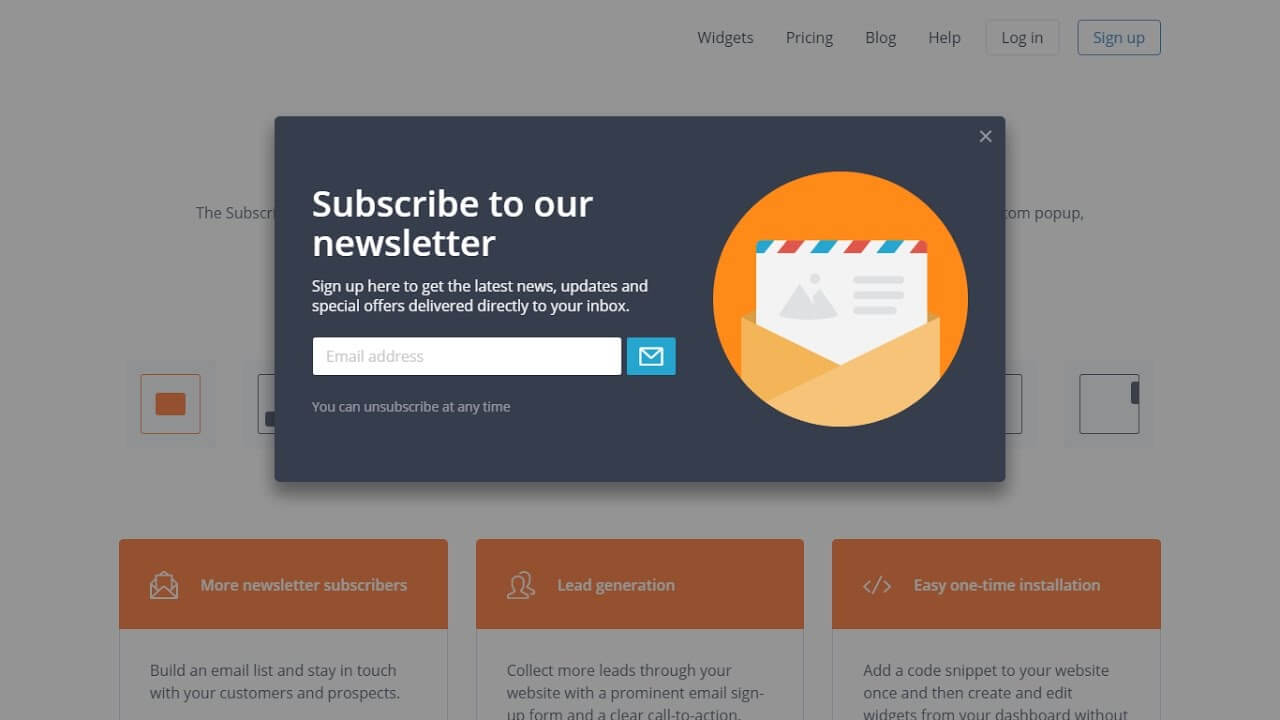
7.      Email subscription and marketing

Email subscription is a less necessary option. For instance, physical marketing is better than virtual ones. Because of virtual one’s breakout as fake. But in this era, people scroll up much in the internet world. If you try this in eCommerce business, as lower start-up cost is only $0-$50 per month.

8.      Incorporation

Last but not least. Creating an S Crop or LLC is beneficial for the site tax issue. For instance, USA corroborates a person as a sole proprietorship.

For longtime business tax purpose, as lower start-up cost, here are 3 options:

  • Hire an eCommerce lawyer: $500-$800
  • Use an online service: ~$300
  • Do physical tasks related to incorporate: ~$125

Above amounts are based on country, state and features.

Sum up lessons

At the end of the day, what have we learned? That less required sectors don’t mean lower costs for starting an eCommerce business. But in this article, we have estimated the minimum amount.

Chill! Now you can plan for opening an eCommerce store today!

Optimize Images Remaining High Quality with Free Tools

In the case of optimizing images, every website owners should know the limit. On average 1312 KB optimize images takes part of total 2087 KB. Optimize images is now a great fact for running a website.

In previous content, there was a little touch of how to optimize images. The list of image optimizing plugins was added with that part.

Here is the short but enough details of image optimizing free applications. Enjoy till the last.

Keep Benefited with Optimize Images

Optimize images is very significant in modern times. Have you acknowledged by the exact reasons?

If you have not, relax! Take a look at the thoughts.

  • Global traffic raising is a big factor for any website. Without CDN and speedy WP themes, how can you conduct such a site? Optimize images and see the result within a week.
  • Image loading within few seconds attracts customers with elevating sales.
  • Secure website links and protects regular customers and readers information.
  • Say goodbye to irritating bounce rate.
  • Play on a server with the advantage of backing up WP website.
  • Boost your site on Google ranking.

Optimize Images Remaining High Quality with Free Tools

Better image size can protect the website from the damper. The main aim of below free tools is to compress photos remaining high qualities. So take a look at below description.

1.      Photo Editing Software

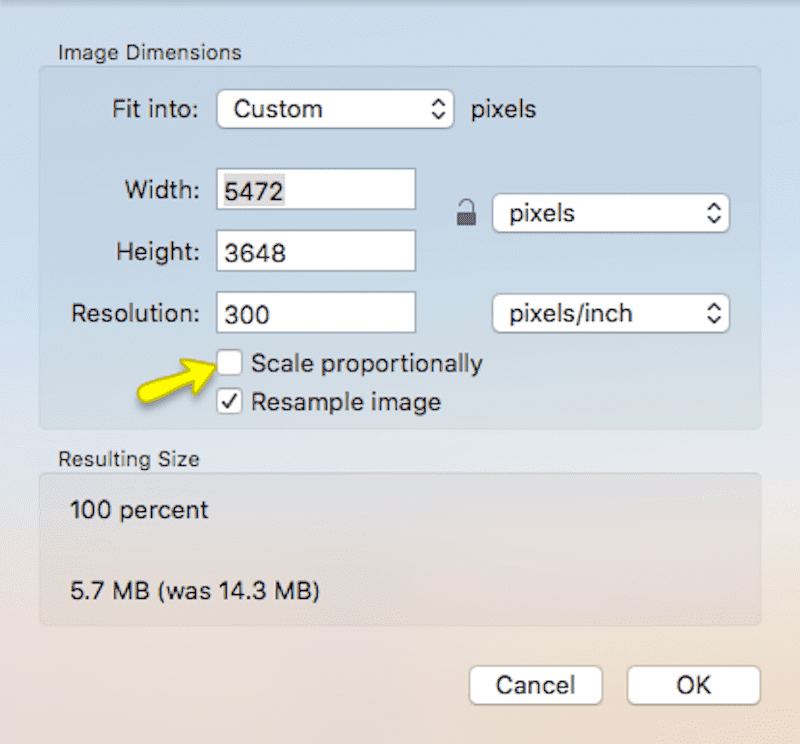
Photoshop, Lightbox is modern free native applications. Get a chance to resize and upload pictures. How will you resize?

  • At first, adjust your photo size by turning off the scaling option.

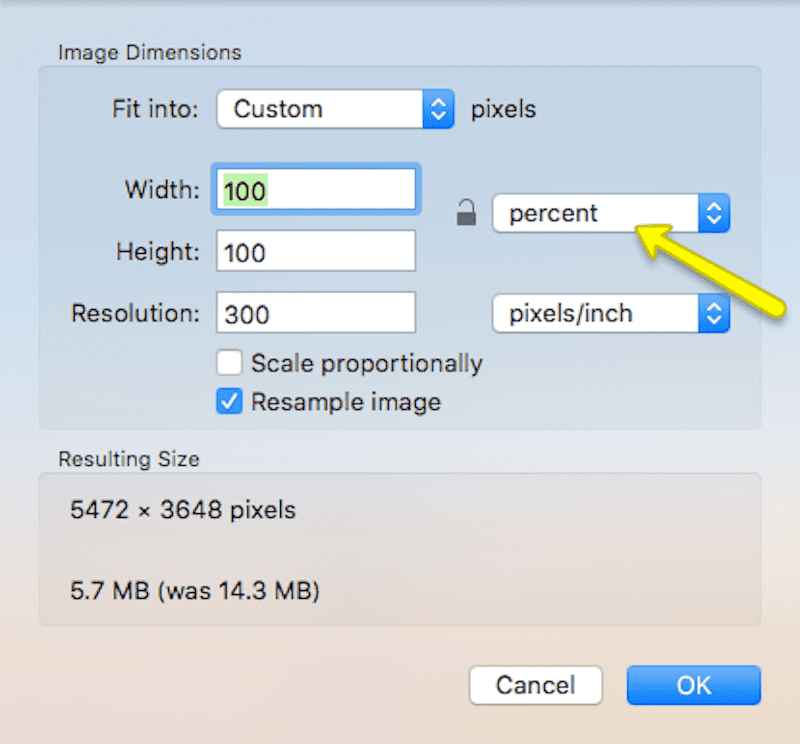
  • You can resize from pixels to percentages or percentages to pixels.

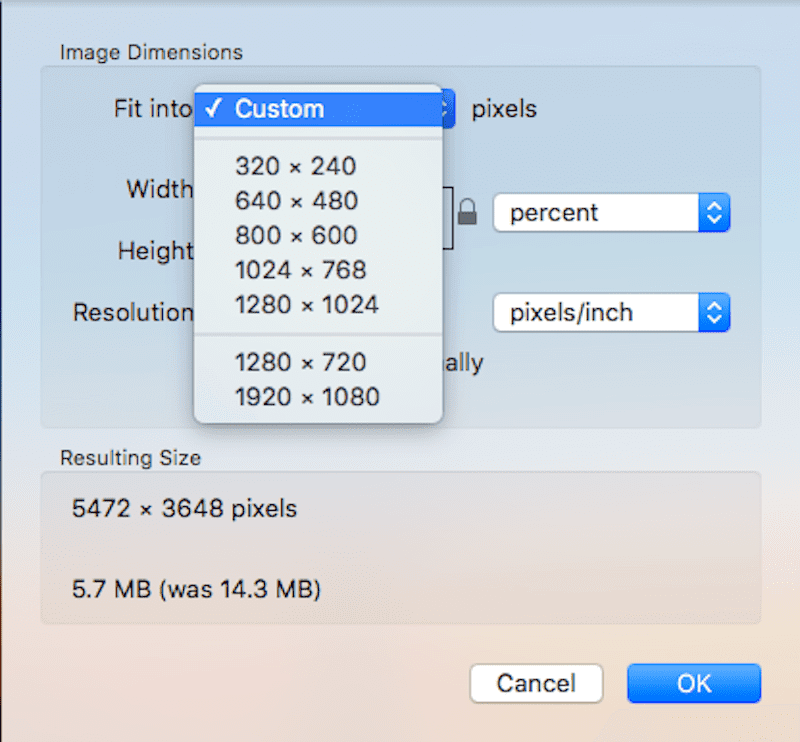
  • Previous setup dimensions are available.

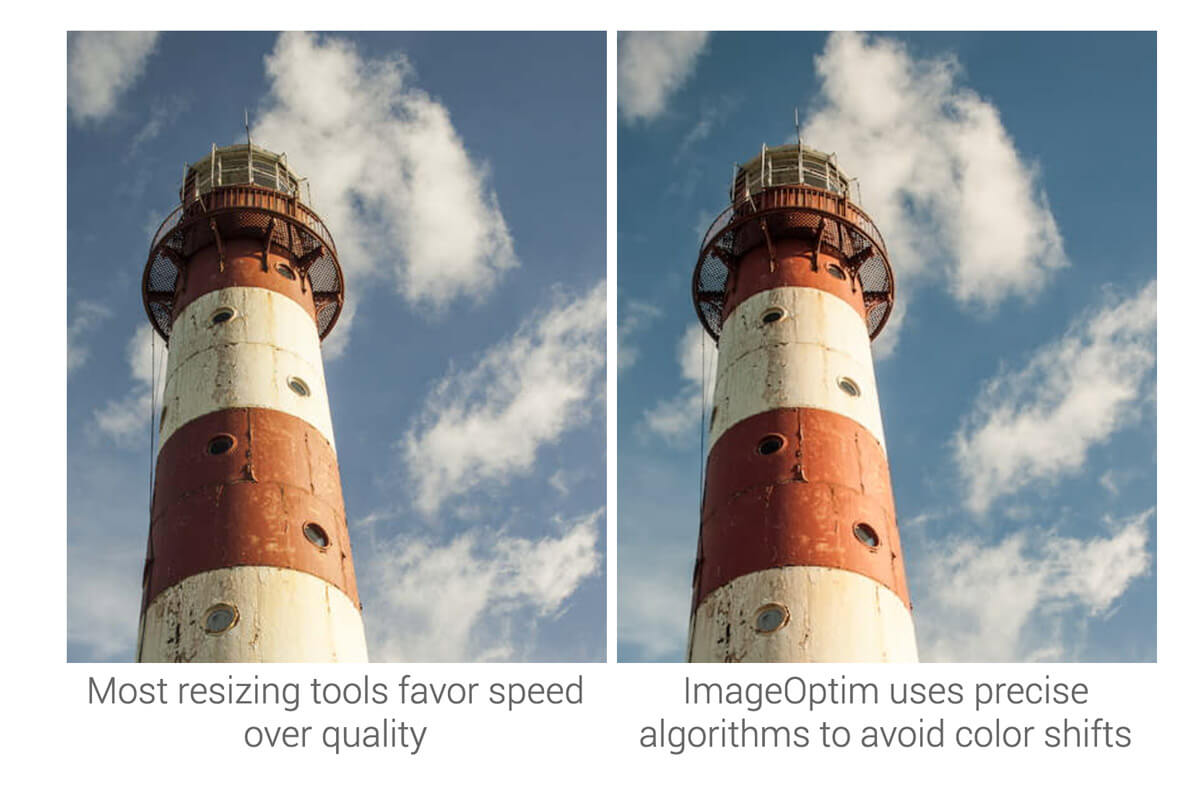
  • See below which photo is accurate? A 5.7 MB or after sized 1.8 MB?

2.      ImageOptim

A Mac-based image resizes provider is this one. Follow the steps and upload photos in WordPress.

  • Like other tools, install it at first.
  • Encounter with the most appropriate feature drag and drop.
  • No need of file comparison as you banned useless data from being saved.

One more thing you should remember. You have to pay for editing photos in ImageOptim online version.

3.      Stock Photo Sites

As a discussing issue, stock photography websites have updated their features. From a long time, iStock and Pixabay are letting users procure photos as much as they demand.

Follow the image to optimize images by Pixabay.

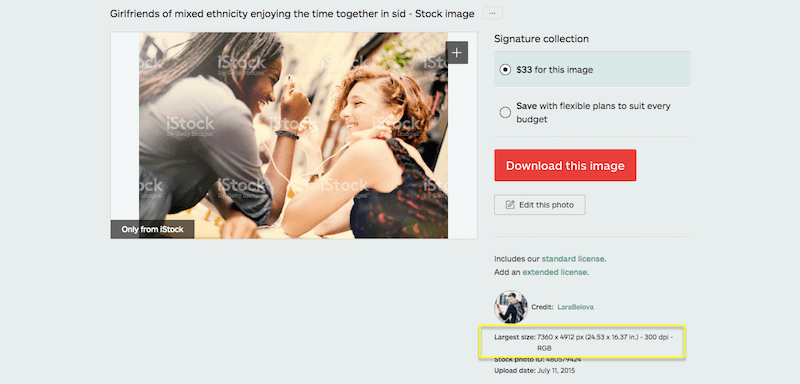
Another website iStock has stripped out the large image. Observe in the photo that how does it work.

Wrap Up

The above tools primary aim is to resize the photo with remaining previous quality. As in earlier, half of the image dimension consumed the total websites. There remain many ways. But the simple picture resizing toolkits make the task easy. If you want your website not to slept by the overweight of contained photos, download and install the free applications.

Want to provide feedback? Leave yours in the comment section below.