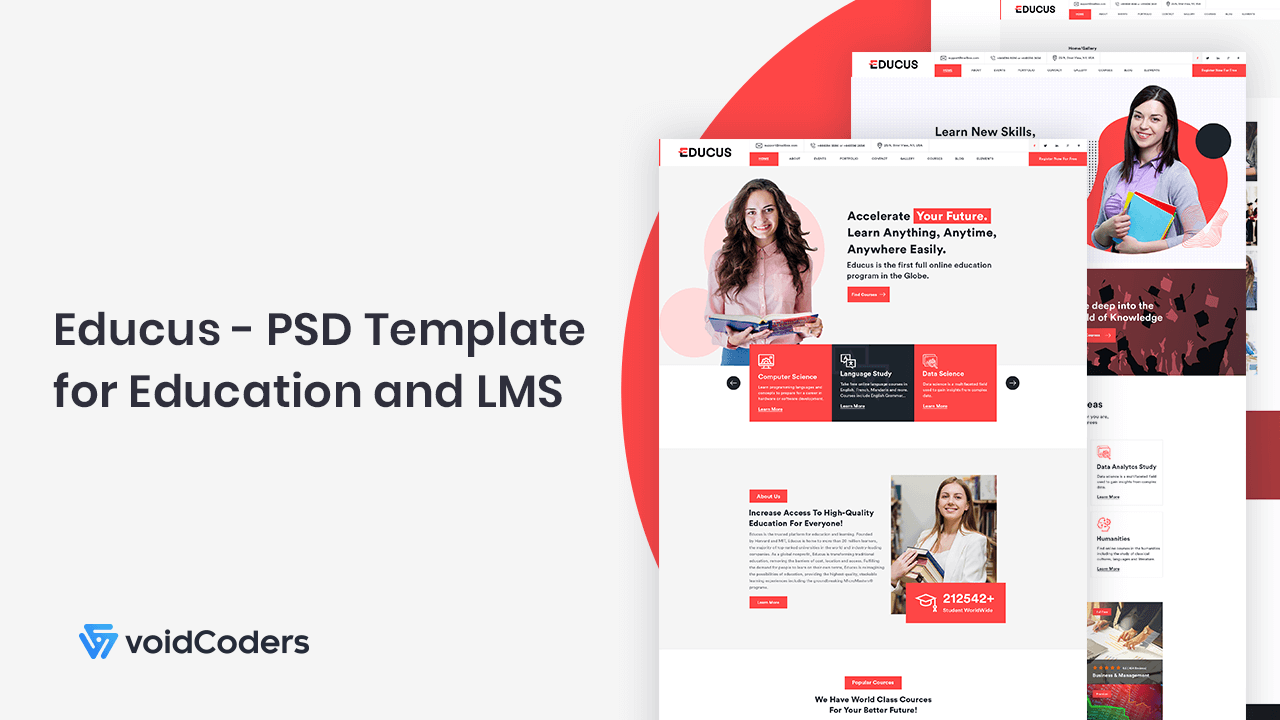
Educus- PSD Template for Education and LMS

At present, people have more concern to fulfill basic demands. Like education, foods, clothing, shelter, education and more with the latest invention. Education has become a chuckled demand. Because most often cases such as cruel issues can be solved and cruelties could have removed from society, isn’t it? The educational system is developing all over the world at a great extent of educational institutions. Also, educational websites are following the footsteps.

Such educational PSD templates can represent the ideas and purposes more visually in any virtual platforms. Educus is such one PSD template.

Educus- PSD Template for Education and LMS

Educus from Education! Voidcoders has launched Educus from such need. Again this supports in LMS intuitive. LMS is an online learning application. Any student can locate study stuff from anywhere in the world with an internet connection. We have described the details of LMS with LMS plugins in other content. Just check it out.

Try Now (it’s free!)

Educus PSD template is not just a template. This web layout helps to choose client the next element or part of an education and LMS related website to develop in a process. Site owners will capable of starting online courses on each cloud-based LMS. Hence, e-learning is easy for all types of students from any part of the world, isn’t it?

What should you look for in an educative PSD template?

  • Useful to create online courses and opening events
  • Easy to convert into HTML and WP upgraded version
  • Designed on the grid system
  • Both single and multi-page versions availability
  • PSD folders should be perfectly organized
  • Support full customization

Why Educus should be a perfect choice for a front-end developer? Let’s check out if Educus PSD template can bring out all requirements to be a perfect one or not.

Bringing Out Educus Offers

  • All pages are 100% editable
  • Pages are organized in single or multi versions
  • 2 lucrative different home pages
  • 2 blog pages
  • 2 portfolios
  • Full layered pages are 19+
  • Awesome headers and footers
  • Ingenious elements and narrated shortcodes
  • Minimal and wide styles
  • Numerical great design options
  • Fancy page headings
  • Graphics design is compatible with upgraded Adobe Photoshop CC
  • Pre-made stunning layouts
  • 100% pixel perfect
  • Free font based icons
  • Well organized layered pages
  • Turn image optimization to 1140px
  • Grid system adds 12+ columns
  • 24/7 customer support
  • Total refund plan for any bad incidents

Optimize images with-

  • Pexels.com
  • Freepik.com
  • Unsplash.com

Icons based: Falticon.com

Pricing: $11 with a regular license.

Try Now (it’s free!)

Sum Up

You may find it colorful and enough ingenious to start your new education and LMS website. The most amazing thing is the identical layered groups. So they are self-hosted customizable.

Thanks a lot for visiting Educus PSD template. Wish you a beautiful and unique startup with this one.

 

How About to Have an Analysis of Drop Shipping?

For user’s benefit, we included all the necessary information about eCommerce. In recent, the mandatory and less required sector’s start-up costs also have included. So you have already opened an eCommerce store.

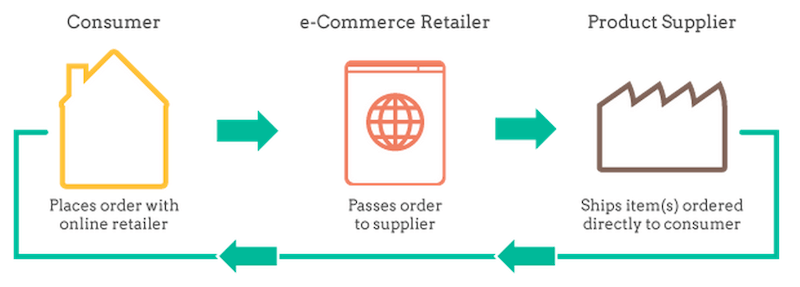
If you have started an online business, you heard of drop shipping. Drop shippiFor user’s benefit, we included all the necessary information about eCommerce. In recent, the mandatory and less required sector’s start-up costs also have included. So you have already opened an eCommerce store.ng is a method where the user doesn’t make an inventory of selling products. The package has done without the viewing concern of merchants. Customers pay for products and receive goods by shipping. Let’s have an analysis on today’s topic.

Advantages of Drop Shipping

We love the most important and empowering options for everything. In that case, would you like to take a look at the advantages of our today’s issue? Hope that you do.

  • Variety of products: Customers can choose and order various goods with trusts. Supply items without additional cost to potential buyers. The store review rating will in upward and add yourself in Worldwide brands.
  • Easy scaling: By leveraging drop shipping distributors, much orders will include from buyers. But utilizing drop shipping scale accelerates a traditional eCommerce trade.
  • Less capital: A very little money asserts to start an eCommerce shop. In general, retailers process a huge amount of goods. So no physical works and no major inventory investment of store authority.
  • Flexibility in finding a location: In drop shipping model, suppliers find recipient’s location through GPS.

Disadvantages of Drop Shipping

Roses are beautiful but it has thorns. So God has created each thing with a good and bad side. I have completed the above part, let’s have the beyond ones.

  • Shipping perplexity: Sometimes, merchandiser fails to supply goods within a limited Shipping replaces to anywhere by chance.
  • Subordinate edge: Higher competitive drop shipping niche’s biggest problem is this. Merchants arise prices to grow revenues. In that case, customers will not benefit if the website and products containing poor quality.
  • Inventory management issue: Even if the top suppliers make mistakes in inventory management.

Wrap It Up

Can we get everything in perfect? Drop shipping is not ideal but a relaxing method. Like roses, this one also has pros and cons. As user once wants to develop the site, will use this process. With experts concerns, the authority can resolve the above problems. That’s why I suggest for developers and impose on the experiences of stakeholder.

Best 5 RSS Feed Plugins

RSS Feed! What is it?

You may hear this quite little times. Yes, it is difficult as a newbie to understand basic words in WordPress. RSS feed is that type word.

RSS feed means for Rich Site Summary or Really Simple Syndication. For site readers, this feature created in the WordPress interface. This works to improve site ratings. Also, adaptable as well as portable subscribers. Also, maximizes reader’s time and allows to get news in mailboxes.

In short, RSS feeds the news through a reading program. It is not dead yet😃

Explore with the best 5 RSS Feed plugins

We have enlisted the best 5 RSS feed plugins. Hope the tools can provide great services to your site readers.

1.      PowerPress Podcasting Plugin

This one has subscriber tools, player, simple, advanced mode and what is not! The configurations are supportive of Apple Podcasts, Stitcher, Blubrry and so on. With all the settings, the user can switch to simple mode.

Main Features of PowerPress Podcasting Plugin:

  • Integrated HTML5 media player.
  • Shortcode for skip to position in the player.
  • Podcasting SEO and taxonomy and post types podcasting.

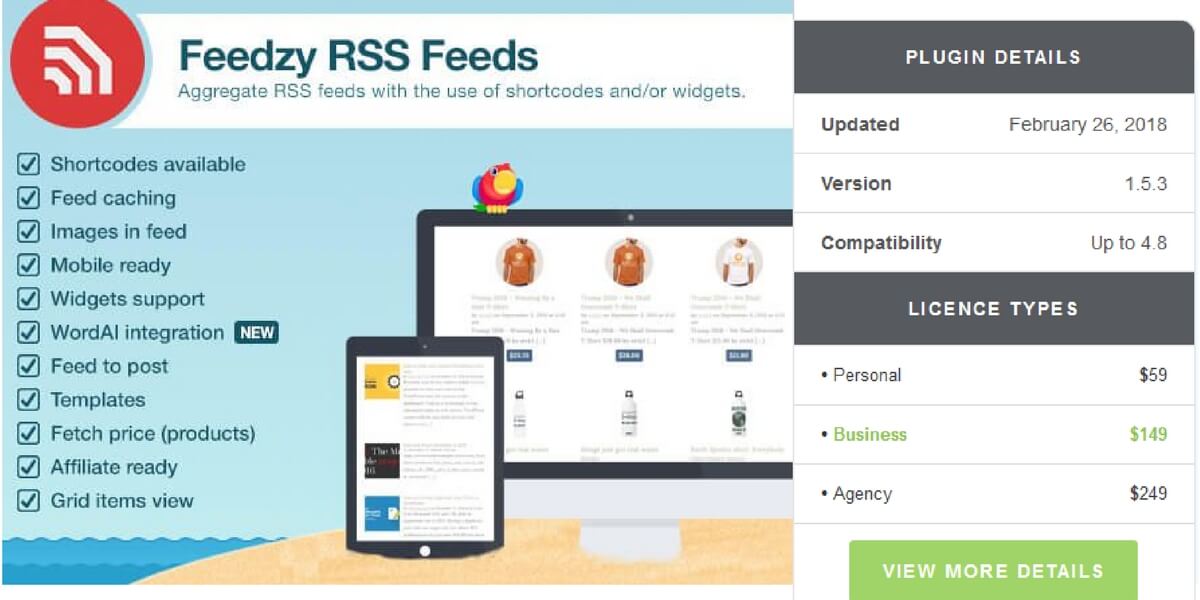
2.      Freedzy RSS Feeds Lite

Need a light weighted and small plugins for your maintenance? Freedzy RSS Feeds Lite is that one supports to import news links and URLs.

Main Features of Freedzy RSS Feed:

  • Full cache control
  • Option to blacklist precise keywords from feeds.
  • Categorize and group news.

3.      WP RSS Aggregator

Merge, import and display feed with WP RSS Aggregator at ease. Download this tool from WordPress directory.

Main features of WP RSS Aggregator:

  • Incorporated with the simplepie
  • Multilingual and translation ready.
  • Unlimited preferences to import news with a unique

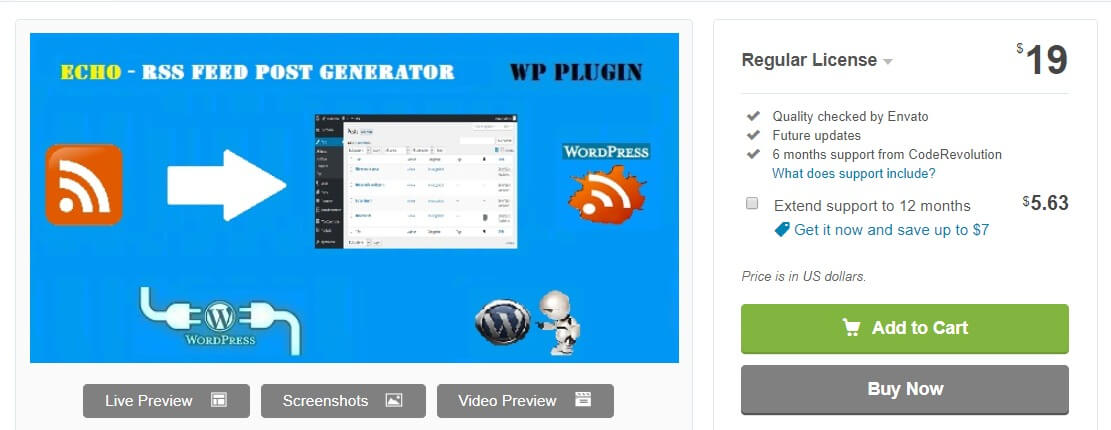
4.      Echo RSS Feed Generator

In a single feed, share your blog content through this one.

Main features of Echo RSS Feed Generator:

  • Earn money from the advertising using AutoBlog.
  • Limit contents length.
  • Web proxy maintenance.

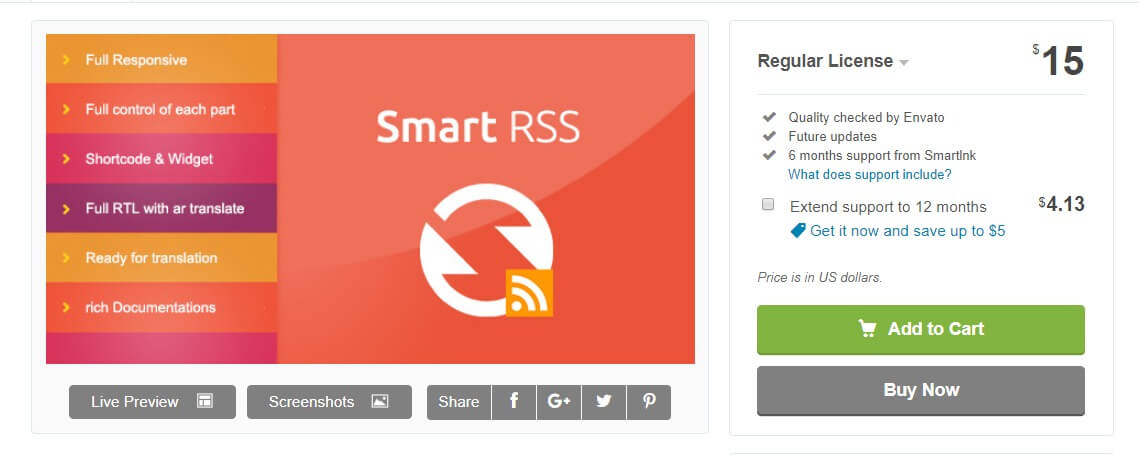
5.      Smart RSS

Want to save the posts in a simple way for further reading? Smart RSS is the right choice. With the further reading option, the user can edit, manage and delete post content.

Main Feature of Smart RSS:

  • Save feeds images as well as saving posts.
  • Compatible with various languages.
  • Rate all types of contents.

A Short Overview

In details, we have managed to provide info about the hand-picked RSS feed tools. Hope you have enjoyed. Now, this part is for the experts, who would like to select tools on a regular basis form. Let’s have a petite overview.

Plugins Authorized by Price Rating
PowerPress Podcasting Blubrry Free 4.93
Freedzy RSS Feeds Lite Themeisle Free / Premium- $44 4.80
WP RSS Aggregator RebelCode Free / Premium add-ons- $80 per site 4.80
Echo RSS Feed Generator CodeRevolution $19 4.92
Smart RSS SmartInk $15 4.75

The Highly Preferred Google Analytics Dashboard Plugins

Do you want to endure the exact analysis of site interaction with users? Then you need a Google Analytics dashboard plugin. Google Analytics dashboard tools have designed especially for webmasters and marketers. The marketing can raise the traffic in the site which elevates the site higher and higher. Google Analytics dashboard plugins also track all complexion of digital media for advertising with Google products. The site owners can analyze their visitors for optimizing website’s performance by Google Analytics dashboard plugins.

Take a look in our next discussion part.

The Highly Preferred WP Google Analytics Dashboard Plugins in 2018

Let’s dive in the deeper to choose a Google Analytics dashboard plugin at ease.

Google Analytics Dashboard Plugin for WordPress by MonsterInsights

Formerly recognized as Google Analytics by Yoast, started journey in 2016. As it re-branded by MonsterInsights Company, so have such definite adjustments in this new version. The main offers are-

  • Track eCommerce activity.
  • View dashboard inside WordPress admin.

Key points:

  • Include Google Analytics tracking code.
  • View Google Analytics
  • Set up outbound links and other events.

Pros:

  • Easy to view your data inside the dashboard.
  • Exclude specific user roles.

Cons:

  • The pro version is much expensive than the free one.
  • User can’t observe statistical analysis in individual pages.

Google Analytics Dashboard for WP

This one is kind of well-supported with free of cost. But sometimes it becomes an over-killing of time.

Key points:

  • Reports various Google Analytics.
  • Option for custom dimension.
  • Real-time strategic tracking.

Pros:

  • Segmentation makes easy to find reports.
  • Event tracking and custom dimension are good for maintaining and increasing traffic on the site.

Cons:

Submit any bugs and worthless reports.

Google Analytics WD

Another freemium plugin is Google Analytics WD in this list. The worthy code which will track to your WordPress website.

Key points:

  • Run various reports in the WP
  • Set up goals and filters.
  • Generate reports based on eCommerce demands.
  • Track on outbound links and enhance link attribution.

Pros:

  • Run a wide array of reports.
  • Email notification service.

Cons:

Generates no certain and proper reports.


Comparison Overview


GADPW GADWP GAWD
Free version Yes Yes Yes
Pro version $30 $0 $30
Event tracking Yes Yes Yes
In-dashboard reports Yes Yes Yes
Adds tracking code Yes Yes Yes
Authorized by MonsterInsights GADWP Analytics WD


We hope you have enjoyed the above. It is the right time to choose a tool with wise thinking.

Don’t waste time and grab your one.

LMS Plugins for WordPress 2019

LMS stands for Learning Management System.

What is it? Are there any tools related to this to maintain the website?

The first one’s answer is LMS means to create online courses to teach people through online. The second one’s answer is yes. The LMS plugins also assist to run the online courses. The more featuring tools you use, the more your site will be developed.

Why Do You Need LMS Plugins?

To get started with the corresponding LMS plugins, explore basic requirements.

Do you have any idea why they are so inevitable? Because-

  • Advanced course info and course planning.
  • Integration of both BuddyPress and bbPress.
  • Written tests and quizzes.
  • Students inscription.
  • Automatic email notification.
  • Financial advertising tools.

LMS Plugins for WordPress 2019

Having trouble to send back assignments? Or may have course planning problem? Let’s check out the features of LMS tools can solve these problems or not.

1.      LifterLMS

Are you a newbie in WordPress? Searching for the easiest one to solve course learning related crux? LifterLMS is your desired one.

Feature Summary:

  • Best integration with third-party toolkits.
  • Drag and drop page facility.
  • Weekly test and quiz plan.
  • Options for drip contents, multimedia and course building.
  • Connectivity with Facebook.

2.      LearnDash

More than 500 major universities and companies over the world use LearnDash. Why? The fastest loading and online course design are the reason. Take a look at the features set.

Feature Summary:

  • Multisite enabling.
  • Built-in dynamic forums.
  • Support all media types such as- image, audio, video and Google Docs.
  • Schedule based tools for drip feeding content.
  • Displays a grade book.

3.      LearnPress

An ordinary tool to organize learning courses is LearnPress. Only pay for LearnPress Compatible Theme. The other add-ons are free to boost up learning site.

Feature Summary:

  • Multiple admins for site management.
  • Gamify course.
  • Paid membership, content dripping and WooCommerce add-on are available.
  • Payment integrations are- Stripe, Authorize.net and 2Checkout.
  • Learning page template has designed for course curriculum.

Comparative View of LMS Plugins

  LifterLMS LearnDash LearnPress
Simple UI Yes Yes Yes
Content dripping Yes Yes Yes
Payment gateways Yes Yes Yes
bbPress and BuddyPress Yes Yes No
Student profile Yes No No
Create and handle the course Yes Yes Yes
Badges and certificates Yes Yes Yes
Multi-instructor No Yes Yes
Multi–lessons Yes Yes No
Gradebook Yes Yes No
Theme integration No Yes Yes
eCommerce add-ons Yes Yes Yes
Price Free $159/year Free

Wrap Up

From the database, LifterLMS is the best to use. All you want to achieve, all together in it. If you need more functions available with paid one, LearnDash is perfect. Do compare and select which one is perfect for maintaining your learning website.

Which one have you chosen? LifterLMS Vs LearnDash Vs LearnPress?

WordPress Booking Plugins in 2019

Customers would like to buy everything online as a shortcut. The smartest way is now to make appointments, bookings and check availability. So they prefer it anytime as if the holiday is going but still available online. In that case, WordPress booking plugins assist with your business to serve customers.

Characteristics of Booking Plugins and the Necessity

Several types of booking plugins will increase new functionality on the website. Such booking plugins can provide services such as:

  • Accept visitors requests for beneficial time slots
  • Easy to engage through mobile phones for appointment
  • Ensure appointment with email notification
  • Save calls to remind later

Include the following tools to allow customers to book services from the website.

WordPress Booking Plugins in 2019

Let’s check out the most important WordPress booking plugins in 2019 (free).

1.      Booking Calendar Contact Form

We consider it as the first and best one. Why? Because it offers to integrate both with PayPal and reservation calendar. In that case, you can build a traditional contact form with the ability to pay. Take a look at more features.

Notable Features:

  • To remind at ease, starting and ending dates are quite easy to choose.
  • A built-in anti-spam CAPTCHA has included.
  • No need to worry about long-term booking. Daily to more long time contact service are available.
  • Customize email text through settings and validation messages.

Get Booking Calendar Contact Form

2.      Sagenda

Let’s introduce Sagenda, the premier online contact store. Sudden meetings and appointments can arrange with this tool. Wanna avail more features?

Notable Features:

  • Visitors themselves can choose date and time from the integrated calendar.
  • Tight budget? No costs for clients can reduce your budget.
  • Limitless assigned service.
  • Implement a booking tool on any pages and posts through Sagenda shortcodes.

Get Sagenda

3.      Booking Calendar

A well supportive package in one tool is the Booking Calendar. An intuitive interface and gentle functionality help to make business 100% online.

Notable Features:

  • Without a third-party account, booking received easily stored on the database.
  • Match site design with soothes design of the calendar.
  • A quick option to add appointments in Google Calendar.
  • Give proper response with front-end and back-end design.
  • Easy to import events to the admin panel.

Get Booking Calendar

4.      Bookings

This toolkit empowers online booking business 100%. The digital interface makes one feel free to conduct. But the free version feedbacks to 25 booking/month and one schedule.

Notable Features:

  • Responsive to many languages.
  • Day/week/monthly layouts in all calendars.
  • Community support via each of their forums.
  • Manage restricted reservations and blackout times within a moment.
  • Customizable maximum and minimum reservations limit with time.

Get Bookings

5.      WP Simple Booking Calendar

This one only offers to rent homes for holiday or vacation. Tourists are very much expensive. So this tool only helps to serve them to earn much.

Notable Features:

  • Display available homes according to that place to holiday.
  • Create one calendar.
  • To avoid time spending, show available homes automatically.
  • Language translation options have added.

Get WP Simple Booking Calendar

Wrap Up

Have you found the perfect booking plugin from above listings? Hope you got from our enlisted ones. Encode by yourself either which fits your site requirements. Ensure that the tools should have made smooth your road to online business.

Make your site efficient with programming, planning and visitors suggestions. So save your time without anxiety.

Comment below if you have further suggestions or queries.