WordPress Sites Hacked with Easy WP SMTP

Very recently we found out our site was redirecting to some random ads url and was trying to figure out what caused it.

We found that our site URL in DB was Changed with some code. Our site is very well protected and all. We were going crazy about this and thinking how could this happen until we found that it was due to a plugin- Easy WP SMTP.

According to article of Wordfense – Over the weekend, a vulnerability was disclosed and patched in the popular WordPress plugin Easy WP SMTP. The plugin allows users to configure SMTP connections for outgoing email, and has a userbase of over 300,000 active installs. The vulnerability is only present in version 1.3.9 of the plugin, and all of the plugin’s users should update to 1.3.9.1 as quickly as possible to address the flaw.

Don’t panic, if you use the plugin just make sure to update to latest version to avoid any issues.

Happy blogging 🙂

Top WordPress Anti-spam Plugins in 2019

Is it okay while you get a decent amount of traffic on a website? This is not exhilarating for website owners. Decent amount of traffic allows much spams and spammers in posts, comments and some other places. This can reduce the ranking of SEO.

What can you do now? You don’t want to spammers and can’t check all comments in contents. So you need an anti-spam plugin. Let’s introduce with best anti-spam plugins for WordPress.

You could look at the handpicked Anti-spam plugins. Hope the anti-spam plugins will be cost-effective and efficient for WP sites.

1.      Akismet

The most cost-effective and #1 plugin in the WordPress directory. An API key (sign up) requires to activate the Akismet plugin.

Notable features:

  • Offers up to 5000 spam checking.
  • Correct comments publish automatically.
  • Great integration with Jetpack, Contact Form 7 and much more.

Price: free and premium plans available from $5/month.

2.      Anti-Spam Bee

No matter whenever you want to keep your website spam free. Anti-spam Bee does not require to activate by user registration.

Notable features:

  • Comments from specific IP addresses remain forever blocked.
  • Counter list for saving spammer numbers with details.
  • Inhibit spammers leading with Fail2Ban.

Price: free

3.      WordPress Zero Spam

Want to prevent bots from spamming?

This toolkit uses JavaScripts key validation which is both client and server supported. Why do you need WordPress Zero Spam? Check this out.

Notable features:

  • Anti-spam checking fits without any external service.
  • Provides protection against trackback spams.
  • The user only can comment after enabling JavaScript.

Price: Free for both personal and commercial usage.

4.      WP-Spamshield Anti-spam

There is the possibility of lots of spams. WP-Spamshield Anti-spam does not permit any spammers to enter in the site database. As a bonus, you can block comments through a proxy server.

Notable features:

  • 2 layers of protection-
  1. Algorithmic anti-spam layer filters comment with 100+ algorithms.
  2. JavaScript anti-spam layer blocks all prompted spambots.
  • Compatibility with all types of plugins such as WooCommerce, contact forms and much more.

Price: Free for personal and professional plans.

5.      Growmap Anti Spambot Plugin

Wanna block unlimited spam bots? GASP is the best option. But the problem is the protection only from client-side. But in the essential moment, this one has a rapid block system.

Notable features:

  • Checkbox for users for ensuring that they aren’t spammers.
  • Dynamic generated named field to publish comments.
  • Set an absolute number of comments.

Price: as usual, free.

Final Comparison

Anti-spam Plugins Server or Client Sided Limitations of Blocking Pricing
Akismet Client 5000+ Free and premium- $5/month
Anti-spam Bee Both 500+ Free
WordPress Zero Spam Both Unlimited Free
WP-Spamshield Anti-spam Server 100+ Free
Growmap Anti Spambot Plugin Client Unlimited Free

Wrap Up

Hope you have enjoyed this anti-spam plugins related article. We have tried to capture enough details of anti-spam plugins. If you know any fabulous plugin that we have not enlisted, comment for it. With your concern, let others to be acknowledged.

How to manage WP multiple installations with essential tools?

Suppose your site is in the passive recurring revenue stream. After some days, you open many sites. Are you facing problems with WP multiple installations?

For a sustainable business, you require a few assistants at some points. There are two options to manage WordPress multiple installations:

  1. WordPress website management essential tools and
  2. WordPress multi-site.

Today’s discussion is on the first option of WordPress multiple installations.

How to manage WP multiple installations with essential tools?

To manage WP multiple installations, no need of an extra maintenance role with other stuff. WordPress multi-site is simple to go on choice because of-

Below tools will help to handle WP multiple installations of different clients.

1.      Manage WP

A great and popular solution for managing WP multiple installations is Manage WP. Remaining in its own right, servicing GoDaddy Pro.

Key features:

  • Get free Sucuri security checking tool.
  • Manage WP scans owner website.
  • Two-factor authentication with monthly backup.
  • Built-in tools collaborate with other maintenance.

Grade: A+

2.      GoDaddy

A few years ago, GoDaddy was known as GoDaddy Pro. By the passage of time, GoDaddy Pro has become GoDaddy. GoDaddy provides regularly updated products. If you deliver clients average products, GoDaddy is the right choice. How can it assist to WP multiple installations? Take a look at the features.

Key features:

  • Free to sign up and offers some basic maintenance that is available in the dashboard.
  • Track clients and make a list of them with their details.
  • Offers commission when a client buys eCommerce hosting products.

Grade: A+

3.      Infinite WP

To accelerate your eCommerce business and manage WP multiple installations, Infinite WP is correct one. Buy this one at the low budget at ease.

Key features:

  • With automatic backup option allows recording in off-site.
  • Keep controlling all websites for downtime.
  • Easy to launch WP multiple installations.
  • Creating traffic and staging are available.

Grade: A+

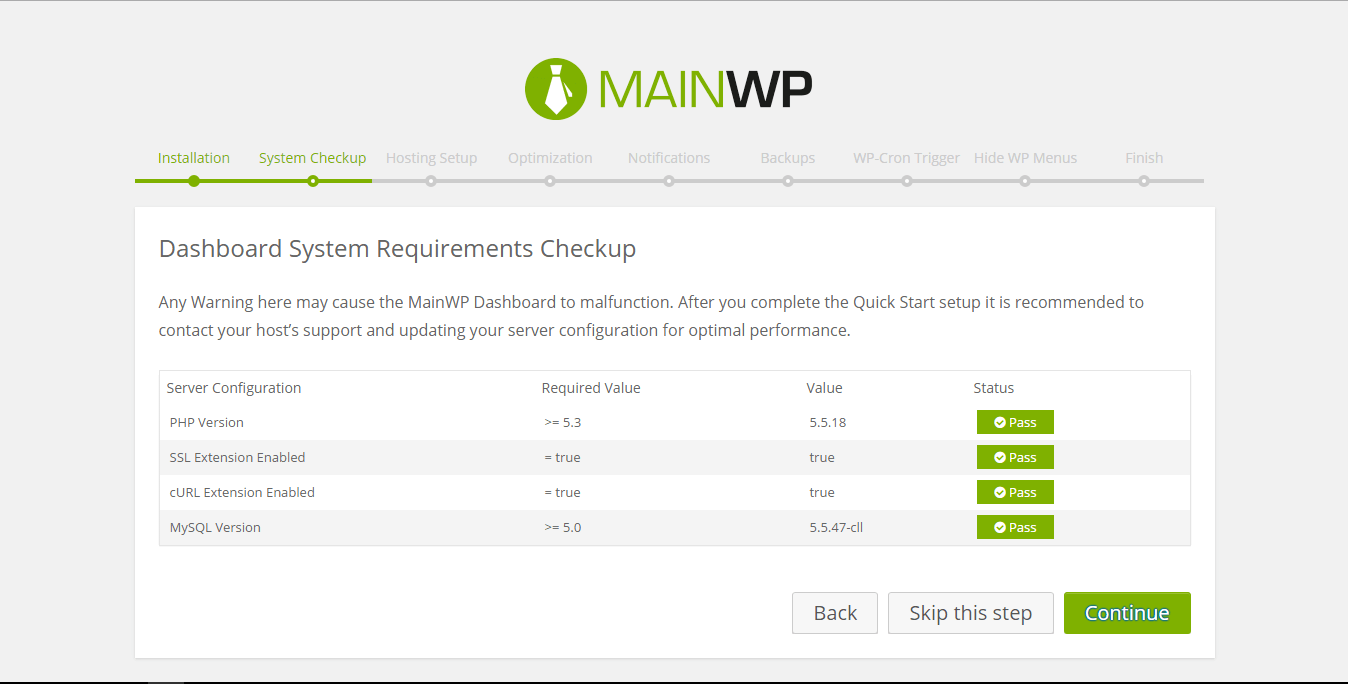
4.      Main WP

If your client’s sites don’t relate to each other, don’t worry. Main WP can relate them to make your WP multiple installations easier.

Key features:

  • Use two free plugins from the saved ones. Turn to a single installation.
  • Backup option for several files.
  • White label plugins to support clients.

Grade: A

5.      CMS Commander

Why should it catch user’s eyes? Along with managing WP multiple installations improves blog networks. To empower blog, SEO and marketing, CMS Commander plays the most vital role.

Key features:

  • Ensures security with all communications and SSL.
  • Malware scanning from dashboard which avoids from cloning.
  • Two-factor authentication integrates with Google analytics dashboard plugins.

Grade: A

Final Thought

Managing WP multiple installations is quite easy and you can play with it. Your aim is to enhance the eCommerce sector. This is possible when you will continue in delivering good services and products to clients. Above essential tools are just helping hands to such pointed time. But your efficiency, productivity and consensus will accelerate your WordPress site means your eCommerce business.

Start your eCommerce store in the new year 2019.

Best Partnership Management System

Running a partnership business? Having trouble to manage all partners? Imagine that you’ve got a tool that can handle your partners’ calculation! How will you feel?

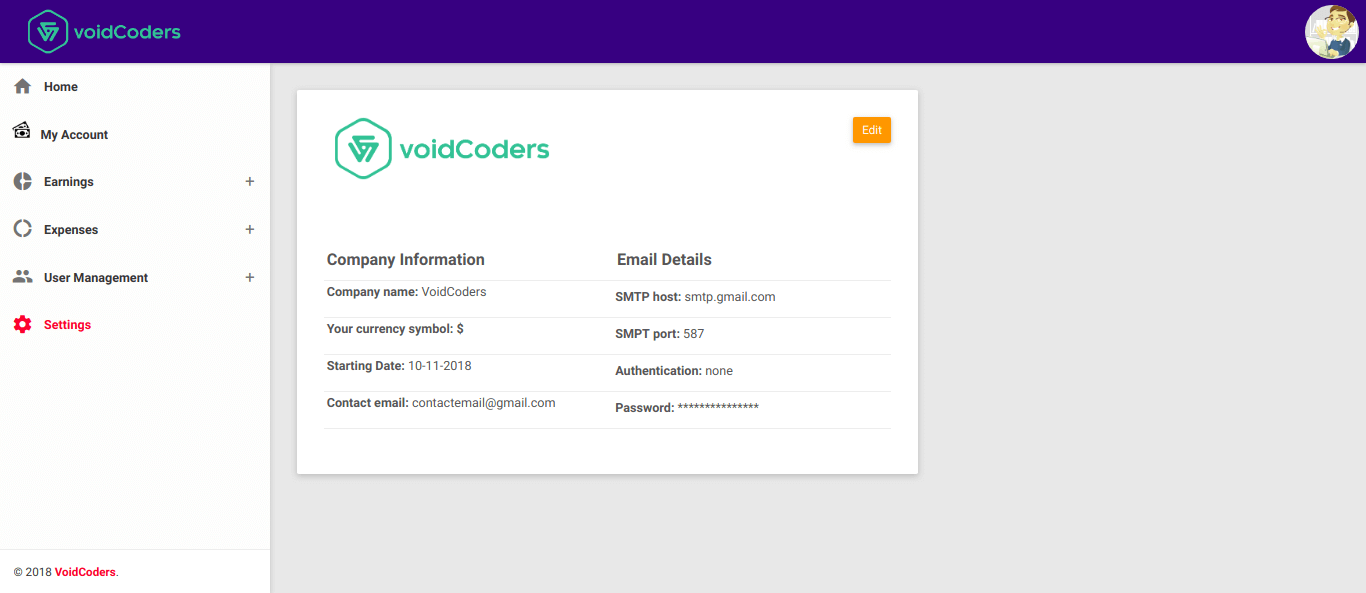
Well, Voidcoders has already a stock of fabulous plugins, themes and applications. Here is another surprise from Voidcoders for partners! They have added a Partnership Management System in their inventory. This a PHP script that comes with a simple UI for better user experience. Easy and simple installation like WordPress installation!

Partnership Management Tool

What does partnership management mean to you? Well, partnership management is a process which tends to keep statistics of channel partners. For instance, a company has 3 partners. How partners work collaboratively and distribute their costs and profits have included in the partnership management tool.

In short, the partnership management system aligns entire partners life-cycle that extends your online and offline business.

What Partnership Management System Offers You?

So much blah blah blah… But the partnership management system does not blabber. It works a lot to align with great features. What Partnership Management System offers to you? Let’s take a look.

  • First of all, you can add multiple trades and shareholders with one app. Just Download & easy Install.
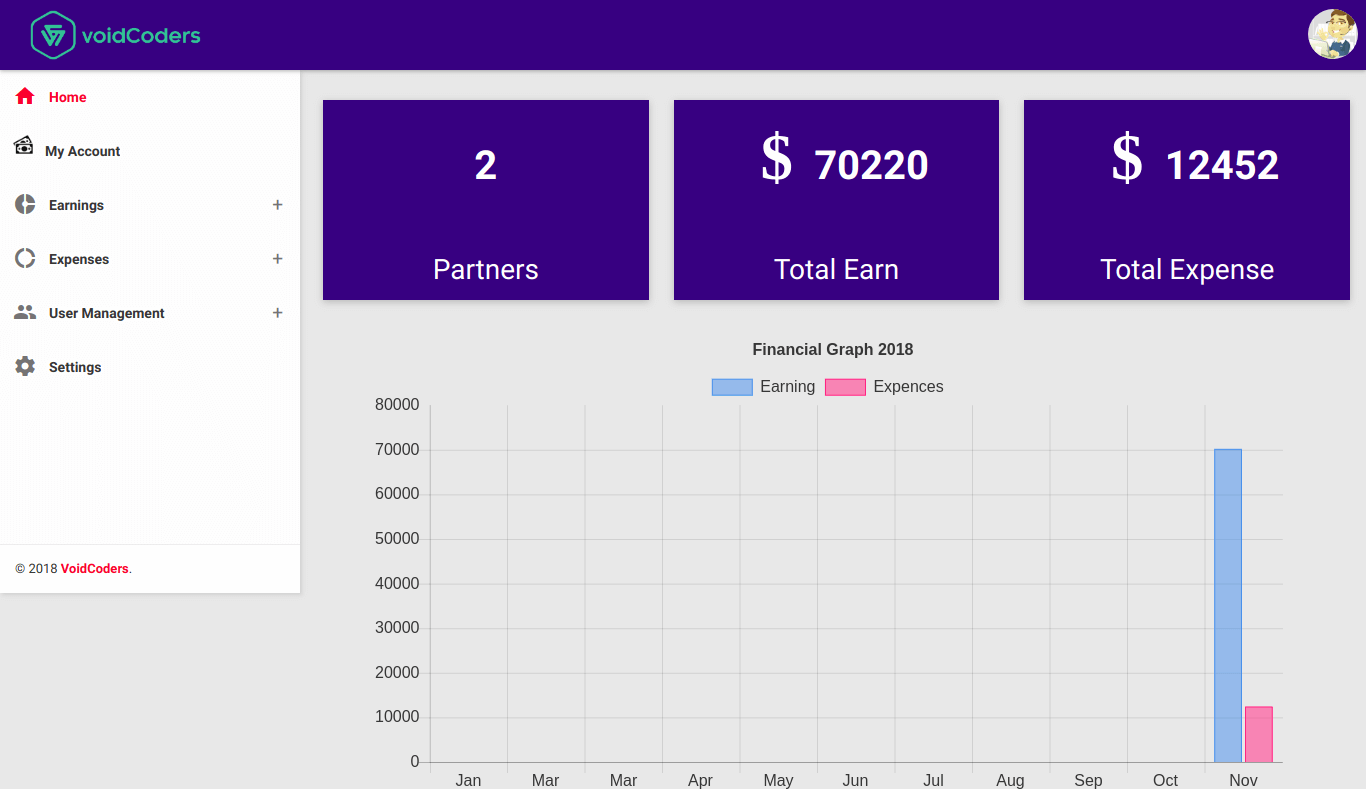
  • Keep statistics of enterprise expenses, incomes and profits per month/year.
  • Income section details and verify.
  • Financial graph or chart.
  • Convert income and expenses to PDF or Excel.
  • Auto manager to assist the method.
  • Individual revenue chart.

Support: 24/7 support available for the customers.

Price: $14 with 6 months free assistance.

Buy Now     |     Try for free

How to Install Partnership Management System Tool

This partnership Management System offers you a lot. But if you do not know how to use this, you may not be happy enough with it. Let’s take a practical look.

  • At first, install it and upload script files to host. Unzip file.
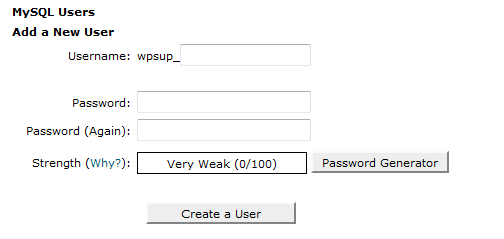
  • Click MySQL link to login to cPanel.

  • Create a new database.

  • Include a user.

  • Add the user to the database.

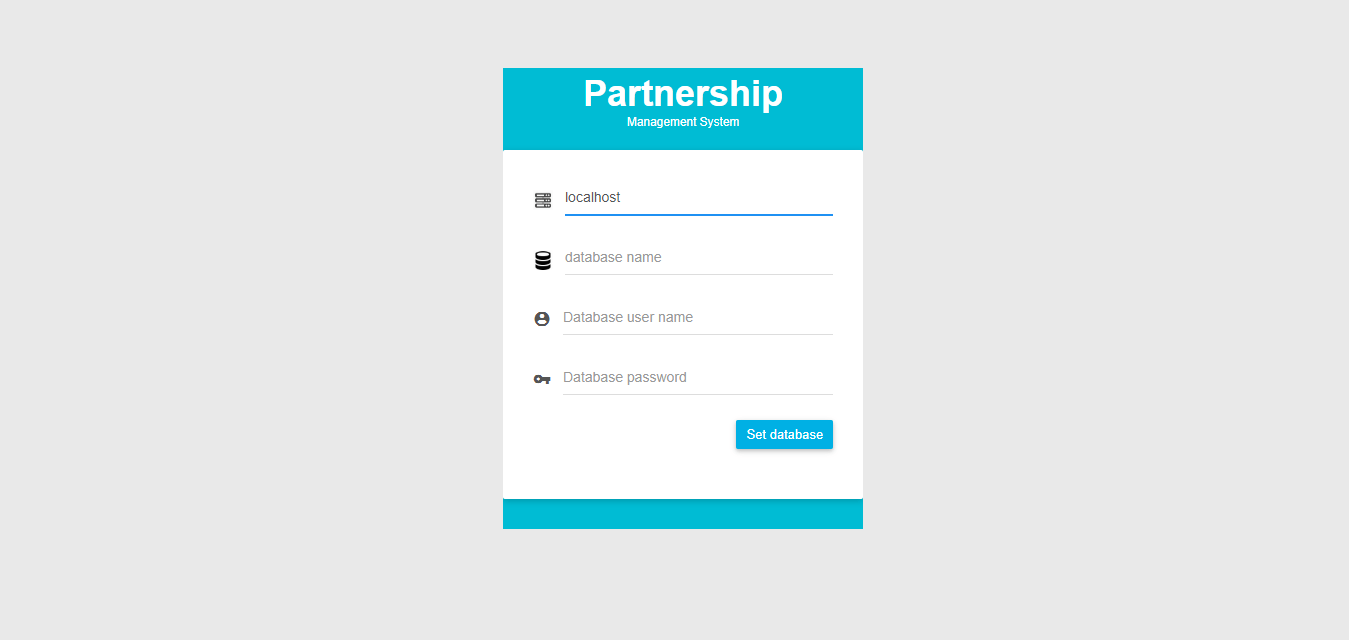
  • Run the installed file.

How to use this tool?

  • You can see the homepage after login.

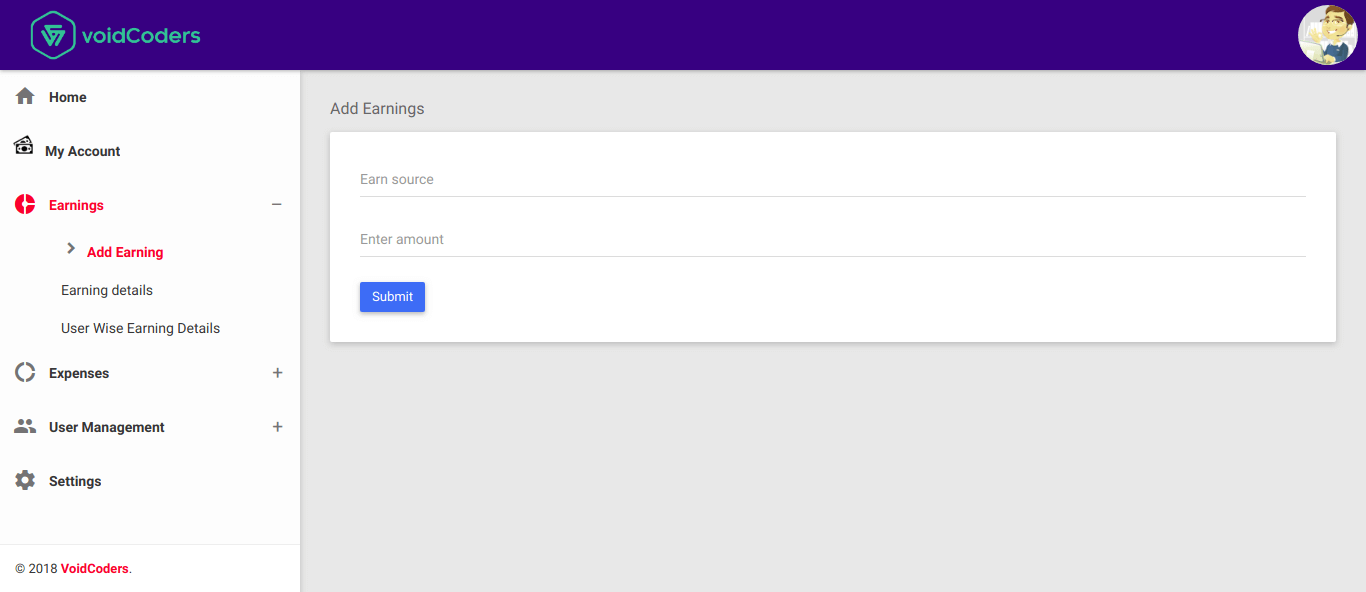
  • Add earning source and amount.

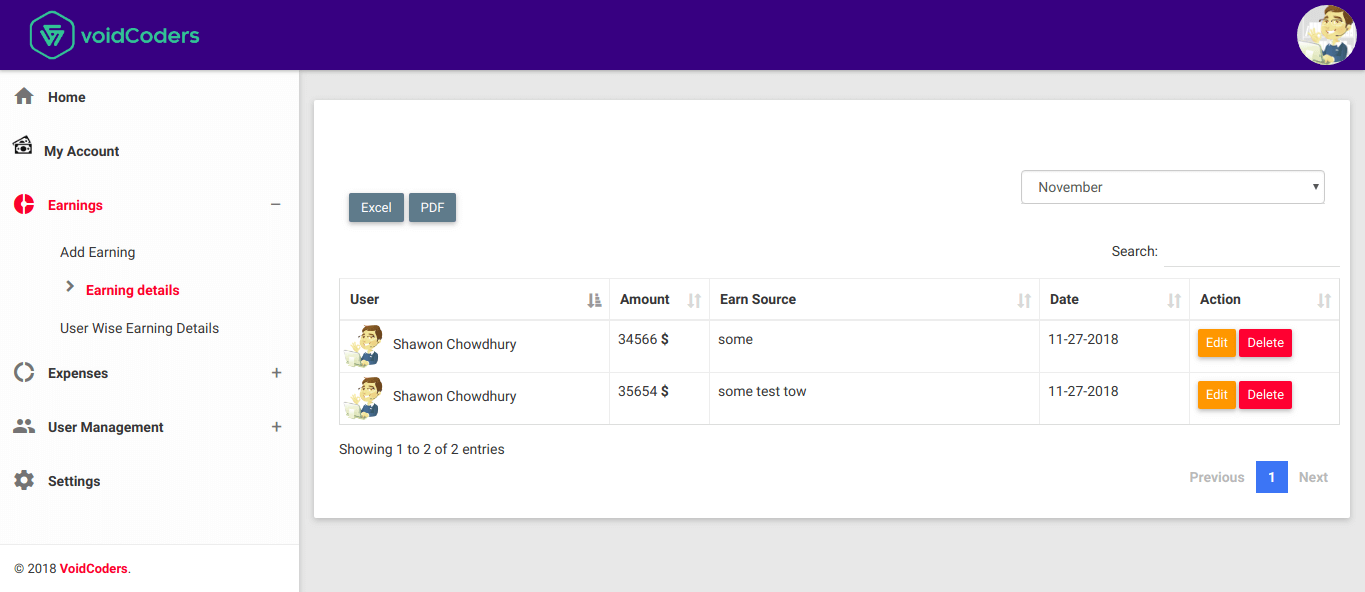
  • Earning details with user details is a stress relief process. Get the chance to export files as PDF and Excel.

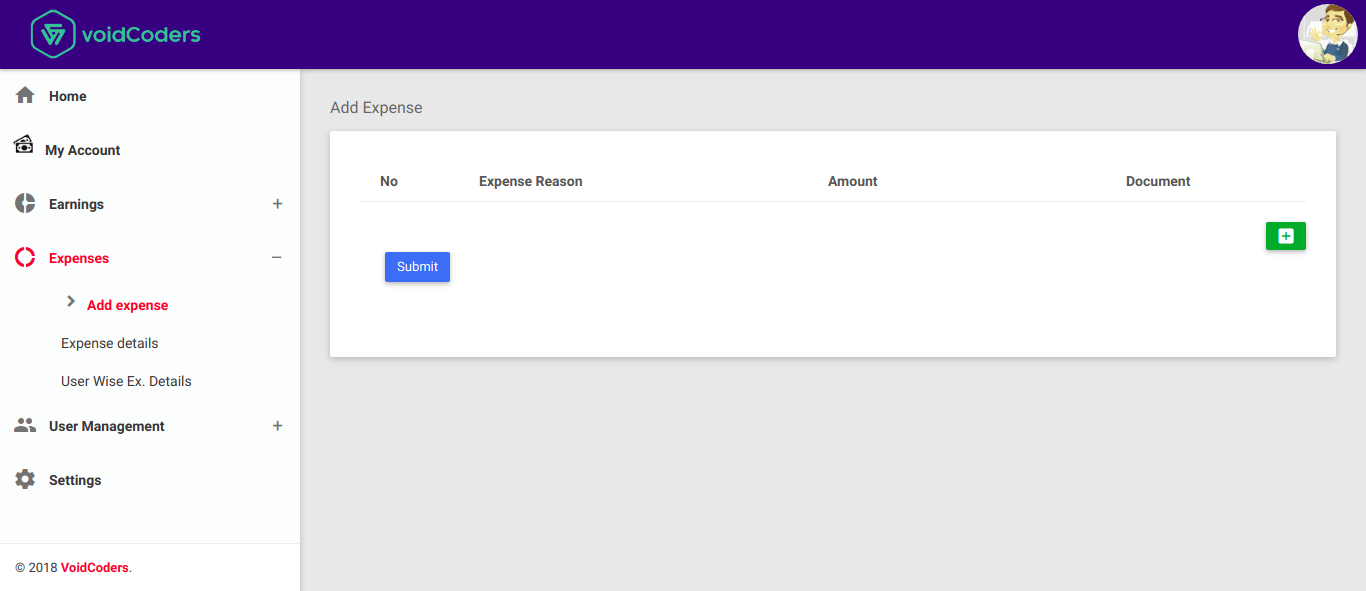
  • Include expenses and amount. The date will be taken automatically from your system (Computer or Laptop)

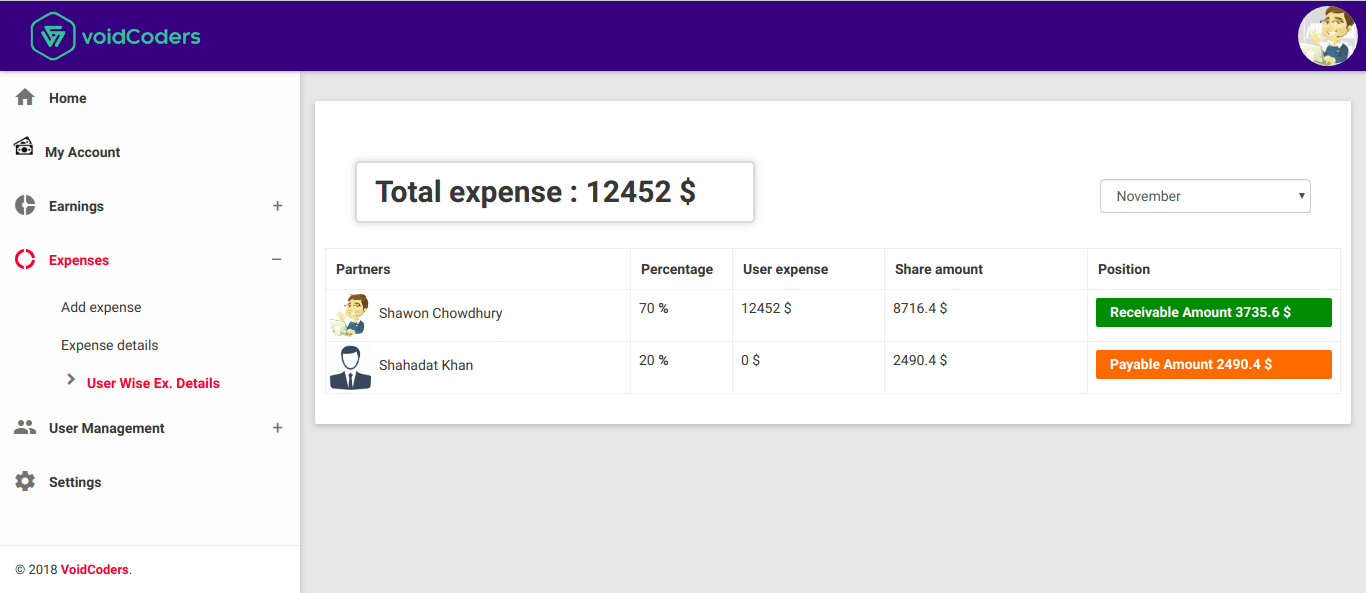
  • User Wise Expense Details: Where expenses of each and every partner is viewed.

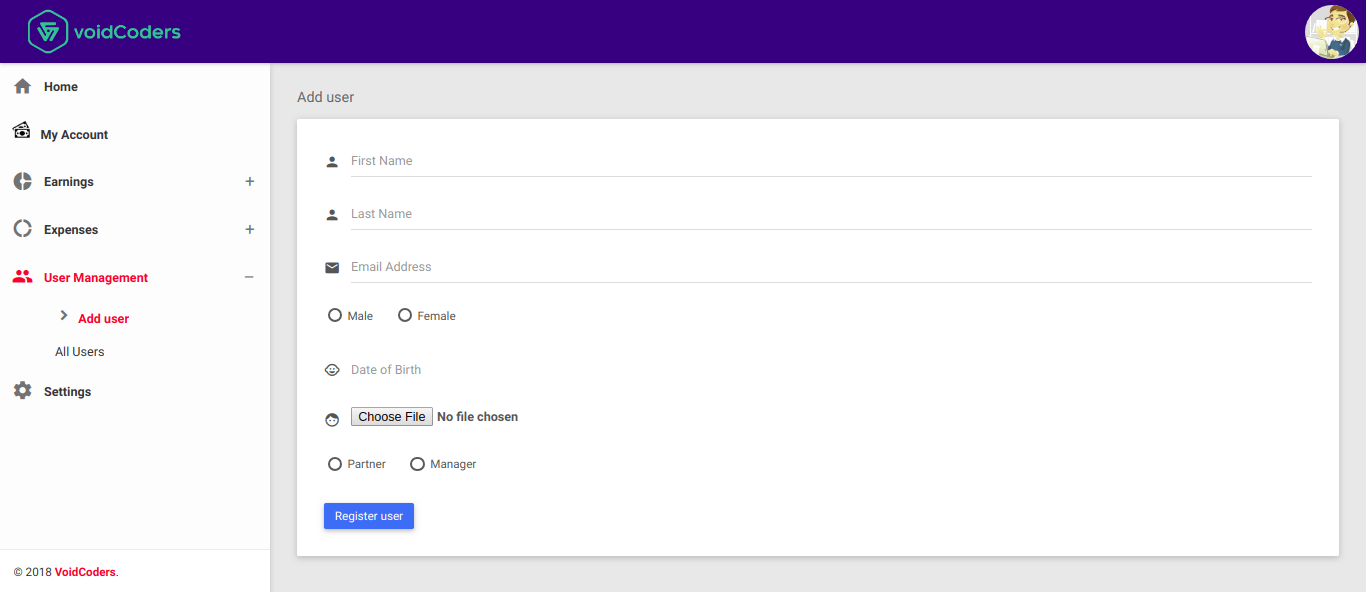
  • Unlimited User/Partner/Manager registration is also available

  • Database & SMTP Settings.

Quick Look:

Wrap Up

Voidcoders new intuitive Partnership Management System is a one-stop-shop for managing collaborative channels. Also, this one accelerates revenue. How? By reducing costs and saving time.

No need to use dairy or google sheets anymore to calculate income & expense and divide them among the partners! Buy this, save your time and see the results within a short time.

List of VPN Plugins to Secure Windows, Mac, Android and ios

Owner, blogger, developer, SEO experts and admin always try to make the website as a leading brand. Do you know your WiFi connection and access also take part in this? How?

Suppose, you weren’t concerned about your internet connection. Somehow, the hacker has hacked it. Your WordPress site and above all your eCommerce business are at risk. Switch to VPN to repair the site. What is a VPN? Let’s acknowledge about VPN and VPN tools.

Introduction with VPN

VPN is the abbreviation of the virtual private network. VPN is important as much as an SSL certificate and CDN plugin are. In this case, a layer exists between two entities. VPN server allows the encrypted information served between the WordPress site and device.

Relationship Between VPN and WordPress

WordPress professionals take their tasks outside wherever they move. If the WiFi connection is free of cost, it tempts them more.  The relevancies between WordPress and VPN can benefit from two-sided:

  1. Privacy: VPN saves and secures user identities in WordPress through VPN plugins. But how could this happen?
  • They add a geolocation tool with hiding your IP address.
  • VPN hides your identity as well as site location.
  1. Security: Through malware scanning of your website, VPN confirms safety. WordPress login credentials, customer details and uploaded documents are essential safety issues. VPN plugins will protect the whole information.

List of VPN Plugins to Secure Windows, Mac, Android and iOS

VPN plugins can secure windows, mac, Android and iOS. You will search for a perfect one among hundreds of VPN plugins. But the fact is finding out the real VPN plugin. The tools which display on searching for VPN plugins are VPN proxies. These can hide IP address but unable to manage privacy and safety puzzle.

Here are the enlisted VPN plugins to secure windows, mac, Android and iOS.

1.      Hide.ME

Hide.ME is at the first position in this VPN plugins list. WordPress users require not much more Gigabit speeds to encrypt layers. Affordable paid plans help to get broader VPN coverage.

Notable Features:

  • Supports over AES-256 encryption which will protect individual devices and home router.
  • Get major protocols. For instance, Open VPN, IPsec and
  • The premium upgrade offers over 30 countries server location integration.
  • Data transmission has limits with no storage option for saving data.

2.      Hotspot Shield

Owner of USA WordPress website should have a trial with this. Keep in mind that you can’t use the server from any country.

Notable Features:

  • Hotspot Shield has the support of AES 128-bit and 256-bit.
  • Available to each mac, android, windows and iOS at one time.
  • Includes advertise in service offers and allow you for marketing.

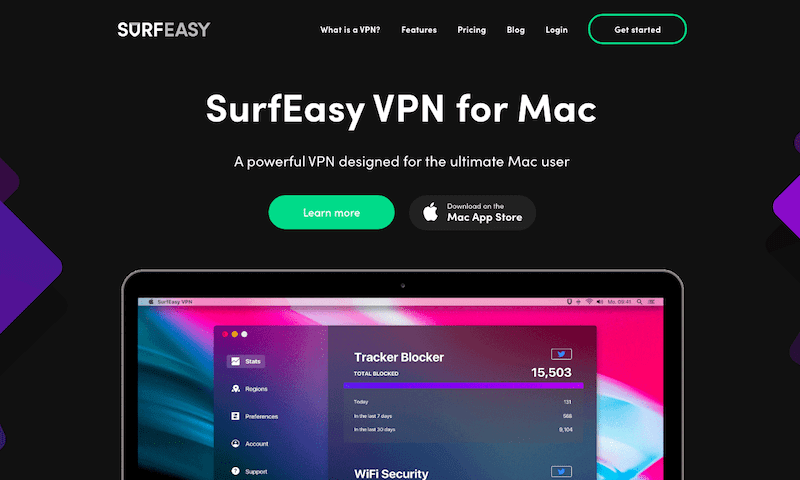
3.      SurfEasy

The best VPN plugin for Mac users. As a productive purpose, helps in website growth.

Notable Features:

  • The main problem is SurfEasy includes ad blockers.
  • 500 MB data transmission limit on the free
  • Bank-grade encryption is free. It is the dead end of thinking about third-party cookies.

Sum Up

Making an eCommerce website with WordPress is a great fact. But protecting this must be a top priority. There may have lots of vulnerabilities. But the owner should keep the website safe, including server-side and devices. VPN plugin is a possible solution to the beginners and old users. Hope the maintenance is not such hard to keep up with other tools.

Enlisted Top Hosting Providers for WordPress

E-commerce business owners and others know about hosting method. It is important to know that which hosting providers are perfect for WordPress website building.

Since the first of this twenty-second century, web hosting platforms have become popular. There are larger web hosting providers growing globally. I have given a trial with different hosting providers and here is my experience.

Why Choose Web Hosting Providers?
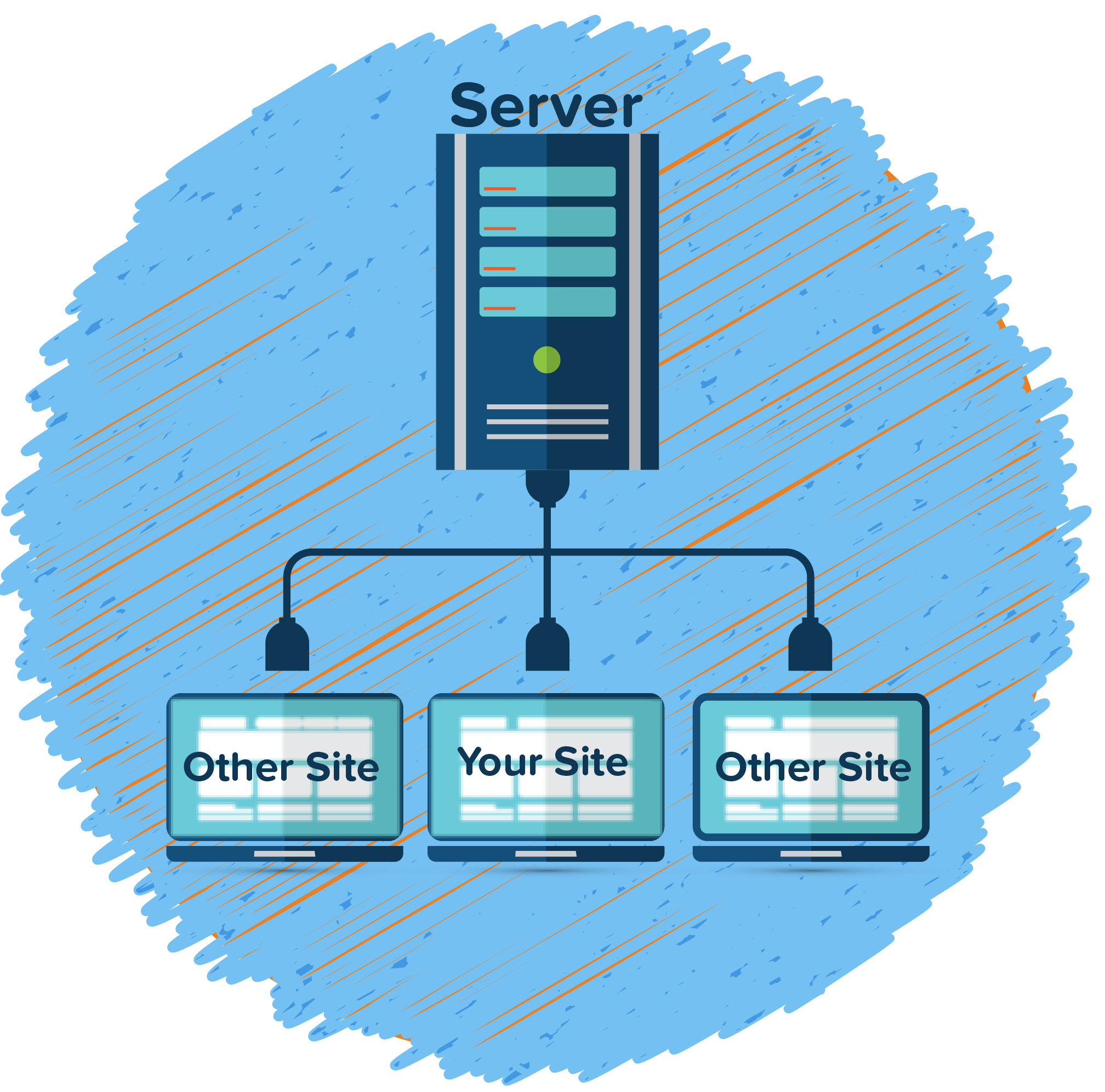
You may have a lot of reviews on several web hosting providers if you have started an eCommerce business. The greatest advantages will impose you to use the hosting providers. What are the pros? Let’s introduce to the advantages.

Uptime: the main factor for choosing any hosting providers. At least 99.91% uptime is required for a website.

Speed: readers like to find web pages within 30 seconds at least. Loading time ensures more readers and customers to spread online trade.

Customer Support: hosting platforms offer WordPress related all collaborations.

Transparency and Community: all commit to having a transparent service. But a few web hosting providers can fulfill the commitment. Observe details and product upsells.

Enlisted Top Hosting Providers for WordPress

I already have a trial with Bluehost. But I have enlisted the top hosting providers for readers and users benefits.

1.      Bluehost

The most popular among bloggers and small website owners. Bluehost helps to run websites over 2 million with great responsibility.

Uptime: 99.98%

Loading time: 451 ms

Rating: 5/5

Price: $2.75 per month including a free domain name. Also, one-year free migration for new accounts.

Contact: www.Bluehost.com

2.      SiteGround

Siteground is servicing more than 1 million websites per day since 2004. Their large network has spread over 800000 domain names. As a beginner, try the Siteground hosting platform.

Uptime: 99.98%

Loading time: 710 ms

Rating: 5/5

Price: $3.95 per month for 1 website. If you have a growing business, try with $5.95 and $11.95 per month.

Contact: www.Siteground.com

3.      HostGator Cloud

HostGator payoffs options for improving and new cloud hosting. Good loading time and reliable site transfer are enough reason to select this one.

Uptime: 99.95%

Loading time: 431 ms

Rating: 4/5

Price: $13.99/month and reduced to $2.99 for 6 months plan.

Contact: www.HostGator.com

4.      Site5

By the follow up of Matt Lightener, Site5 Hosting sold to EIG. Email, live chat and phone media are available for boosting your website. Intensive web designers highly recommend this one.

Uptime: 96.98%

Loading time: 704 ms

Rating: 4/5

Price: one website and available migrations are available with $6.95/month. But hostPro+Turbo pack is attainable by $11.45/month.

Contact: www.Site5.com

5.      DreamHost

The huge network over 1.7 million worths an award for maintaining WP sites. Considering DDOS attack, hand over data to the anti-Trump website. But as a reliable web hosting service company, comprehends all services 24/7.

Uptime: 97.99%

Loading time: 724 ms

Rating: 4/5

Price: get unlimited bandwidth at $7.95/month. Money back guarantees within 97 days.

Contact: www.Dreamhost.com

Final Thoughts

Hope you now have enough details. Above web hosting providers enough good for running an online business. Pingdom and GTmetrix act as monitors. Voidcoders have tested above hosting providers before writing this article.

If further problems happen, ask us in the comment section.