Elementor Strategy: Generate A Mobile Responsive Website

A really solid page builder with mobile responsiveness is the Elementor 2.2. In itself includes awesome UX and UI configurations. One side of the Elementor makes faster your site. The other side optimized for compatibility, worth and speed. No lingering shortcodes accelerate marketing and boost up sales.

One of its achievement is to take place in Github. We have mentioned some editing strategies of Elementor 2.2 before. It’s time to elaborate on another strategy that how Elementor generates a mobile responsive website. Give a trial with us.

Mobile Responsive Website

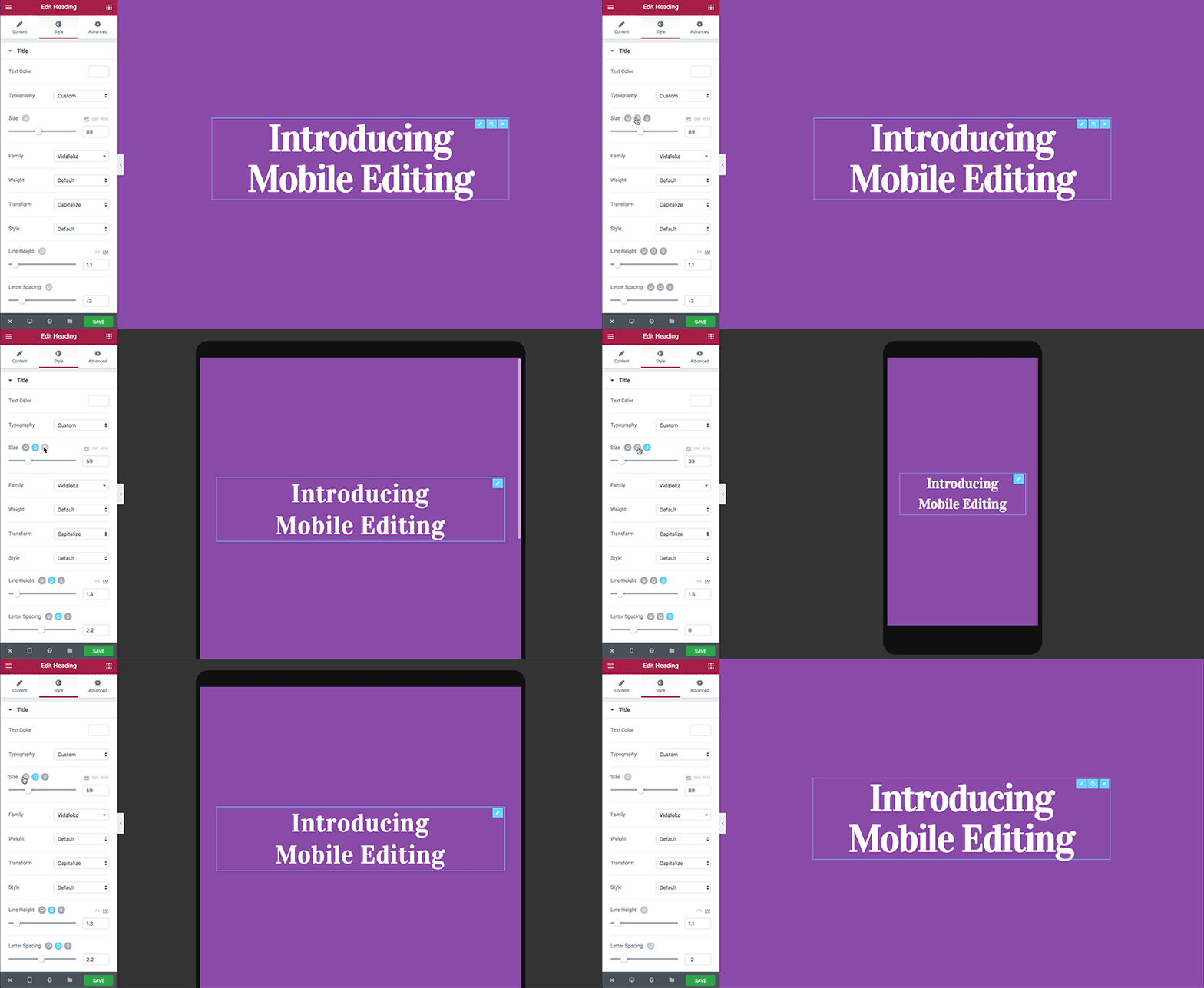
It is a common question what a mobile responsive website is. When a site is reactive, the layout and content adapt based on the size of the screen. As it about mobile responsive, the substances adjustments with the screen size of mobile, laptop and tab.

Why do concern about mobile responsive design?

  • Without forcing, give the visitors a proper experience with your site.
  • Improving the layout of the content as the present phones typically zoom out automatic.
  • Viewing the site circumstances for updated information.

Elementor Strategy: Generate a Mobile Responsive Website


Introducing you with the method to create a mobile responsive website step by step. Follow the beyond.

Generate a mobile responsive website with Elementor.


Elementor’s mobile editing essentials are we discuss:

  • Reverse columns
  • Mobile font size
  • Responsive column width
  • Padding and margin
  • Hide and show elements

Press on the  icon that you must to alter for editing.

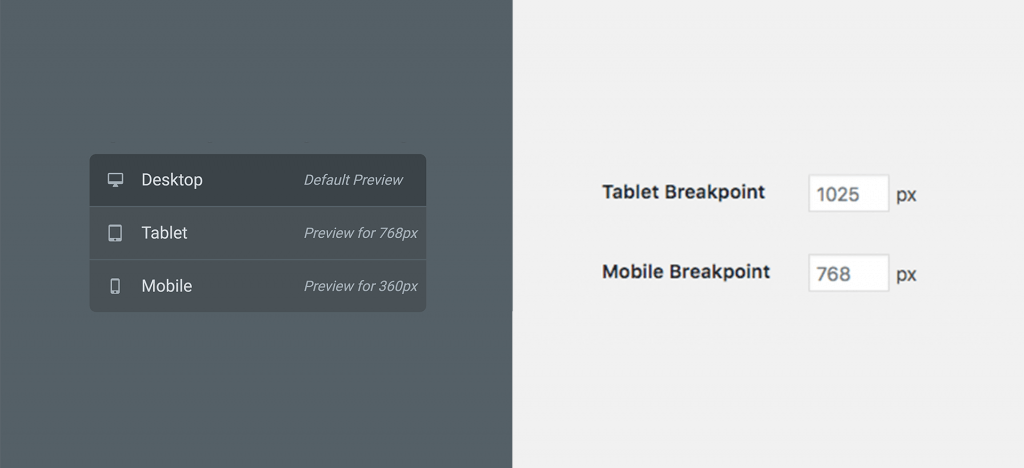
Change tablet and mobile breakpoints:

Set the tablet and mobile break-point values. But how?

  • Move to Elementor > Settings > Style Tab.
  • Save what have you changed.
  • Click on Elementor > Tools > General Tab > Regenerate CSS Files.

Visibility:

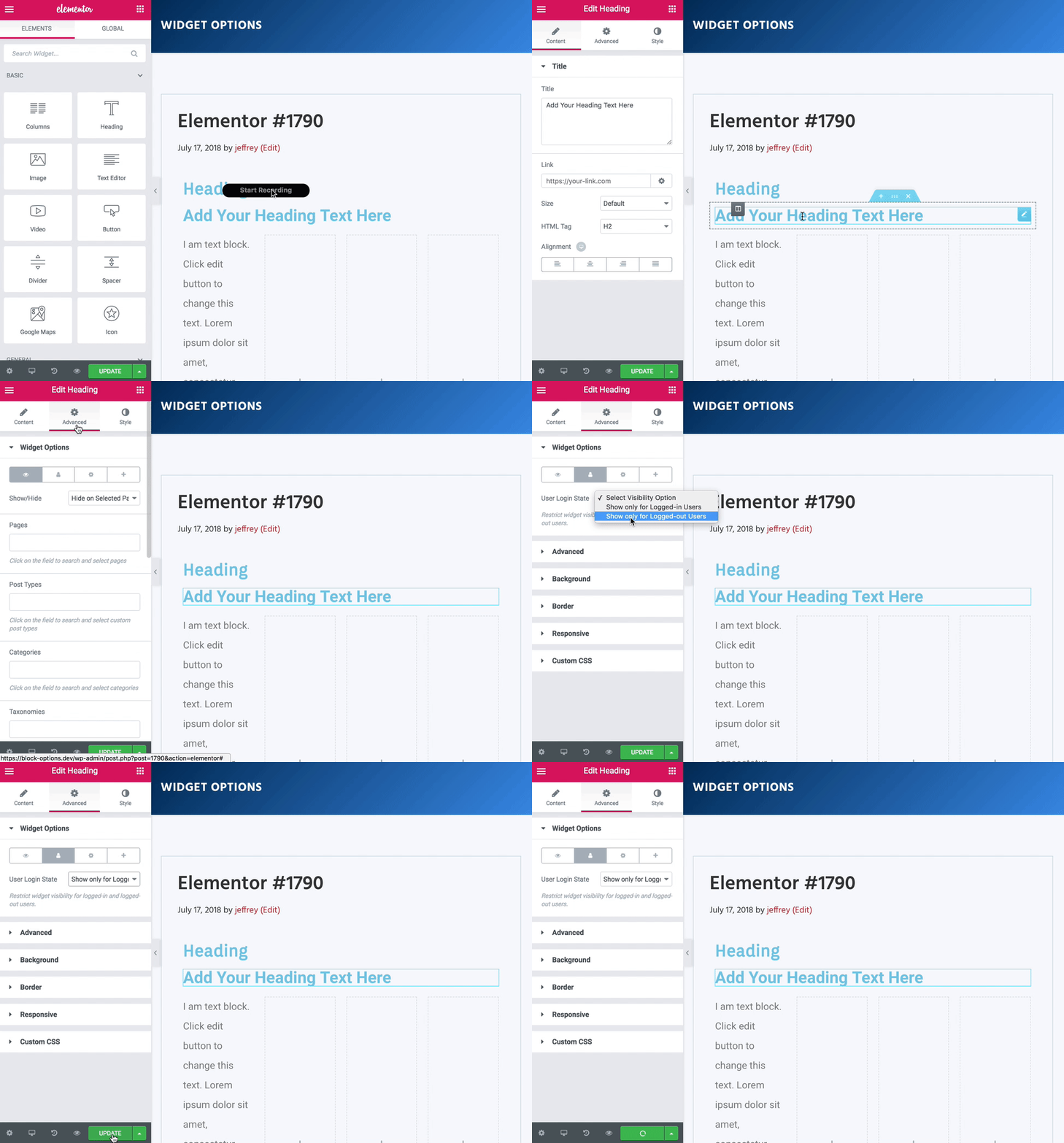
As in Navigator Menu, we have mentioned how to hide or show a section. Again:

  • Move to Section Setting > Advanced.
  • Under Responsive > Visibility.
  • Now set your visibility preferences.

Columns Ordering:

The user can reverse the organize columns in a page.

  • Click on Section Setting > Advanced > Responsive.
  • Now Reverse columns at ease.
  • Set it to YES to save.

Device Preview:

  • Dashboard > Give title > Edit with Elementor.
  • Go to the left bottom.
  • Switch between Mobile, Tablet and Desktop preview.

Sum It Up

The forthcoming of the web is what now? Of course, mobile responsive design. It is a revolution for all online publisher. Mobile responsive reduces the demand for expensive app development maintenance. Also, eliminates the necessity for several versions of the site. It is possible with the one website, many versions. Deliver the contexts what you want to show to audience automatically with a mobile responsive feature of Elementor.

Top 10 Must-Have Elementor WordPress Plugins For Your Online Business

More than 77,000… That is how many WordPress plugins were released on the Internet. Can you possibly imagine such a huge number of options? And the main question is how with so many plugins, you can understand which of them is a worthwhile thing and which is a waste of your resources? And how to understand which plugins are you missing? Because nowadays people use plugins everywhere and for everything, to improve the functionality of something or just for fun. For example, “DO IT!” Chrome plugin using a meme with an actor Shia LaBeouf, alone is enough to motivate you… I Dunno LOL ¯\_(ツ)_/¯

OK, more seriously.

Therefore, in this article, we have gathered the greatest Elementor WordPress plugins. For all your needs. We are glad to present to you the Top 10 WordPress plugins to help you start, manage and grow your business, blog or website. Do not wait, because there is no time like the present.

Also look at the popular WordPress themes that are perfect for every type of business.

Quick Links

  1. JetWooBuilder – WooCommerce Page Builder Addon for Elementor WordPress Plugin
  2. JetMenu – Mega Menu for Elementor Page Builder WordPress Plugin
  3. JetElements – Addon for Elementor Page Builder WordPress Plugin
  4. JetBlocks – Elementor Header & Footer Widgets WordPress Plugin
  5. JetTricks – Visual Effects Addon for Elementor WordPress Plugin
  6. JetTabs – Tabs and Accordions for Elementor Page Builder WordPress Plugin
  7. JetEngine – Adding & Editing Dynamic Content with Elementor WordPress Plugin
  8. JetBlog – Blogging Package for Elementor Page Builder WordPress Plugin
  9. JetReviews – Reviews Widget for Elementor Page Builder WordPress Plugin
  10. JetParallax – Addon for Elementor Page Builder WordPress Plugin

All the plugins are placed in the table right away and splitted it into main criteria, in order to save your time.

Name Main Features Price
#69528 JetWooBuilder – WooCommerce Page Builder Addon for Elementor WordPress Plugin
  • works with Elementor
  • integrated elements WooCommerce
  • easily customizable
$15
#69509 JetMenu – Mega Menu for Elementor Page Builder WordPress Plugin
  • varied colors
  • mega menu module
  • included dummy data files
$15
#69508 JetElements – Addon for Elementor Page Builder WordPress Plugin
  • contact form 7 Handy
  • import/export options
  • WPML-compatible
$15
#69867 JetBlocks – Elementor Header & Footer Widgets WordPress Plugin
  • navigation menu
  • work with Elementor 2.0 PRO
  • breadcrumbs for header & footer
$15
#69529 JetTricks – Visual Effects Addon for Elementor WordPress Plugin
  • versatile animated particle effects
  • unfolding functionality
  • Parallax
$15
#69512 JetTabs – Tabs and Accordions for Elementor Page Builder WordPress Plugin
  • vertical and horizontal tabs
  • classic accordion module
  • image accordion module
  • accessible design
$15
#71125 JetEngine – Adding & Editing Dynamic Content with Elementor WordPress Plugin
  • more than 40 widgets for dynamic content
  • smart filters
  • different layouts
$15
#69506 JetBlog – Blogging Package for Elementor Page Builder WordPress Plugin
  • fully responsive
  • smart modules set
  • RTL supported
$15
#69510 JetReviews – Reviews Widget for Elementor Page Builder WordPress Plugin
  • high-class modules
  • bright design
  • particular documentation
  • eye-catching review widget
$15
#69511 JetParallax – Addon for Elementor Page Builder WordPress Plugin
  • custom position settings
  • flexible animation speed settings
  • no coding skills needs
$15

1. JetWooBuilder – WooCommerce Page Builder Addon for Elementor WordPress Plugin

JetWooBuilder - WooCommerce Page Builder Addon for Elementor WordPress Plugin

Details | Demo

Every day people buy something, spend money or just search for goods, services and special offers on the Internet. Therefore, for the owners of an online shop this plugin is the best. There are hundreds of extensions and themes available for JetWooBuilder, which makes it easy for you to add new features to your e-commerce resource. A large collection of themes means that you have many options when choosing the design and layout of your website. Plus it supports both digital and tangible goods. And easy-to-use functionality is one of the JetWooBuilder pros that will be a huge pros for your business.

2. JetMenu – Mega Menu for Elementor Page Builder WordPress Plugin

JetMenu - Mega Menu for Elementor Page Builder WordPress Plugin

Details | Demo

Nowadays menu is an essential element of the graphical user interface. One of the JetMenu features is animation styles that can be turned on when menus are displayed. The plugin is developed with a focus on code quality, performance and usability. It is the greatest WordPress plugin with tons of integration options. Use this Mega Menu plugin and offer your customers everything they may want.

3. JetElements – Addon for Elementor Page Builder WordPress Plugin

JetElements - Addon for Elementor Page Builder WordPress Plugin

Details | Demo

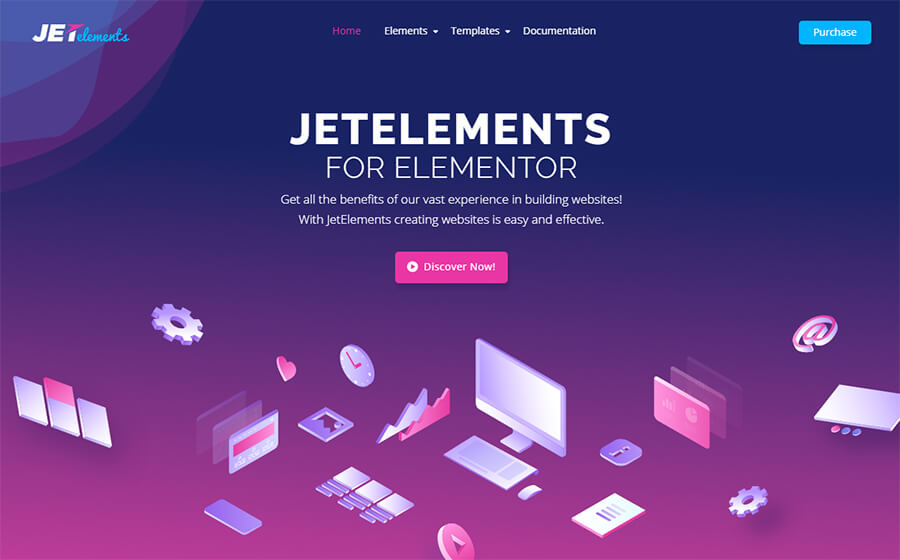
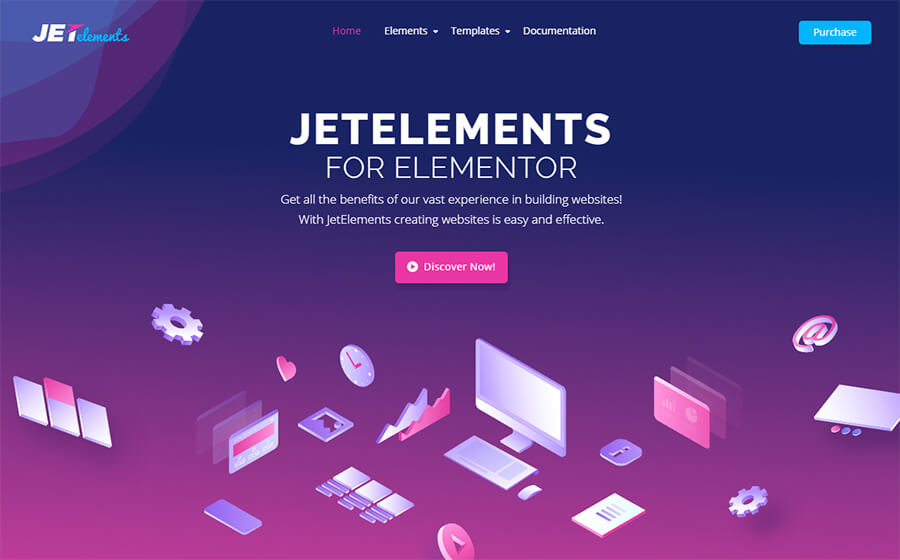
This addon has a lot of modules, which will be extremely helpful for your web resource. Interesting animation effects, gradient backgrounds, video player, custom fonts, Parallax effect, bright color design and far more. Plus it has a lot of integration options. By the way, it can integrate even with WooCommerce. This plugin is fully adaptive and greatly displayed either on the desktop, mobile phone or tablet. So everything you created with the help of JetElements will look ideal on any of your target audience devices.

4. JetBlocks – Elementor Header & Footer Widgets WordPress Plugin

JetBlocks - Elementor Header & Footer Widgets WordPress Plugin

Details | Demo

This is a very simple and basic WordPress plugin. It is a perfect solution for creating various types of navigation menus, contact forms, search boxes, login forms and everything that is necessary for footer or header of your web resource. Add your own logo, contacts and everything you want to be displayed. Plus, if you want to have a powerful platform without having to solve technical problems, then JetBlocks is exactly what you need.

5. JetTricks – Visual Effects Addon for Elementor WordPress Plugin

JetTricks - Visual Effects Addon for Elementor WordPress Plugin

Details | Demo

The animation is one of the trends in web interface design. Its popularity is not constant, but the animation is always somewhere present as an integral part of every site. These are tiny, barely noticeable loading indicators and whole pages on which you are like watching a movie. Visual effects are used in all areas of design. And JetTricks is ideal for adding visual effects to your website. Make it insanely cool, make it yummy. Mmm. Easy to install, convenient for visitors, integrates with everything.

6. JetTabs – Tabs and Accordions for Elementor Page Builder WordPress Plugin

JetTabs - Tabs and Accordions for Elementor Page Builder WordPress Plugin

Details | Demo

This is one of the most popular plugins for WordPress. You can choose the style of the tables, the color scheme to achieve the desired type of price table. Tables are created using CSS, which makes them easier and faster to load. Adaptive layout adapts to the screen size of the user’s device. Plus you can create an unlimited number of rows and columns in a single table. The advantage of tabs is that the user does not have to scroll through long pages, maybe that is exactly what your site needed?

7. JetEngine – Adding & Editing Dynamic Content with Elementor WordPress Plugin

JetEngine - Adding & Editing Dynamic Content with Elementor WordPress Plugin

Details | Demo

The processing of dynamic requests is now necessary for websites, especially for WooCommerce. This WordPress plugin has the ability to process incoming URL parameters, add Elementor-built templates and management UTM codes. You can edit text, links, images and other content in real time. Accepting input values, the plugin dynamically creates content from your site. So, if you want maximum control, flexibility, and features, then JetEngine is the best solution for you.

8. JetBlog – Blogging Package for Elementor Page Builder WordPress Plugin

JetBlog - Blogging Package for Elementor Page Builder WordPress Plugin

Details | Demo

Choosing the right Blogging plugin is crucial for your business because a better platform means more opportunity for growth. We recommend drawing your attention to JetBlog. The calendar view and status entry function make it almost indispensable, especially for multi-author blogs. You can connect accounts in social networks, show recent posts, pages and user post types, and change the design of each element as you wish. And remember, Grand blogs stand out because they have unique style behind them. Make it special!

9. JetReviews – Reviews Widget for Elementor Page Builder WordPress Plugin

JetElements - Addon for Elementor Page Builder WordPress Plugin

Details | Demo

It is logical that JetReviews assists to create review blocks and rating stars bars on your site. The reviews will look clean and professional, with attractive CSS animations that instantly grab the focus of your audience. These reviews widget are fully configurable with WP JetReviews Pro, which gives you full control over your color gradient, the size of the review windows and the number of criteria. You can choose where to display that reviews. For example in a fixed position on the page or if you prefer more plasticity, you can post them as needed with a shortcode.

10. JetParallax – Addon for Elementor Page Builder WordPress Plugin

JetParallax - Addon for Elementor Page Builder WordPress Plugin

Details | Demo

The speed of loading pages from the server is an important factor in site usability. To ensure good download speed, web designers try to minimize the use of “heavy” graphics in website design. So they replace huge graphics files by using special effects in different plugins. JetParallax is one of the examples. You will get a flexible animation speed settings, 3D effect, scroll behavior trigger and mouse move type, Parallax background rich functionality and etc. Be brave, do experiments!

So, there is a reason why WordPress is so popular. This is an amazingly versatile platform with a huge variety of plugins, which means you can customize it clearly for your needs and it does not matter what business you are in. It should be said that not all plugins are designed according to the highest standards and updated in a timely manner. Thanks to people like us who test various plugins, follow the statistics and customer desires and then create similar digests and tops, you can see everything with your own eyes. Because, if you look at the list of plugins that were popular a few years ago, it becomes clear that many have simply sunk into oblivion. Just stay tuned and find the solution that best fits your needs. You can do it either independently or with the help of the TemplateMonster service center. 24/7. Just do it 😀

Top 10 WooCommerce Compatible Themes that You must Check out

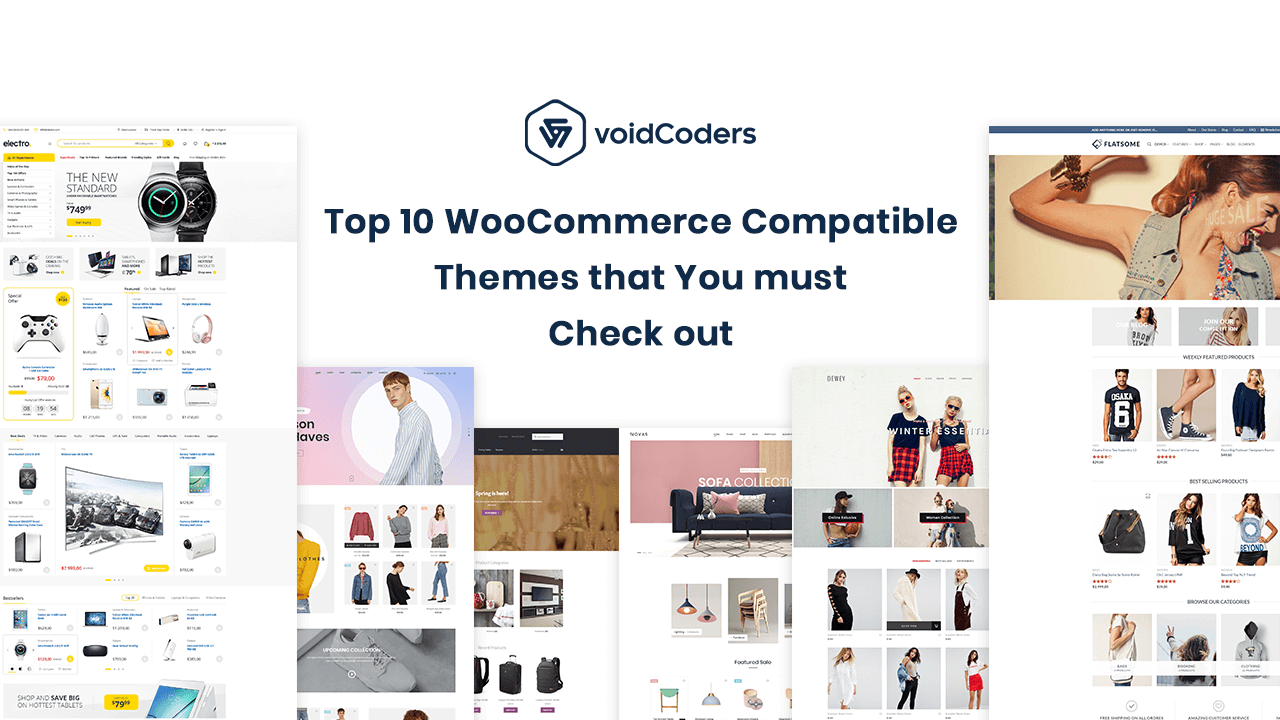
Are you thinking about creating a WooCommerce based website? But not sure how to make your site appealing? Then, this is the right place for you. For any businesses, a beautifully designed website is an absolute must. So, to choose the right Theme for your website is very crucial. I am here to make things easy for you and give you tips on the top 10 WooCommerce compatible themes that you must check out.

1. Shop Isle

If you are thinking about building a WooCommerce shop, then Shop Isle theme would be a good way to go. Its beautiful layout along with its responsive design and easily customization features will help you set your site up quite nicely.

Key Features:

  • Responsive Design
  • Featured Image Slider
  • Supports WPML
  • Parallax Scrolling
  • SEO Friendly
  • Compatible with SiteOrigin Page Builder
  • Customizable Backgrounds
  • Live Customizer
  • Access to Pro Plugins

Pricing:

WordPress.org

Essential Business VIP
Free $89/Year $129/Year

$199/Year

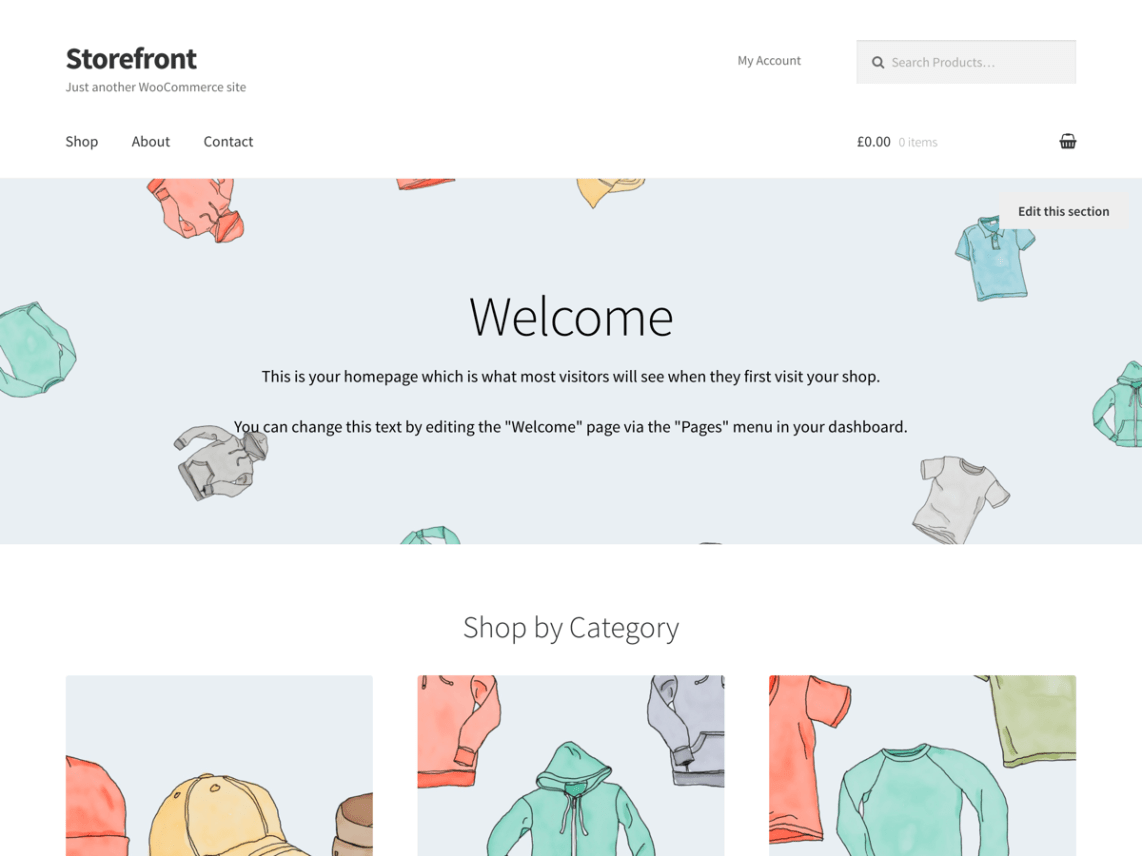
2.Storefront

Storefront is the default WooCommerce theme developed by the WooCommerce developers themselves. Storefront comes up with nice layouts and responsive design for all devices. You can customize your store’s look quite easily with the help of its live customization feature.

Storefront Extensions bundle allows you to add advanced features to your  WooCommerce shop as well.

Key Features:

  • Default WooCommerce Theme
  • Responsive Design
  • Grid System
  • SEO Friendly
  • Live Customization
  • Mega Menus
  • Pricing Table
  • Product Reviews & Sharing

Pricing:

WordPress.org

Extensions Bundle

Free

$69/Year

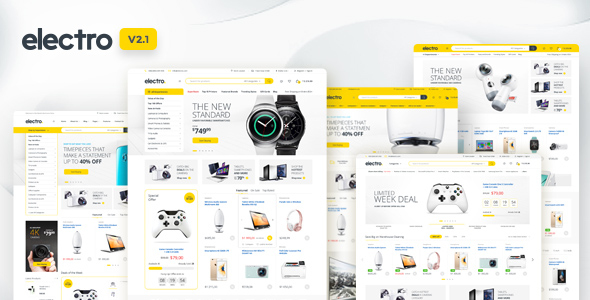
3. Electro

Electro is a very popular WooCommerce compatible theme. Electro is perfect for you if you are running an Electronic gadgets based business. It has a very professional design with lots of widgets and customizable tools for you to build your site easily.

You can also use the Electro Extensions plugin which comes with the theme, to add more advanced features in your website.

Key Features:

  • Multiple Nicely Designed Layouts
  • Responsive Design
  • Elementor Compatible
  • GDPR Compliant
  • Compatible with Mutli-vendor Plugins
  • Mega Menus
  • Catalog Mode
  • Products Caraousel
  • Advanced Products Search & Specifications
  • Supports WPML
  • Product Comparison Page
  • Visual Composer
  • SEO Friendly

Pricing:

Premium

$59/6 months

4. Flatsome

Flatsome is a widely used Theme especially for WooCommerce platforms. It ticks the box for having elegant layouts, impressive & easily customizable features and drag & drop builder functionalities. Flatsome gives you the freedom to design your website as per as your wish. Who wouldn’t love it?

Key Features:

  • Fast Loading
  • Responsive Design
  • Custom Product Page Builder
  • Drag & Drop Builder
  • Catalog Mode
  • Built-in Slider & Banner
  • Live Customization
  • Supports WPML
  • SEO Friendly

Pricing:

Premium

$59/6 months

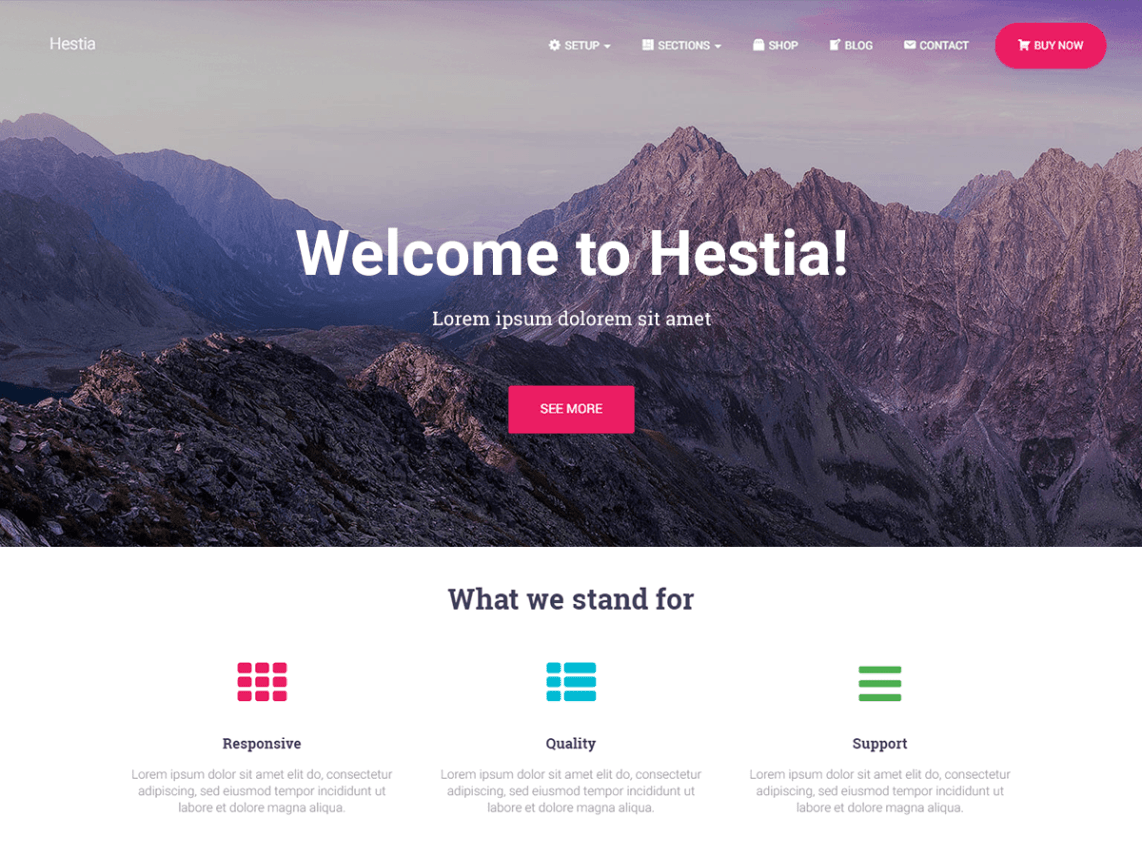
5. Hestia

Just like Shop Isle theme, Hestia is yet another very popular product developed by Theme Isle. Its top-notch design and fantastic user experience is simply astonishing. The flexibility to customize the theme as per your needs, is just what anyone can ask for.

Key Features:

  • Multiple Layouts
  • Responsive Design
  • Featured Image Slider
  • Supports WPML
  • Multiple Navigation Menus
  • Compatible with Elementor
  • SEO Friendly
  • Access to Pro Plugins
  • Live Customizer

WordPress.org

Essential Business VIP
Free $89/Year $129/Year

$199/Year

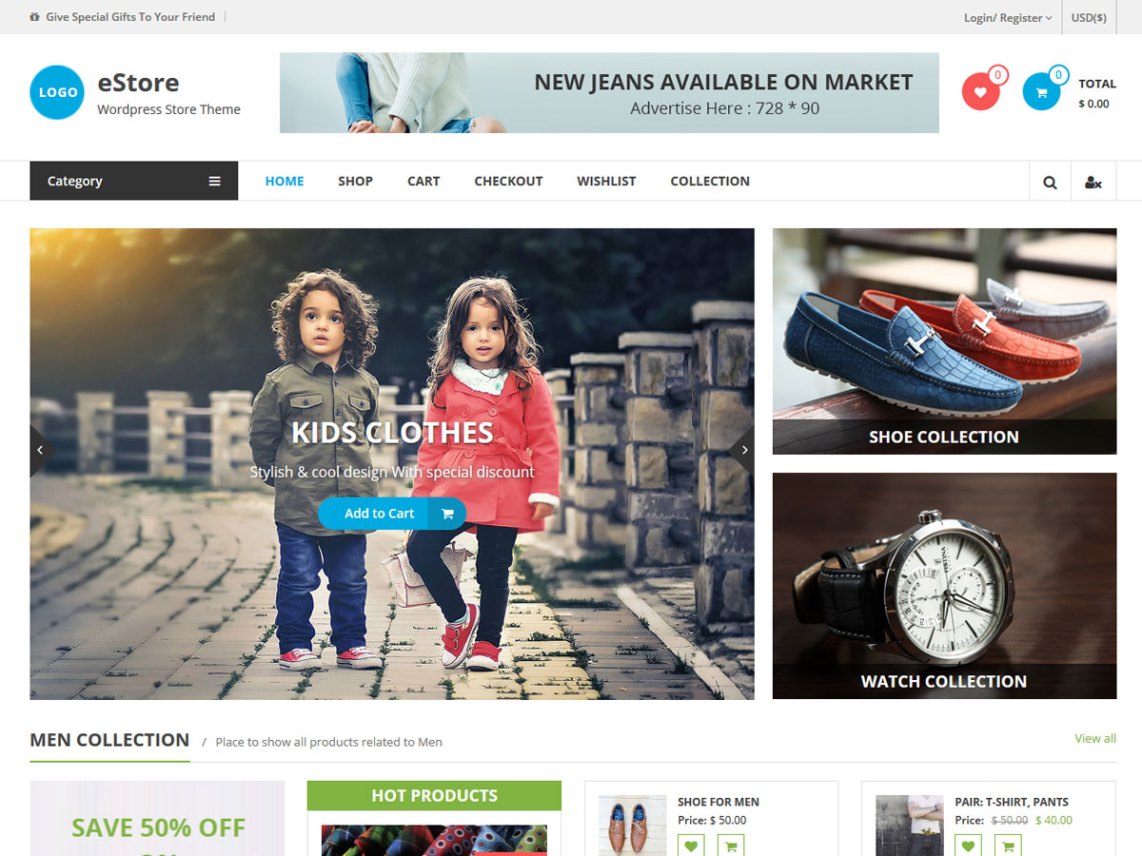
6. eStore

eStore is a very attractive theme based on the WooCommerce platform. If you want your online shop to look beautifully designed, you would be impressed with eStore.

Key Features:

  • YITH WooCommerce Wishlist Compatible
  • Responsive Design
  • Fast Loading
  • Custom Widgets
  • SEO Friendly
  • Built-in Slider
  • Supports WPML
  • RTL Compatible
  • Advanced Typography
  • Live Customization

WordPress.org

Premium

Free

$69/Year

7. Shoppe

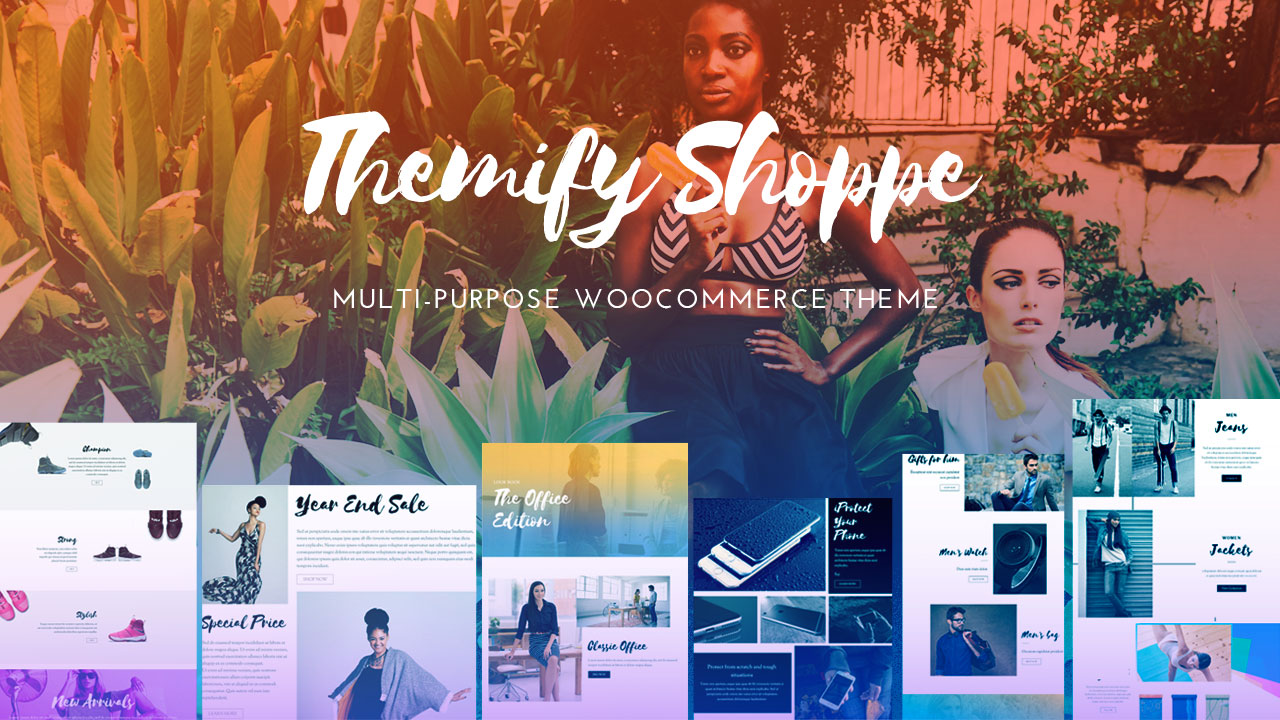
Shoppe will give you the flexibility to build your own layout using its built-in Drag & Drop builder. Apart from their multi-purpose layouts and features, you can also use their pro addons to use more functionalities for your website.

Key Features:

  • Multiple Layouts
  • Responsive Design
  • Drag & Drop Builder
  • Built-in Image Gallery Slider
  • Mega Menus
  • Ajax Quick Search
  • Live Customization

Premium

$49/Year

8. Shopkeeper

Shopkeeper is a multi-purpose theme which comes with the WPBakery Page Builder. Shopkeeper is an excellent theme to use considering its beautiful & well-designed layouts, customization tools and tons of other features.

Key Features:

  • Multiple Layouts
  • Responsive Design
  • Header Styles
  • WPBakery Page Builder
  • WPML Compatible
  • Tons of Widgets
  • Advanced Typography
  • Smooth Animation
  • Infinite Scrolling
  • Speed Optimized
  • Live Customization

Pricing:

Premium

$69/6 months

9. Flatshop

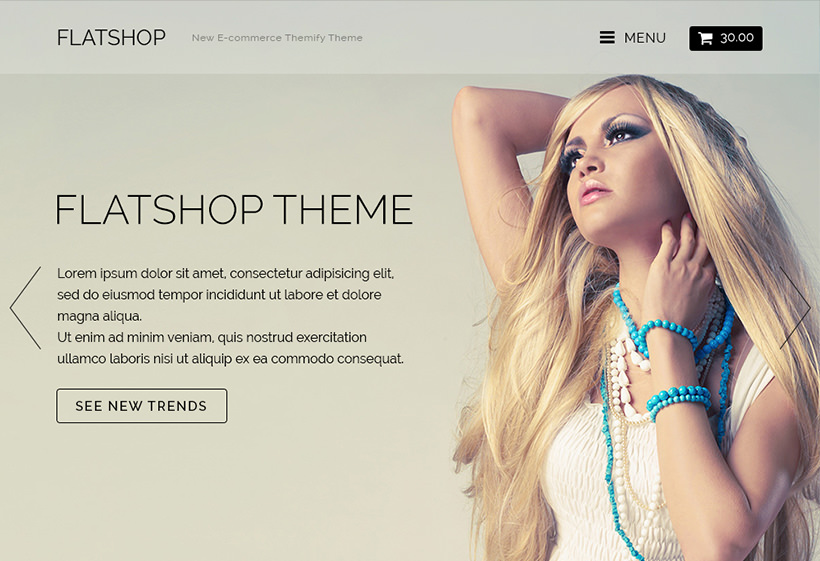
Flatshop focuses completely on the e-commerce store. The variety of designs with fantastic animations makes this theme a something worth checking out. With Flatshop, you can customize the styling of your Products and the pages using the Themify Builder very easily.

Key Features:

  • Multiple Layouts
  • Responsive Design
  • Compatible with Retina Screen
  • Product Lightbox
  • Smooth Animation
  • Parallax Scrolling
  • Custom Product Styling
  • Slide-out Menu & Shopping Cart
  • Built-in Drag & Drop Builder
  • Image Slider

Pricing:

Standard

Developer

$49/Year

$69/Year

10. Latest

With Latest Theme, you can easily create a fancy looking WooCommerce website. You can use its unique shop header for displaying new offers to boost up your business.

Their attention to detail to make the theme fully compatible with WooCommerce is top-notch. Latest theme is worthy of checking out for sure.

Key Features:

  • Beatiful Layout
  • Responsive Design
  • Compatible with Page Builders
  • Speed Optimized
  • SEO Friendly
  • AJAX-powered Browsing
  • Advanced Typography
  • Live Customization

Pricing:

Premium

$49/Year

Summary:

Apart from the themes I have mentioned, there are plenty more wonderful themes you can look for. But from my experience & research, these are the top 10 best WordPress theme that the industry can offer.

To wrap this up, I hope this writing helps you out on choosing the right theme for your WooCommerce store. All you have to do is to make sure that the theme meets all your requirements and be appealing to your customers. Cause at the the end of the day, that’s what really matters.

How to make your WordPress site Compliant with GDPR

Did you know the purpose of countless “Privacy Policy” emails from all the companies several months ago? Well, it was due to the introduction of the GDPR Regulation. Don’t worry if you have no idea about it as I am going to brief you about GDPR, why it is important and how you can make your WordPress site compliant with GDPR.

What is GDPR?

The General Data Protection Regulation is a European Union law to protect user data and privacy across all EU countries.

GDPR has basically put control back to the users over their data and how they want to manage it. As a result, under GDPR law, any company is punishable if they do anything with user data without their consent.

Even if your company is from outside of European Union but as long as you have visitors from EU, your company falls under this GDPR privacy law.

Key Notes:

  • Data Protection & Privacy
  • Notify users of any Data Breach
  • Individual rights to data access, restriction or removal
  • Applies to every company having Visitors from EU
  • Effective since May 25, 2018

Why is GDPR compliance Important?

If your company falls under the GDPR law and you still haven’t made your site compliance with GDPR, then your company will be in serious trouble sooner or later.

Under the GDPR law, you are obliged to let your users know how you are using their data, why do you need them, what is going to be stored and with providing the right to users so that they can ask for removal of their data.

As per eugdpr.org, if Data Processors fail to notify the Data Collectors and the users after a data breach in 72 hours, it will lead to 2% or more of the company’s yearly revenue.  The fine depends on the seriousness of the breach.

Company can be fined 2% for not having their records in order (article 28), not notifying the supervising authority and data subject about a breach or not conducting impact assessment.

Using and processing customer’s data without their consent will lead to a 4% of yearly company’s revenue or even 20 million Euro depending on which one is greater.

Infringements:

  • Using User data without their consent
  • Violation of User data privacy
  • Unlawful processing
  • Transferring Personal data to a third party

This is why it is absolutely crucial for your website to comply with GDPR. Don’t sweat too much if you haven’t yet! Cause I am going to now brief you on how you can make your WordPress site compliance with GDPR.

Update WordPress Core: 

First thing you must make sure is that you have the latest version of WordPress core (4.9.8) or at least 4.9.6. WordPress has added GDPR compliance in its core from its 4.9.6 release.

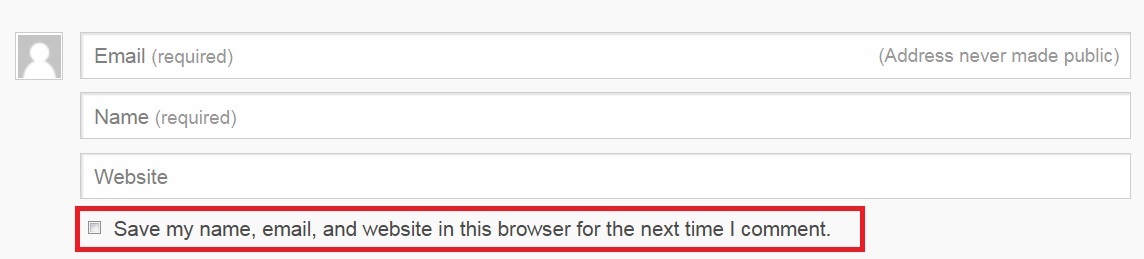
  • WordPress has added the “Comment Privacy” checkbox  in the Comment section asking for user’s permission whether they want their data to be stored or not. 
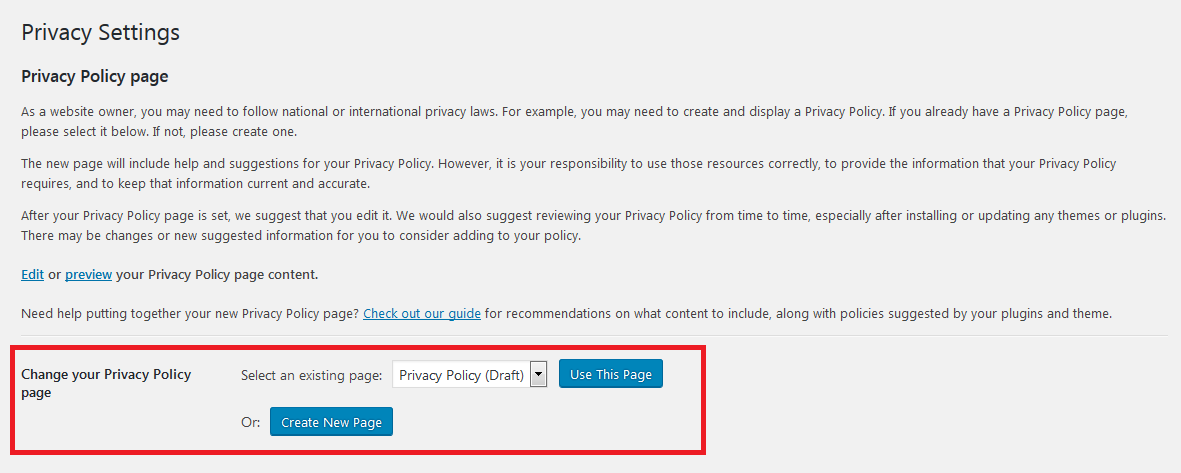
  • WordPress now has the built in feature to “Generate Privacy Policy Page” to make its core be compliance with GDPR. You can find this option by navigating to wp-admin -> Settings -> Privacy. You can now set up a Privacy Policy Page through this generator. Privacy Policy page is very crucial so make sure to do this very carefully. 
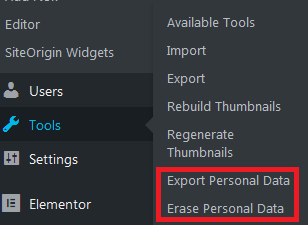
  • WordPress has come up with the  “Export Personal Data” and “Erase Personal Data” features in the Tools section to comply with GDPR.

There are also many other ways user data can be collected through your WordPress site. For example: Themes, Contact Forms, Subscriptions, Email Marketing,  Newsletters, Shopping Carts and more.

So, you should be very careful before using any other Themes or Plugins and make sure that they are compliant with GDPR.

Add a Cookie Notice:

As per GDPR policy, you must inform your users that you are using Cookies in your site. So that, users can be assured that you are not tracking any data without their consent.

WordPress has many plugins to take care of this situation. You can use popular “Cookie Notice” plugins such as:

For instance, you can easily create a Cookie Notice using the GDPR Cookie Consent Plugin. You can also change the Cookie Law Settings and Customize the Cookie Bar as per your requirements while maintaining GDPR policy.

Use GDPR Compliant Forms:

Almost every websites in the world require Forms for different purposes. So, if you have a plan of using Forms in your site, make your that they are compliant with GDPR policy.

Developers of the respective Plugins have already made their Contact Forms Plugins compliant with the GDPR law. Many of the popular Contact Forms Plugins such as Contact Form 7, Ninja Forms, WPForms, Gravity Forms are already compliant with GDPR.

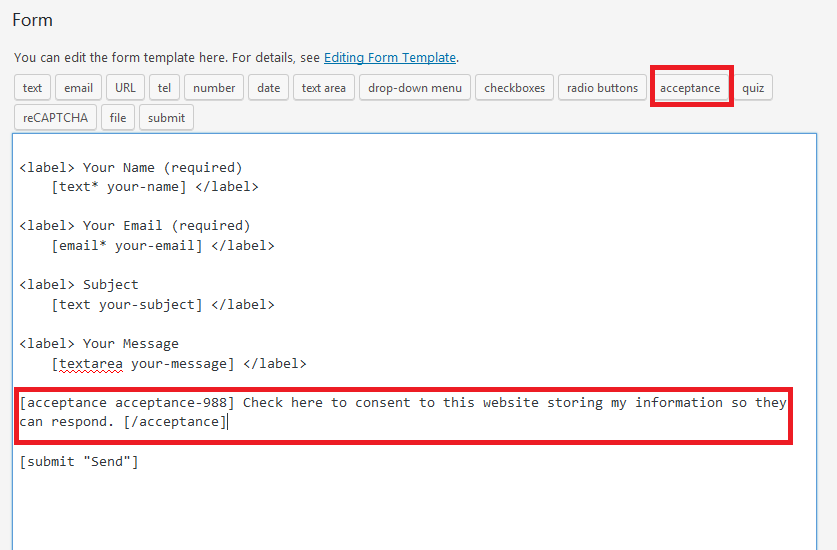
All you have to do is add a consent checkbox in your forms. For example, You can simply just add the “acceptance” tag in your “Contact Form 7” form and add a condition. This way it would be compliant with GDPR.

Use GDPR Compliant Plugins:

GDPR Compliant Plugins have come up with many features and settings which meet the requirements of GDPR policy.

Key Features:

  • User Data access and erase requests
  • Data breach notifications
  • Cookies and Data consent options
  • Compatible with many popular WordPress Plugins
  • Privacy Policy

You can use one of these following GDPR Compliant Plugins to make your a life a little bit easier:

Using one of these Plugins would come very handy for your site and make your site compliant with GDPR.

Summary:

Overall, GDPR policy is a great step in the right direction for transparency in handling user data. This is going to help gaining users trust in the companies.

To wrap this up, GDPR compliance with your site is an absolute must. It’s not something to be taken lightly at all. If your site is not yet compliant with GDPR, start doing it by following the steps I have mentioned above. This is gonna be a good way to start.

Disclaimer: Following these steps might not 100% compliant with GDPR depending on your policies and use-cases. So, I would highly recommend you to consult a Lawyer to make sure your site is fully compliant with GDPR.

How to set up Maintenance mode on your WordPress website

At some point, every website has to go through a major update. So, if you are thinking about making huge changes on your site, you must give your visitors a some form of notice so that they can be aware of the work in progress. Cause who would want to visit a half-broken site?

If you are wondering how to do this? Then you are in luck today! Because I am going to brief you about how you can easily set up Maintenance mode on your WordPress site without any coding knowledge whatsoever.

Key Factors of Maintenance Mode

There are certain key criteria that you must focus on when building a maintenance page.

  • Nice Layout with little Details
  • Countdown or Expected Date
  • Email Subscription

What you must make sure is that you create a beautiful page with a warning that your website is currently going through some major changes. Adding a countdown or an expected date for the site being back online is very crucial for visitors to come back again.

You should also set up a Email Subscription field so that visitors than subscribe to your site and you can notify them when the site is back online. As a result, your potential customers or visitors would know that your site is live and they can come back.

Configure Maintenance mode using SeedProd Plugin

There are plenty of ways you can configure your Maintenance page. If you are good at coding or have depth technical knowledge, you can setup maintenance mode on your WordPress site all by yourself.

Since I have already mentioned that this article is going to be for beginners and no coding is required, I am gonna mention few plugins to make life easier for you. Plugins such as: Maintenance, Download Minimal Coming Soon & Maintenance Mode, WP Maintenance Mode, Coming Soon Page & Maintenance Mode by SeedProd are some of the most widely used Plugins out there for setting up a beautiful landing pages for Maintenance purpose.

Out of all the plugins out there, I would recommend the plugin by SeedProd. Why? Simply because of its easy configuration, nice layouts, advanced pro features and most importantly, reliability.

Key Features:

  • Ease of use
  • Live Preview
  • Beautiful Layouts
  • Mobile Responsive Backgrounds
  • Gravity Forms Integration
  • Integrated with MailChimp & other Email Subscription Plugins
  • Countdown Feature
  • SEO Friendly
  • Easily Customizable

Setting Up Maintenance Mode:

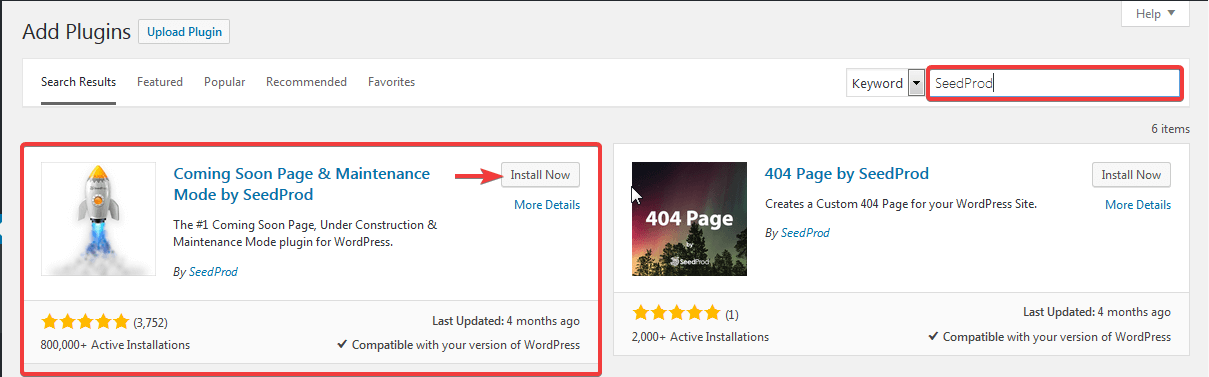
First step would be to install and activate the Coming Soon Page & Maintenance Mode by SeedProd Plugin. Simply navigate to wp-admin -> Plugins -> Add New. Then look for plugin by SeedProd. Install & Activate it.

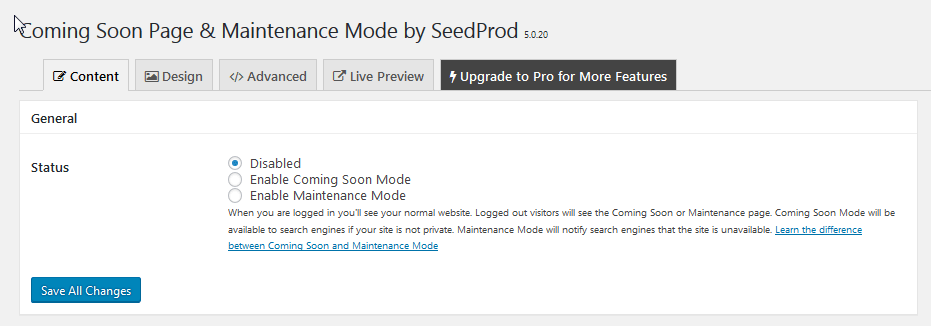
Once you have activated the plugin, you will be redirected to the Settings page of the Plugin. Under the Content tab, you would see the General settings option.

Since this article is about enabling Maintenance mode. Just select the Enable Maintenance Mode option and click on Save All Changes.

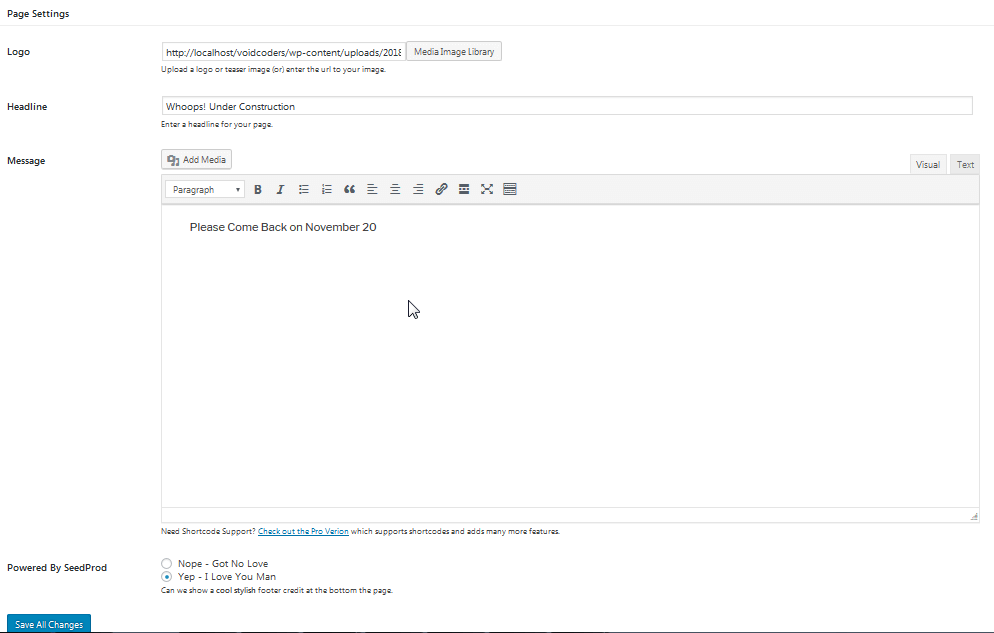
Under the General option, you will see the Page Settings section where you can upload the logo of your company, headline you want to write and set up Message which you want your visitors to see as a notice.

By switching to the Live Preview tab, you can easily see the changes you have made on your site and view how your site would look to the visitors.

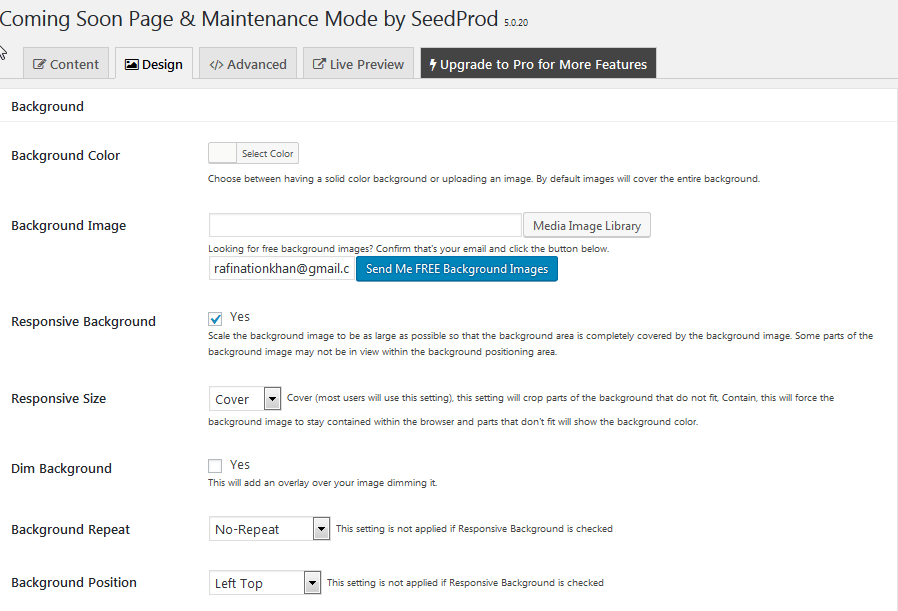
Under the Design tab, you will have the freedom to choose the preferred Background Color or a Background Image.

You can enable the Background to be responsive by simply checking the Responsive Background checkbox.

The Design tab also comes up with many Styling features to make your Maintenance page look very professional with ease.

Even though the Free version of this plugin covers all the basic requirements you need to set up your Maintenance page, the Pro version comes with lots of fancy layouts along with more advanced features.

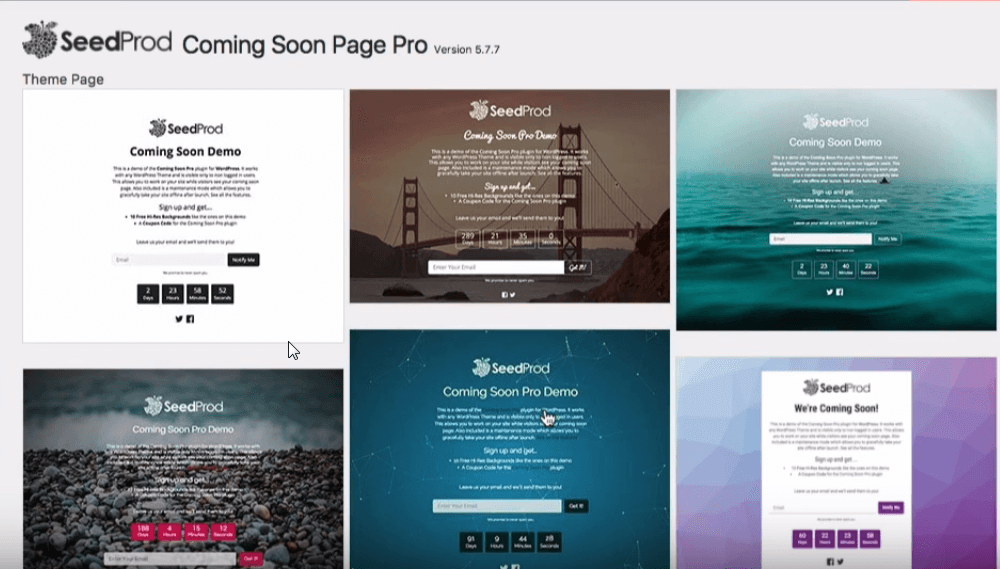
You will have lots of options to choose from to use the preferred layout for your page. The layouts are very professionally designed and look very attractive as well.

Along with its fascinating designs, the Countdown feature can easily grab your visitors attention. This is something a must have to make your Maintenance page appealing to your visitors.

You can also add the Mail Subscription field so that visitors can leave their email address in the field and you can notify them when your site is back online.

With the help of Email Subscription option, you won’t lose your potential customers.

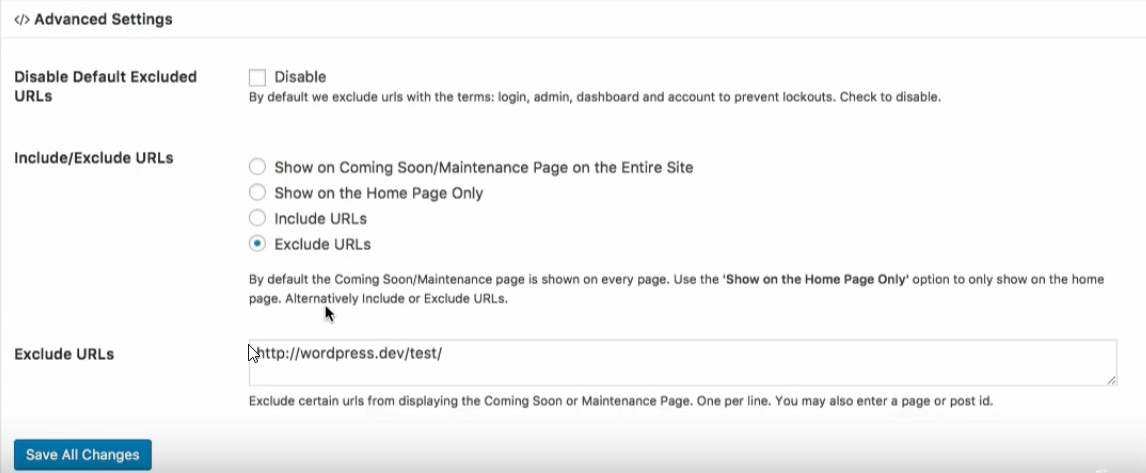
With the Advanced Settings option, you can control in which page you want to show your Maintenance notification. Just to make things easier for you, you will have the flexibility to include/exclude URLs from your site to show the Maintenance page.

The SeedProd theme customizer is another exciting addition of this plugin’s pro version. With the help of live customizer, you can design the theme layout with quite ease.

Conclusion

Aside from the functionalities I have mentioned, you can add as much as functionalities as you want for your maintenance page. But remember this, no matter what you do, the ones I have mentioned are really must have for your WordPress site.

To wrap this up, I hope this article will help you out configuring maintenance mode on your WordPress website.

If you have any questions, feel free to leave them in the comments section.

Why Should You Need Pinterest Marketing Strategies?

Pinterest is a perfect marketing tool with Pinterest marketing strategies. Sometimes it’s not to them who fail to devote time in it. But they should not underestimate it. Comparison to another social networking site, it’s a master tool. Pinterest has an easy learning curve with no irritating update notifications.

But don’t dare to consider it as small, the research on it tells another story. Pinterest’s search engine attracts over 200 million users. Also, achieved over 2 million monthly searches and 100,000 monthly pins.

Do you want to determine your brand with this? Let’s have an introduction with Pinterest.

Introduction to Pinterest Recent Level

What is Pinterest? It’s a company that drives a software system. The system was designed to express information on the WWW (World Wide Web). The best practice of Pinterest is using images, videos and GIFs. It’s free to use but kind of not. Users can use it after registration. They can even upload, sort, save and manage images in pinboards. The pinning option is available directly and indirectly.

In 2013, repining was the greatest action by customers. The greatest corporations like Hootsuite, Salesforce.com and such on have chosen it to implement their marketing strategies.

Pinterest Bandwagon

Still confused about Pinterest? Well, beyond the demographics of Pinterest will remove all confusions.

The visual nature must force people to a shop from the site. That’s why you need much more it in case of legitimate purchase. According to a study, the Pinterest bandwagon has spread out like a rocket.

Check it out here:

  • Pinterest pushes 17% of traffic to e-commerce sites
  • Two-third of pins displays products of brands
  • Pinners don’t disappoint marketers. In a war of competitive market, 87% pinners buy something

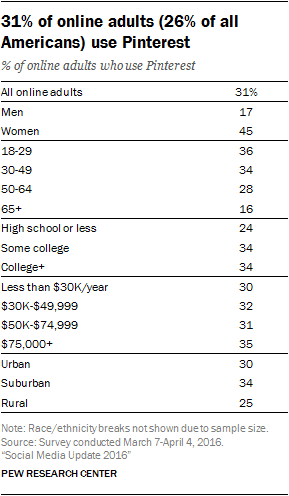
Even though like women, men are getting into Pinterest. Why? Because of the promotions of different usual products. The University of Minnesota and Georgia Tech have researched on Pinterest products. Here we adorn the list by the popularity.

  • Food and drink
  • Home décor
  • Women’s fashion
  • Crafts

40% fresh signups are men for:

  • Art
  • Photography
  • Clothes
  • Design
  • Home decor

Pinterest has the largest audience, why? It plays an aspirational role either for purchasing intent or help plan life events. Evergreen contents on Pinterest compares with all public sites as before have told. About 151,200 minutes only you have to spend for business purpose. The improvement level is superior to 90 minutes on Facebook and 24 minutes on Twitter per day.

Pinterest Features You Should Know

Once upon this simple pinning board, now has elevated into marketing strategy idol. Its features are supporting for business as well as branding functions.

Pinterest Business Account

Since 2012, the business account has rolled out as a feature. So have a look at what are this feature carrying in its yield.

  • Case studies and best practices in Pinterest are the best ways to use this platform for the educational purpose.
  • Pinterest Analytics works like Google Analytics. It shows how people are engaging with your company.

Rich Pins

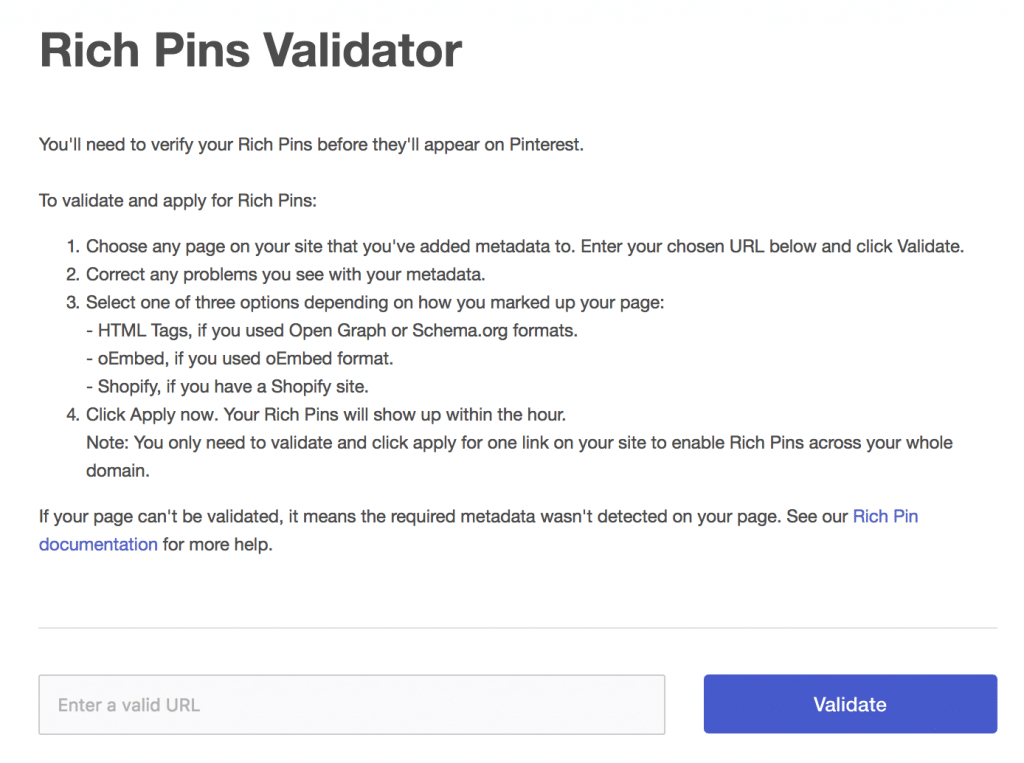
Before getting access to rich pins, register in a Pinterest Business Account. Rich pins is a concept of Rich Snippets option similar to SEO Snippets.

Elements                                                                           Details
Article                 Article Yield of Pinterest is full of the required topic’s details of customers
Apps                Apps which are iOS compatible are available to download
Product                Pinterest labels products by pricing, colors,  availability and with different categories
Recipe                All cooking instructions within second by a click

How to Avail Rich Pins?

Rich pins help and show your company reader quantity increasing day by day. It has increased by 173% revenues, 106% transactions, 51% conversion and 36% traffic.

  • At first very your website to avail rich pins
  • Add metadata or an oEmbed point
  • Test rich pins and apply to get entry to Pinterest

Buyable Pins

The buyable pins mean to allow peoples to buy their preferred products. They will not require to leave Pinterest in case of purchasing goods. The best integration of different eCommerce platforms (2nd paragraph). The whole configuration has a mobile optimization. After setting up buyable pins, will see a “blue shop” link address on your Pinterest owned page. Shopify, BigCommerce integrate with Pinterest.

Over 42% of online stores were empowering by WooCommerce in previous years. The bad news is WooCommerce can’t support for buyable pins.

Pinterest Analytics

Pinterest Analytics analyzes data in three categories:

Pinterest profile Impressions, clicks, saves and all-time represent your profile data
Activities of your site Once you verify your site, will get the access to see which content is engaging more people with your company
Peoples ability to reach your company Details about individuals who follow your pins, boards or any interactions with your content

Pinterest Advertises

Users have the opportunity to paid Pinterest ads to promote their pins. This feature increases users view rather than advertising in Facebook or Instagram. This one is now available only in the USA, Australia, Canada, Ireland, UK and New Zealand.
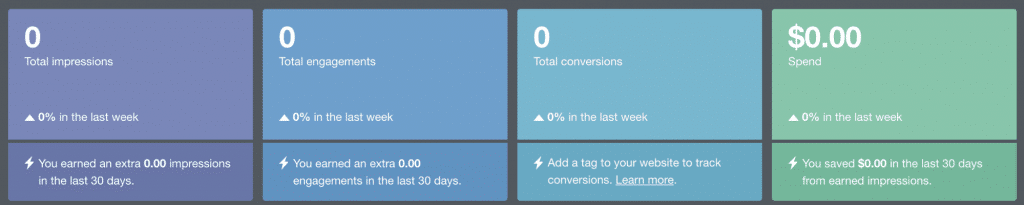
A report from Pinterest shows that 20% clicks take parts on promoting pins. Three types of ad campaigns that Pinterest offers:

  1. Awareness
  2. Traffic and
  3. Engagement

Ad formats include –

  • Promoted videos
  • Promoted pins
  • One-tap pins which take to the relevant content
  • Cinematic pins and
  • Promoted app pins

In a recent update, Pinterest has triggered a search advertising feature. Your intent to safe investment by Pinterest marketing strategies will encourage other companies.

Best Practices of Pinterest on WordPress Blog

We have told before that Pinterest is a best social media source. Pinterest marketing strategies will rank high considering your WordPress blog. The Pinterest search views differ from another considering below factors:

  • Definite keywords for definite search results
  • Relevant and sorted based results on home or news feed
  • Category base fallouts

There are several paths for incorporating your WordPress blog with Pinterest. Some of them are very popular in use:

  • You can upload contents from a personal computer and mobile devices. Add links and descriptions to make sure that relevant pinners can avail it.
  • Re-pin an image which has already uploaded by someone.
  • Pin-buttons which are available in the browser as well as on websites. These pin-buttons permits to generate a preview of pins and to save in pinboards.

Pinterest widget and pin-button offer:
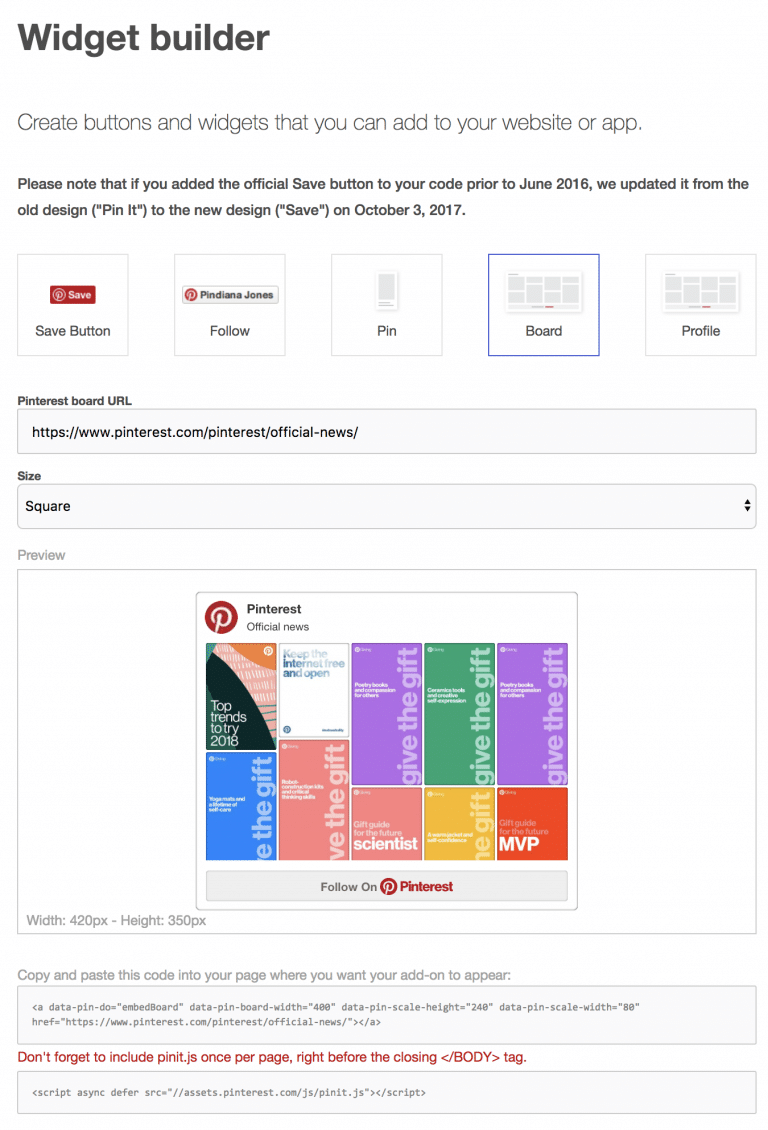
  1. Your profile
  2. A pin
  3. A board
  4. Save button and
  5. Follow button

Hope above both tips will force people to follow and pin you on the platform.

Pinterest Marketing Strategies

Above we have an inordinate submission of Pinterest. Hope you are doing well with Pinterest according to this content. But if you don’t know Pinterest marketing strategies, how will you be successful?

The most precious Pinterest have the Pinterest marketing strategies. The Pinterest marketing strategies may take part in your general success:

The practice of Horizontal Images: Create visual templates on Canva. Also, the user can customize templates on boards.

Join Pinterest Group Boards: Group boards are different from personal boards. It is different from the use of public icons because of various users contribute. The pinners who follow the same group have the similar home feed. PinGroupie plugin that helps to determine which group board you should track.

Start on Pinterest Group Boards: Instead of seeking for group board’s membership, start at one and invite your customers. Establish your leadership, social proof and perform customer research through this. Besides, invite your buyers and increase sell together through it.

Pin on a Schedule: Please mark this tip. This policy tends you to post 4-5 times a day on Pinterest.

Hold a Contest: Make following you on a Pinterest profile repined by others. Arrange a giveaway on this process.

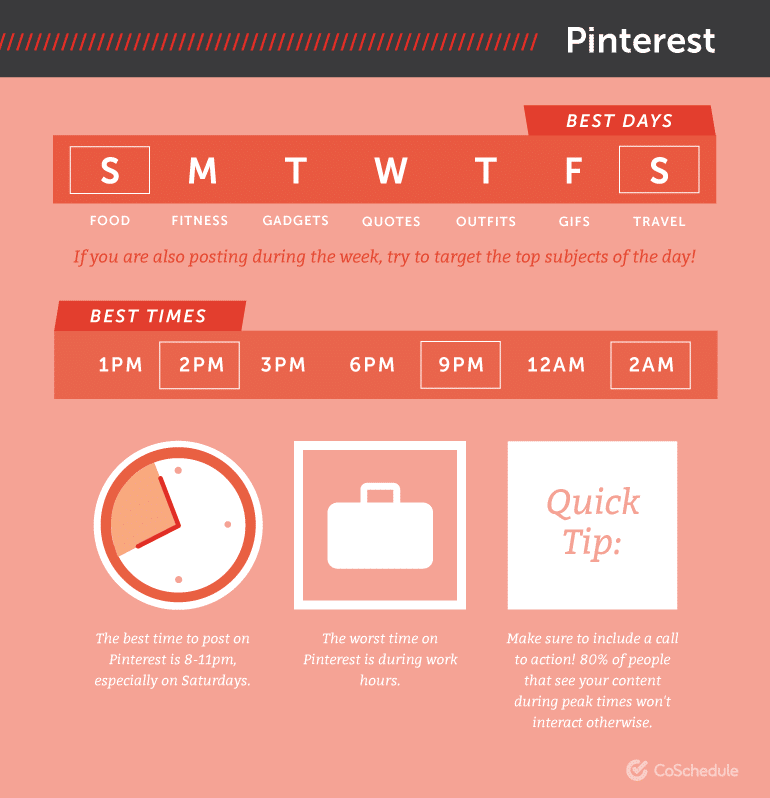
Post During Peak Hours: Pinners often post on Pinterest during off-peak hours. Pinterest peak hours start from 8-11 PM especially on Saturday which can catch more eyes. Including daily basis at 9 PM and Friday at 3 PM are the high traffic times.
Re-pin Your Own and Other’s Content: For attracting users and attach them to own pin, re-pin others content.
Establish Relationships with Other Bloggers and Pinners: Among Facebook, Twitter and Instagram, Pinterest is the proper social media. Do you have any idea why? Pinterest is the only place where you can work with the influencers, bloggers and pinners together. Wit and Delight and Poppytalk are such types of accounts which have worked with Pinterest marketing strategies.

Conclusion

Pinterest’s earlier terms and services asserted ownership of admin content. The SEO friendly Pinterest has a favorite keyword research tool like Ahrefs. Then compare search engine results for cumulative pins. Construct 20+ boards with 100+ pins by using keywords by it. At earlier, peoples have a misconception about Pinterest. They considered it as soft social media for creating everything perfect and dandy. But simultaneously, they are amazing day by day with Pinterest marketing strategies.

Hope you have enjoyed the above features with details of Pinterest. If Pinterest marketing strategies have amazed you really, share us in the comment section.