Guidance for Setting up an eCommerce Hosting Platform

An eCommerce hosting platform is how much trending now, would be understood from the eMarketer estimates. The statistics show that, within 2020, online sales will achieve more than $27 trillion. If you’re reading this article, I’m expecting that you are oncoming to an eCommerce business. Considering the 1st part of the eCommerce hosting platform, this part will analyze the guidance for setting up an eCommerce website.

Let’s look out the piece of actions.

Guidance for setting up an eCommerce hosting platform

You might hear about Shopify, Magneto and Alibaba. These ones are the most trending eCommerce website. The good news is, no specific time for opening the business. But running an eCommerce website is more cost-effective and harder than ever before.

Let’s get started.

1.      Focus on selling and source of products


What is the key concept of your eCommerce website? For instance, crafting. You will try to sell own creation. The success will depend on interests and skills. How can you focus on selling and sources of products?

Product interests and skills

In general, business prevalence depends on interests and experiences.

You are sensitive to your hobbies and skills. Use those to create products and become an eCommerce entrepreneur.

Source products from manufacturers

Sort out the goods according to customer’s requirements. If you are not keen enough of making products, search other creators. Dropshipping route is also best to arrange items from abroad merchants.

Find reliable suppliers and strong communication

  • Online directories
  • Attend trade conferences
  • Ask for referrals
  • Regular communication
  • Read customer reviews


2.      eCommerce technology support and solutions


eCommerce technology support and solutions are essential at the initial stage of a site. Follow the necessary steps to clinch the site.

Hosting and domain registration

Hope you have picked up a store name. Beyond key points you should remember to register a domain name:

  • In general, domain name regards to the shop’s offers.
  • The name must be easier to find in Google search.
  • Use NameStation and DomainTyper online tools to discover a right domain name.

Register user domain

After selecting a domain name, we can step forward to register a domain.

  • HostGator
  • GoDaddy
  • Bluehost

Choose any from the above-accredited domain registrar.

Choose eCommerce platform

  • Hosted: I prefer this authority hosting service to non-technical newbies. With drag and drop capabilities, hosted platforms take care of user hosting and server maintenance.

Is there any disadvantage of a hosted platform? Yes. Limited features with built-in listed management. Online stores seem inflexible to merchants.

  • Self-hosted: Full of customizable features is the greatest advantage of the self-hosted With the flexibility, the user should be empowered over the feel and behavior of the store.


3.      Payment side integrations


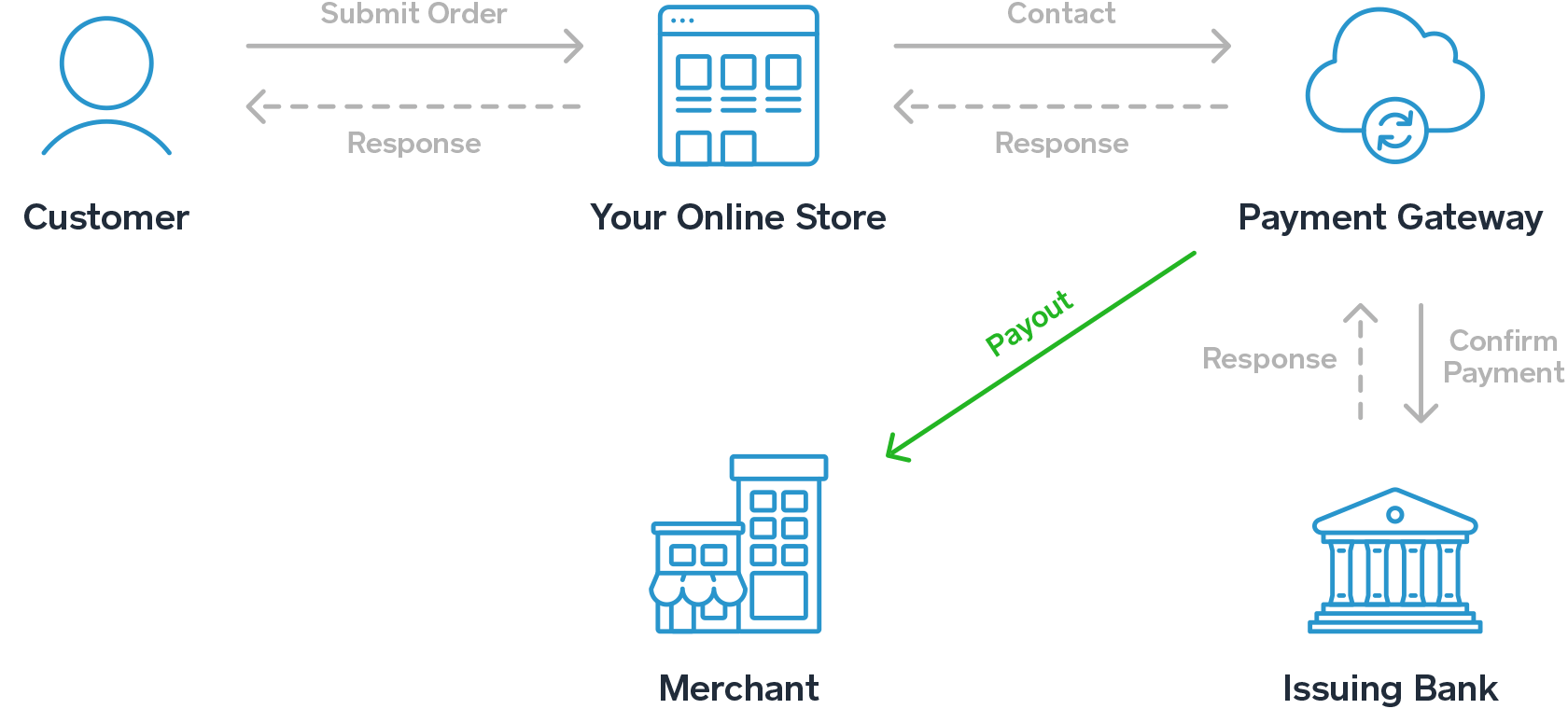
Payment is an incredible method to operate an eCommerce site. Things should remember of payment gateways:

Payment types

Almost all payment gateways endure credit card payments. There has started a non-traditional system such as cryptocurrency including bitcoin.

Fees

Hosts offer services with own fees. Some have fixed prices and some impose percentages. In this case, the customer and owner location is very important for setup and another chargeback.

eCommerce integration

Remit customer’s trouble. Just integrate your payment gateway system with an eCommerce site. There will be no need to collect information from customers as it is an automatic method.


4.      Marketing options


Hope you have built your own website. Now it’s time for marketing your website to get customers. What are the strategies you think? Check out below ones:


5.      Measurements of business performance


Marketing tricks would help to spread your eCommerce business. Is your eCommerce business on the way of development or getting bigger? You can measure the performance through the following metrics:


Final Thoughts

There you have grabbed the guidance. Analyzed eCommerce business setup guidance must assist to achieve goals. Your eCommerce business would precise the store’s domain name. It is a hard task to accomplish huge profits at once. Running a formative eCommerce business is tremendous.

Top Website Monitoring Tools and Services

In 2018, do you have any idea how many people use WordPress to build a website? Around 26.4% of the web according to w3techs and WordPress.com. WordPress is now the best CMS. Why? Because of making versatility and empowering small to big online businesses.

For instance, the Forbes and Sony Music are the greatest creation of WP.

But how will you get the guidance or services to create a big site? I have the solution. Every part of this article will analyze the website monitoring tools and services.

The Significance of Website Monitoring Tools and Services

I put most simple discussion over the mandatory tools that a WP user need. The discussion has included the website functionality, security and time measurement.

An organization can be affected within a short time. Which cases?

  • Branding reputation
  • Sales management and
  • Customer satisfaction

I repeat that the lacking of website monitoring tools and services can take your site in a downward position.


Top Website Monitoring Tools and Services Analyzing

So it’s time to dive into the deeper of this article. Let’s check out the top website monitoring tools and services.


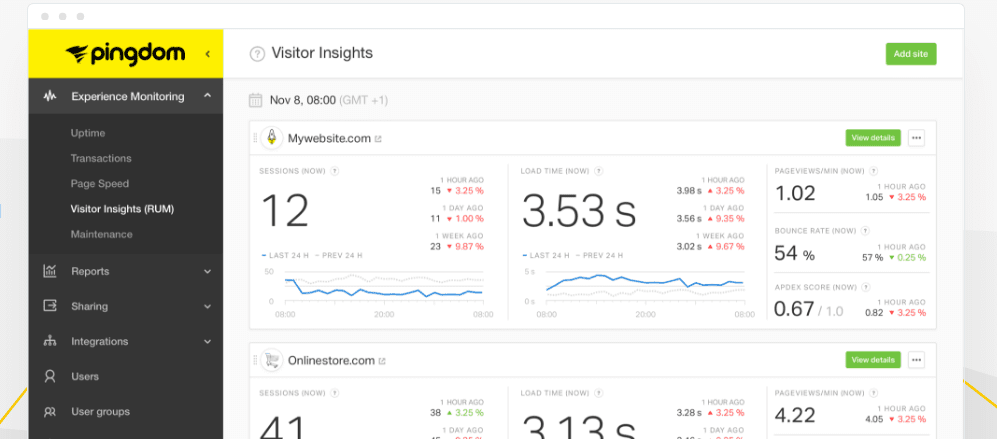
Pingdom


Do you have any idea why I have selected this as first in the list? At present, this plugin has the most popular control components. These can manage a site and important for operations professionals and developers.

As well as it is reliable to use when Pingdom has-

  • Provide insights based on buyer’s contentment
  • Automatic report system
  • Combined synthetic monitoring

If any user wants to check the speed test, Pingdom is the best.


Google Analytics by MonsterInsights


SEO ranking in Google search engine is how much important that neither needs to explain again. The best your site ranks higher, the more views there.

With good behavior, exact user statistics and actions, this can elevate your site at ease. Check how to integrate Google Analytics with Dashboard.


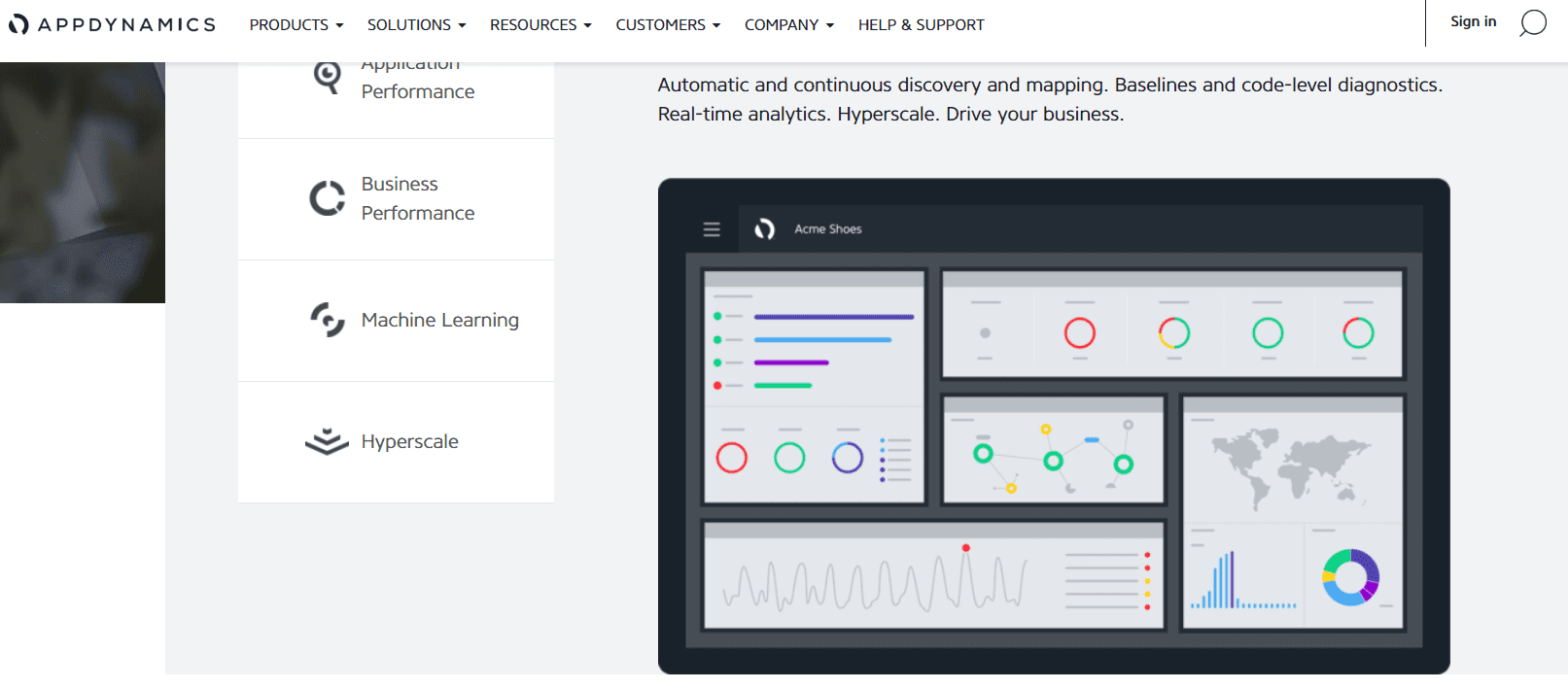
AppDynamics


If you need complete business focused –

  • Analytics
  • Reports
  • Alerts and
  • Dashboard

AppDynamics is the right option for you. For the above reasons, it might be known as the depth monitoring service center with hugely positive reviews.


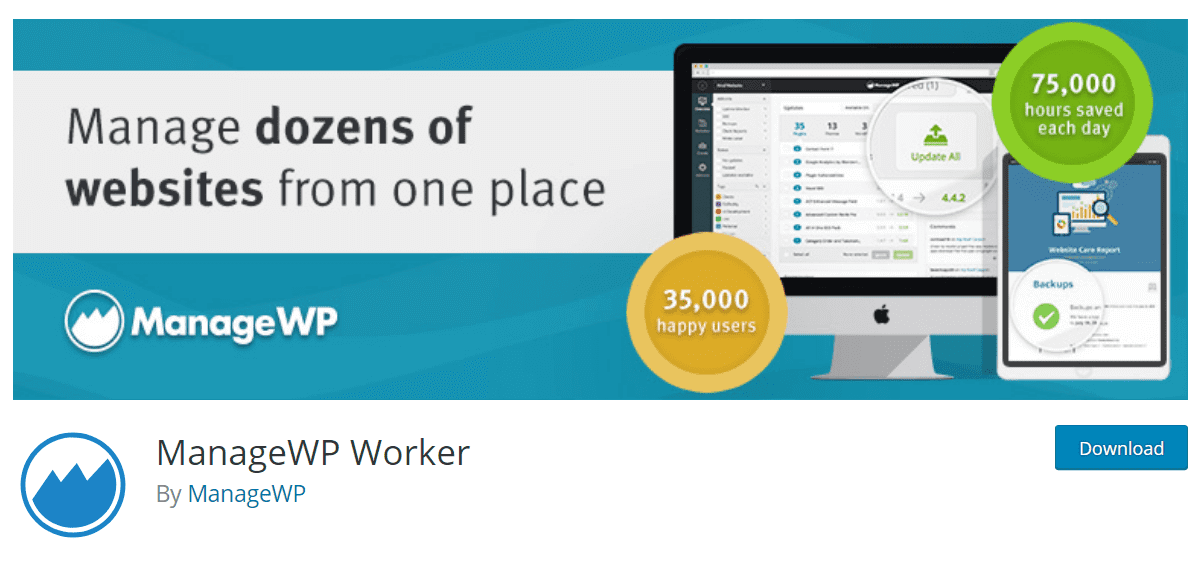
ManageWP Worker


ManageWP Worker is one of the best premium plugin enlisted as monitoring tools and services. Amazing configuration sometimes gets harder to set up with the site. But if once you have installed, cannot stop prefer to others.

The number of monitoring features that it has packed insight-

  • Multiple site management
  • Restoration power
  • Backup


Jetpack


With lofty functions and operating model is Jetpack. One of the most popular and monitoring plugins also.

This comprehensive and freemium monitoring tool offers-

  • Track your website’s uptime
  • Alerting option by mail system
  • Auto subscription
  • Backup and automatic saving mode

Integrate your account WordPress.com and your site. Install Jetpack from the WP directory and set up to get a better service. Give a trial with premium Jetpack.


Wrapping Up

Want to compare the above monitoring tools and services?

         Tools or Service           Authorized by                 Rating
             Pingdom              SolarWinds                      5
       Google Analytics          MonsterInsights                    4.9
         App Dynamics           App Dynamics                    4.8
      ManageWP Worker             ManageWP                    4.8
               Jetpack             Automattic                    4.4


I want to clear one thing. Most of the above monitoring tools and services are premium. Of course, the paid one will make you gainer than the free one. But you should be concerned with your budget. Wisely choose the preferred and affordable one. Integrate the monitoring tools and services with your site and serve customers faster than before.

For any FAQ, leave a message in the comment section below.

Introduction with the Best Custom Post Types Plugins

Custom post type plugins can turn your WordPress website into a standard CMS. Those types of plugins enable to introduce some unique features. Like subscription option tools. custom post types also attract site visitors and make them regular customers. Those improve the reading experience of visitors.

WordPress has two types of contents in common: posts and pages. With the custom post types tools, you can generate and customize your blog related posts and pages. For instance, a hospital needs to brand. So they can customize the hospital’s services, doctors lists, charges and so on in posts and pages related.

Want to stand out from all others? The custom post types tools are there to help after installation.

How to use Custom Posts and Pages?

The main way to spawn custom posts is coding. WordPress has made it easier to custom posts without any coding knowledge. The custom post types plugins must help in it. Introducing with the best custom post types plugins.

1.      Custom Post Types and UI

The WebDevStudios has launched this amazing tool. The most attractive UI interface integration attracts users.

Remembering Features of Custom Post Types and UI:

  • Advanced CPTUI helps to create custom posts.
  • Gathered data and display them through CPTUI.
  • Use the Github Support Tab for potential bugs.


2.      Post Types Order

The Post Types Order toolkit has built considering everybody’s coding knowledge. The powerful interface supports the drag and drop sortable JavaScript competence.

Remembering Features of Post Types Order:

  • Order post and post related objects with drag and drop feature.
  • The AutoSort option will automatically change the code.
  • Re-order interface will alter the post


3.      Custom Sidebars

WPMU DEV has created a manger which manages and replace sidebars. One of the flexible widget area managers is Custom Sidebars at present situation.

Remembering Features of Custom Sidebars:

  • Want to design posts and pages in a dynamic way😃? Custom Sidebar allows this with displaying custom widget formations.
  • Easy to integrate with WP widget menu.
  • With import and export option, it has backup and share sidebars.


4.      Toolset Types

The web developers, as well as PHP developers, must appreciate the Toolset Types V3.0 plugin. The comprehensive fields API, security and compatibility updates surely force to appreciate.

Remembering Features of Toolset Types:


Let’s Get an Overview


Plugin Created By Active Installations
Custom Post Types and UI WebDevStudios 600,000+
Post Types Order Nsp Code 500,000+
Custom Sidebars WPMU Dev 200,000+
Toolset Types OnTheGoSystems 200,000+

Hope you already know when and which custom post types should be used. As custom post types let to custom your contents in a definite manner, you should take the higher advantage. Such as access control for fields and regard the contents with multilingual capabilities. Now you are free to use endless custom post types plugins in WordPress.

Which Plugin Types Are Mandatory For A WP Website?

From 2003 till 2018 WordPress is being the most popular and #1 CMS platform. At first, it would be the best infrastructure for blogs. Now all types of portfolios and website are creating through it. A typical website for eCommerce and WooCommerce can build through WordPress at ease now. Newbies find it very informal while starting their blogs through some plugins and themes. Most of the time some get stuck. They somehow not concern about mandatory plugins.

Several types of mandatory plugins by that you can monitor your website. Let’s have a brief on the convenient ones.

Which plugin types are mandatory for a WP website?

This article for the newbies who want to maintain their website without hazels. Enjoy the list of mandatory plugins.

1.      SEO

What SEO means for you? Well, it’s a Search Engine Optimization which helps your content to rank in Google search engine. How do SEO tools include in mandatory plugins list?

As before have mentioned the actual task that SEO does. Besides, SEO reduces the bounce rate as well as drive traffic to the site. A typical thought comes in mind that adding tags, descriptions according to the topic are difficult tasks. But it turns the reader to your site with more attraction. So as a beginner your first mandatory plugins must be based on SEO.

2.      Caching

What are the caching toolkits responsibilities in apparent?

  • Improve the loading time as like the A/B testing tools check in a website.
  • Reduce bounce rate in a website.
  • Provide better user experiences.
  • Direct and positive impact on search engine results.

Hope this is clear that why we have selected caching tools as 2nd in the mandatory plugins list.

3.      Analytics

Analytics outfits are most common facets in recent. The fact is, every blog and webmaster should know where their site pivots. Also, concerning with the visitor’s information analytics toolkits offer-

  • Precise visitor’s data.
  • Step forward for internet marketing and tactics to achieve goals.
  • Increase the conversion rate.

The certain authentic source can provide the right documents. Jetpack, Google Analytics can play as reliable source role on your website. The reasons may include these in a mandatory plugins list.

4.      Subscription Option

The user feels like “money in the mail” with this strategy. An open source business can more affiliate through a subscription option. 40% more sales lead by turning auto sign up option. A blog’s content can integrate through Email, RSS and Twitter. Sometimes allows customers to relate own page URLs or feed in a widget area. Such mandatory plugins are WP Subscriber Pro and WP Forms. Empower your website as well as to reload your customers back.

5.      Social Media Integration


The most fabulous way leads to online marketing is this one. In this new era, 90% of users prefer to manage business and communication through social networking. In this regard, such mandatory plugins add Instagram, Facebook and Twitter tools. If you want to raise conversion rate, must need those types of mandatory plugins.

Final Thought

Always users should choose some powerful mandatory plugins which will not slow down website speed. Regularly updated tools can save the website from breaking down. As there are thousands of plugins but choosing the mandatory plugins is your concern. Tools have made it easier to prolong the functionality. With a little programming or non-programming knowledge can harm the website.

Pay attention before adding the mandatory plugins and let Voidcoders know if there anything wrong.  

Be first to create a full-width page in Elementor 2.2

Elementor 2.2 is a new form of Elementor plugin series. This new kid has achieved more than 1 million active installations within October 2018. We have discussed the hotkeys usage and editing with image lightbox. Now the voyage is moving towards creating the full-width page with Elementor.

Let’s have a visual way to know the steps for the above task.

Be first to create a full-width page in Elementor 2.2

Before knowing the procedures, gain knowledge on the full-width page. What is the full-width page? Well, a full-width page intents the content ambit 100% in a whole area of screen’s width. The page will introduce the visitors properly to your website. Generating a good page can expand your open source business.

We offer a bonus while learning to generate the full-width page. Guess what? Building your page on the website with Elementor 2.2. Let’s have a brief discussion.

It’s not necessary to try all types of themes though you cannot. We can use twenty seventeen theme to make a full-width page. Do as following:

  • Dashboard> Add New Page> Give Title.
  • Edit with Elementor.
  • Go to Elements> Bottom Panel> Settings.
  • General Settings> Page Layout> Full-Width.

Isn’t it easy? Of course.

It is time for the next show, create your first page in Elementor. Have a rundown with it.

First, some widgets will appear in the elements section. While editing, you can choose any and drag them into anywhere on a page. Let’s start with a pre-made section for editing.

  • At first, press on the pre-made template library as you don’t design from scratch.
  • To edit any section, press on the middle dot option. Also, you can drag the three editing option to anywhere on a page.
  • With the “Right Click” option, you can delete, duplicate, edit, create column and so on.
  • The layout option has other options like content width, height. You can change the valid options one by one for an effective look that you need.
  • To get a color effect, move to Style> Background> Color option.
  • It’s time to publish. Before publishing your page, can check out the preview from the bottom history option. If you want to add or delete something from the page, go to revision.

Wrap It Up

We hope that Elementor V2.2 is rocking your editing experience. We have added some functions in earlier posts for better performance. From that context, we ensure that Elementor worthy to the visual editor hype at present.

Use this ultimate page builder and go through with new practices. Especially for generating the full-width page. Don’t be late to state in the comment section.