Why should you choose Brizy V1.0.26?

Increase your editing experience and control most stuff inline.

But how? Users most often overwhelmed with choosing visual page builder. Brizy is the name which has joined in Github like other page builders. Besides, it has the compatibility with other themes of WordPress. Global styling, design elements and what not in Brizy V1.0.26! That’s why it has placed itself among the popular page builders list.

Introduction with Brizy V1.0.26
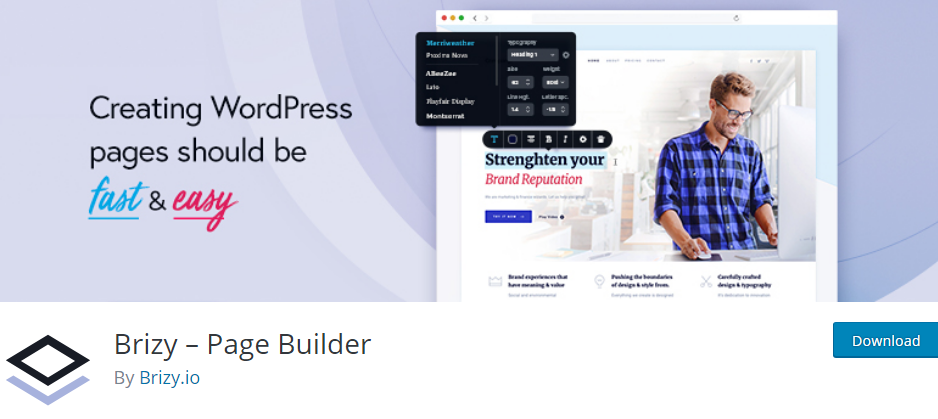
As a teen in visual page builders world, Brizy has earned fame. Also, it heaps up to the competition of solid choices of users. So it’s changing its features due to the comforts of users.

So what will you learn from this article? Here, a short introduction with Brizy V1.0.26. Also, the new features you will get to know step by step.

Basic roles that play the Brizy V1.0.26 are-

  • Hiring a pro
  • Buy perfect templates
  • Opportunity to separate and design each block
  • Without touching, generate modern pages
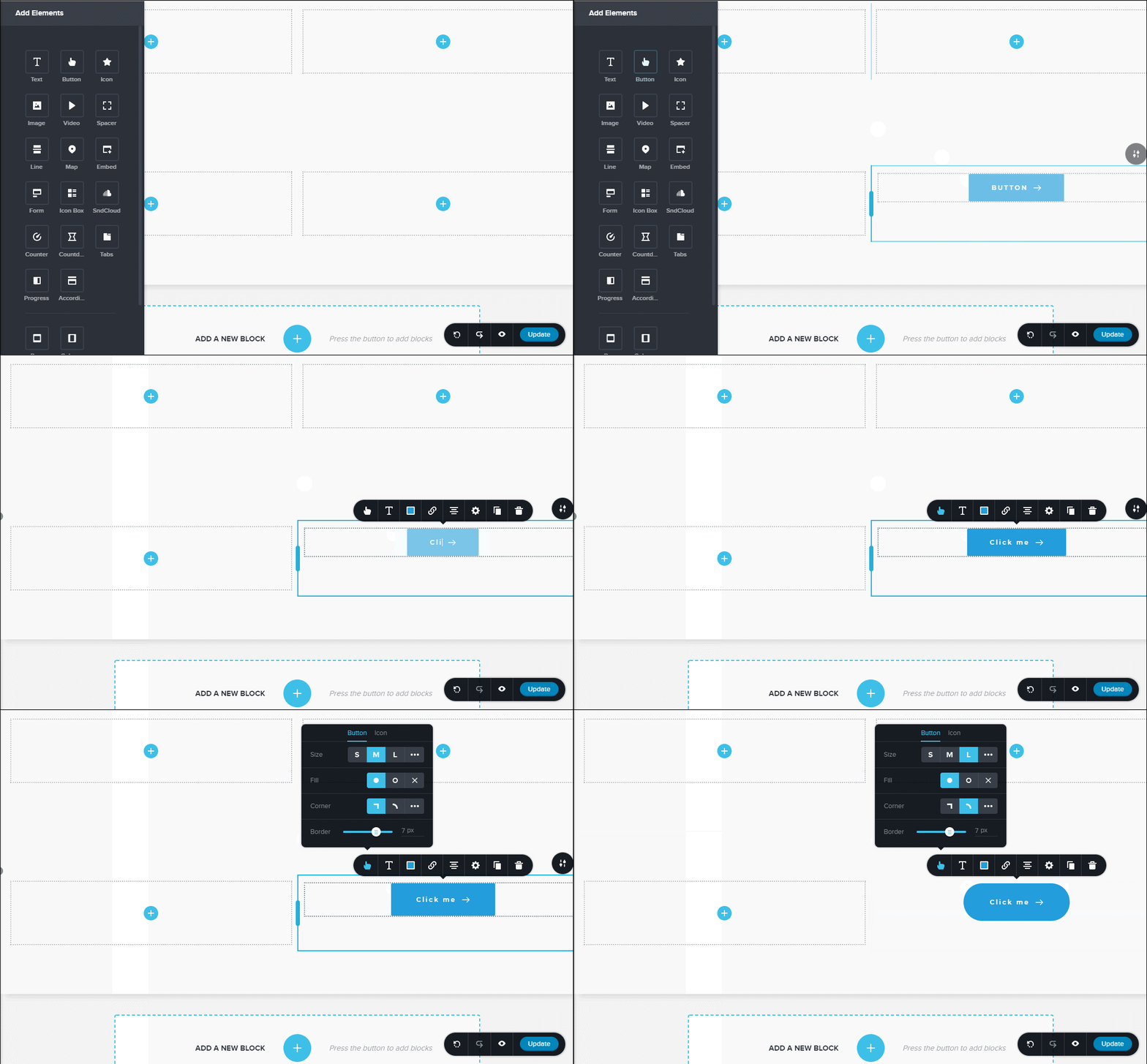
Once you use this, will force you again and again. In the previous version, was lack of searching and maintain options:

  • Image option in LeftSidebar
  • Brizy new templates
  • Easy to submit issue option in LeftSidebar
  • And much more

Hope you are now clear about the importance of this Brizy V1.0.26. Beginners should read how to create a page with Brizy page builder for more information. Jumping to next part of this article to introduce with what’s new in Brizy.

What’s New in Brizy V1.0.26?

Last V1.0.25, Brizy took assured alignments:

  • Upload pathway for window installs
  • The header for compiler requests
  • Improved the preview page

The updated Brizy presents some new features. But as well as the requirements have changed of PHP and WP.

Requirements:

  • WordPress 4.9.8 or up to5 and
  • PHP 5.4 or higher

The list of features in Brizy 1.0.26:

  • Image lightbox
  • Brizy templates
  • Image preference in the LeftSidebar
  • LeftSidebar also contains an upgrade to pro option and submit an issue option
  • Taxonomies API method

Improved functions in Brizy V1.0.26:

  • Templates comprise custom preview URLs
  • By default, no links will open a new tab
  • Device mode popover styles
  • Crop proxy to accept the uid hashes and attachment ids
  • Icons and popups categories dropdown styles
  • Toolbar labels color contrast

Fixed functions in Brizy V1.0.26:

  • Compile check for templates
  • Refresh permalink cache
  • Text space both for ordered and unordered lists
  • Bug detects on templates module
  • Image lightbox cursor style
  • Link CSS conflicts in contradiction of WP themes
  • Limited and unlimited access to Brizy templates
Watch video on Brizy V1.0.26

Wrap it up

WordPress enthusiasts, don’t worry about efficient visual web page builder. Brizy.io will come next with premium plans of Brizy. Have you had the chance to test this plugin? The A/B testing tools will help with that. People who explore possibilities and experiment their skilled identity should choose Brizy V1.0.26. But the fact is, no mere ambitious business is acceptable here. Only the small and local business will benefit by this plugin. In the case of personal projects and newbies can save much time by this one.

So the newbies, where are you all? Have not you install Brizy V1.0.26 yet? Install fast.

Learn More about Brizy V1.0.26 

Let me know the experience of Brizy V1.0.26 in the comment section below.

Top 5 WordPress Caching Plugins in 2018

Sometimes, website losses it’s loading speed. What should you do to resolve it? Caching is the best solution.
Todays’ article is about the discussion of WordPress caching plugins. Hope the rests performances will solve your problem.

With caching website performance!

Developers sometimes face the problem of reducing site speed in WordPress. After starting a website, is a common problem. This happens when WP website contains lots of plugins and other properties. Also, the numerical viewing of your site increases by customers or by yourself. WordPress caching plugins comes into play for changing site’s speed. Caching plugins also avoid the excessive loading times.

WordPress Caching Plugins Setting Stage

The user sends a request to visit your site. For instance, the server accepts the request. The final result comes by resending to users’ browser. You may have products and services with images and videos. Including menu and blogs, it looks in a usual way.
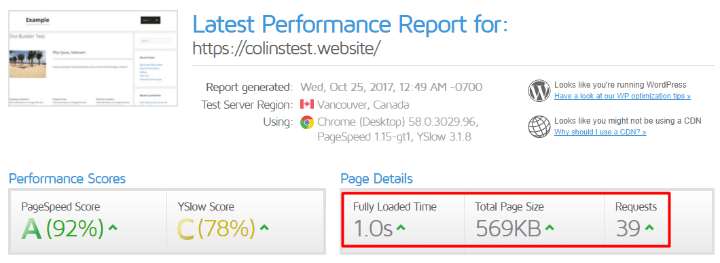
Pingdom and GT Metrix are the free website speed testing software. Before installing WordPress caching plugins, you can testify to those.
With the consistent basis for comparison, check WordPress.org. Available default settings for each one. Install and activate the preferred one.

Top 5 WordPress Caching Plugins in 2018

With above in mind, time to discuss the top WordPress caching plugins.

1. WP Rocket

WP Rocket is one of the richest plugins ever on the list. A non-preemptive approach is image loading. Including this, offers browser caching and cache preloading.
Key features of WP Rocket
  • Options for JS, CSS and HTML modification
  • Fast and intuitive setup
  • Google fonts optimization
  • Integrates with CloudFlare
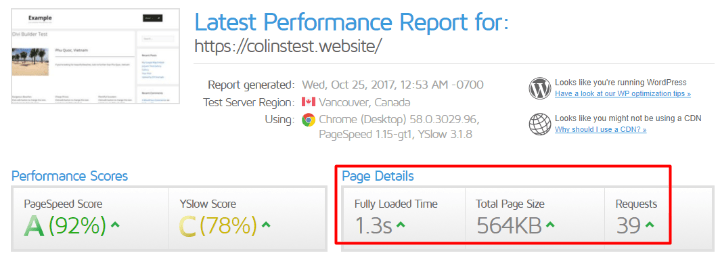
Pingdom:
GT Metrix:

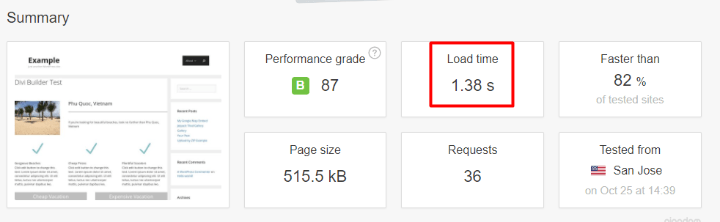
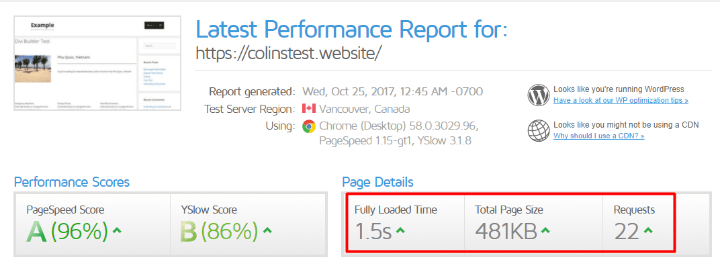
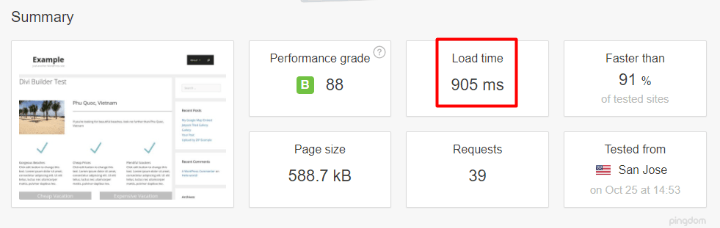
2. W3 Total Cache

W3 Total Cache is a community driven. The only web host WPO framework. Top hosting providers have recommended this. Why? Because this one has a setting page for all types of caching. The overwhelming thing is the settings area divides under 16 pages. But the fact is, this improves loading time faster. Also, no need to set up all setting pages to elevate it in work.
Key features of W3 Total Cache
  • To make browser rendering, use GZIP compression
  • Improved conversion rates for better site piece
  • Sustain high traffic period
  • Mobile optimized
  • Caching statistics and security configuration
  • Content Delivery Network (CDN) provider
Visit W3 Total Cache Pro to catch extra facilities.
Pingdom:
GT Metrix: 

3. WP Fastest Cache

Want to create a dynamic WordPress blog and generate HTML files? WP Fastest Cache is the best solution. Also, its’ simplification will force you to add in the plugins list. But it does not achieve WordPress multisite support yet. The exclusive method mod_rewrite has added to it.

Key features of WP Fastest Cache

  • Great integration with SSL, CDN and CloudFlare
  • Cache files to save or delete by option page
  • Cache timeout
  • Decrease on pages and CSS files
  • Multilingual support
WP Fastest Cache Premium will please your need for speed.
Pingdom:
GT Metrix:

4. Comet Cache

This one is another most effective caching plugin. Preserves a real-time cache of every post, categories and etc.
Key features of Comet Cache
  • GZIP compression and XML Sitemaps are accessible
  • Caching for 404-page requests
  • Atom, RSS and RDF feed
  • WP-CLI compatibility
With a suitable refund policy, use Comet Cache Pro.
Pingdom:
GT Metrix:

5. WP Super Cache

One of the free caching tools exists in the WP directory. This one has created by Automattic. Save WP blogs caches in HTML file instead of PHP scripts.
Key features of WP Super Cache
  • 3 ways to serve cached files- expert, simple and WP-Cache caching
  • Garbage collection
  • Scheduler to handle deletion and re-caching
This tools’ developers gather more in WP Super Cache documentation.
Pingdom:
GT Metrix:
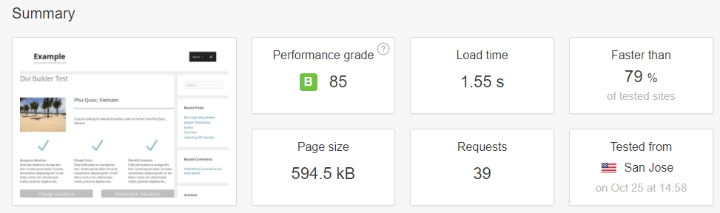
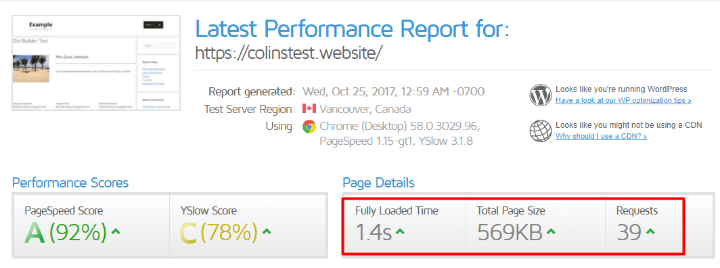
I have added the real performances of the above tools. The caching plugins are for large websites. All overheads are smarter than one another. In comparison to them, WP Super Cache is the best. It loads your page within 1 second as from GTmetrix speed test.
Think smart and be smart to choose the right one. Because choosing the wrong one can harm your site as well as by decreasing speed. Check the advanced configurations of the tools. Generate a high ranked website.
Let us know if you have any question!

Best WordPress A/B Testing Tools in 2018

Too much use of WordPress elements can harm the site as well as conversion rate. For a skyrocket sales, increase sites conversion rate.
Now you may have two questions in mind. One, how can you speed up your site? And another to grow sales?
Well, there are both effective and ineffective methods to solve your problems. Today’s topic is with above in mind. In this article, I will discuss the importance of A/B testing. Along with, will sort out the best WordPress A/B testing plugins in 2018.

A/B testing in WordPress

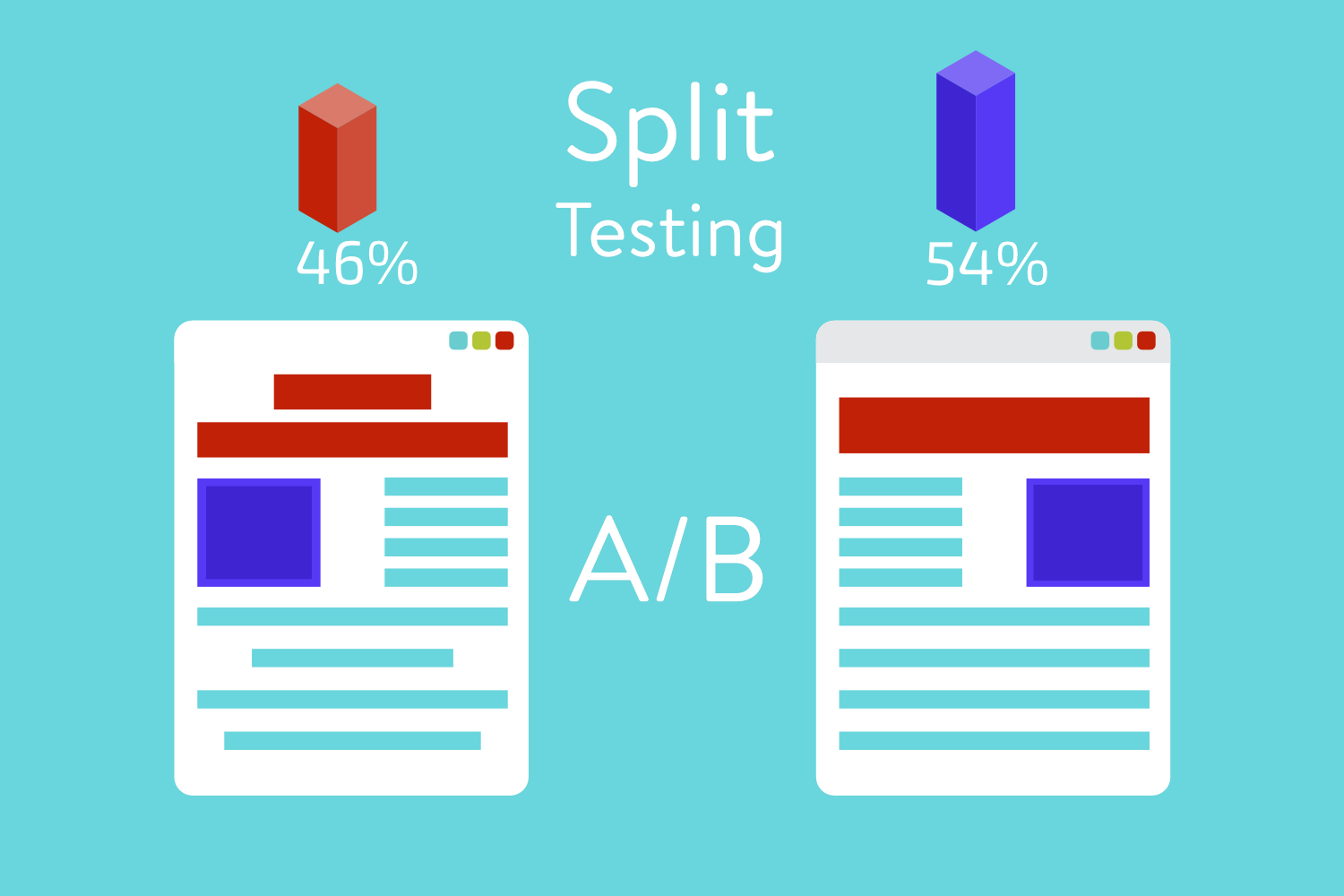
Web developers follow two types of testing. A/B testing is one of them. This one testing results for the response of readers. This test results in two-page elements which are against each other. For instance, design two equal web pages for testing a headline. Those pages will feature separate headlines and create direct traffic for each one. Now see, which headlines result in more time on page and higher conversions.
Another testing type is multivariate testing. Test and compare variations of the same page is the specialty of this ones. Also, clears the positive response amounts of users. But sometimes, it limits with narrowing down specific page elements.
As a powerful method, A/B testing is more effective.

Split test of the website in WordPress

A/B testing is a split test. Why? Includes undertaking the strategy to test each element on one’s website and web page. Web developers consider it an effective method for speed testing.
For instance, start with headers. Take two of them and continue to test for getting a better SEO result.
Again, experiment with following web page fundamentals.
  • Footers and sidebars
  • Page titles
  • Color schemes
  • Opt-in forms
  • Page layout
  • Calls to action
  • Widgets
  • Content
  • Landing pages and much more
What are you thinking? Are the possibilities endless right? Yes, but you will always keep testing with this A/B testing method.

Introduction with the best WordPress A/B testing tools

Today for a bonus, I am going to introduce the best WordPress A/B testing tools. Most of them are easy to use. Again, most of them need technical skill to manage. Install your affordable one and run for A/B testing.

Nelio A/B Testing

Having a lower active installation amount, versatile optimization services in WordPress for initiates. Includes powerful and beautiful Heatmaps and compatible with WooCommerce. Manage, define and keep track of A/B testing.

Why choose Nelio A/B Testing?

Caldera Forms

Another free and powerful WordPress A/B testing plugin is Caldera Forms. Single drag and drop editor with friendly add-ons. Get more robust data from customer and site visitors on conditions.

Why choose Caldera Forms?

  • The conditional logic for auto-responded recipients, form fields and processors
  • Export entries to CSV
  • Caldera custom fields add-on for front-end post submissions
  • Stop bots by anti-spam by default
  • Start with form templates

Ad Inserter

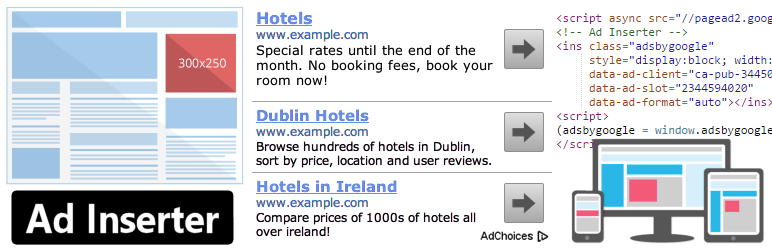
Want a plugin with advanced advertising features? Ad Inserter offers you to insert ads at an optimal position. Google AdSense ads, Media.net ads and rotating banners are such kinds of ads. Ad Insert reviews will confirm its demanding position in the market.

Why choose Ad Inserter?

  • Code screening with the visual editor
  • Insert ads before or after post, content, paragraph, comments and excerpts
  • Disable ads for separate posts and pages
  • Fixed widgets and sidebars
  • Ad rotation and ad label options
  • Black/White-list tags, categories and taxonomies

Popups – WordPress Popup

Need a tool which can display many popups? Popups – WordPress Popup is the right one. It provides adds a call to action, increases mailing list and social followers. A simple popup displays vital messages such as EU cookie notice.

Why choose Popups – WordPress Popup?

  • Compatibility with different contact forms
  • Many display filters
  • Filter user from search engines
  • Geotargeting plugin for Geotarget Popups
  • Ajax mode to style popups contiguity
  • Translation ready in 5 changed languages

Google Optimize

This one before entitled Google Content Experiment. Google Optimize now considers as a re-developed plugin from Google. Up to 5 experiments are free after installation which differentiates from other plugins. The premium Google Optimize is available in Optimize 360.

Why choose Google Optimize?

  • With a piece of code, enter into websites header
  • Copy on WP sidebar widgets
  • Hook up button with UTM parameters. Later helps to launch A/B test in Google Optimize.
  • Tied up with automatic Google Analytics
  • Easy to change any basic HTML or CSS elements in WordPress

Wrap Up

Hope this article provides you enough info about A/B testing and its’ tools. A/B testing plugins are very plenty to use and essential. Why? Benefits while converting your visitors into customers. What does it include? In short, web page elements. Headlines, opt-in forms, graphics, page layouts and anything which can obstruct your sales. But one thing, you should remember that A/B testing is a never-ending system. Choose the precise A/B testing tool for your site.
Have I missed anything? Please let me know if. How?
Leave a message in the comment section.

Top WordPress Contact Form Plugins in 2018

Contact form plugins are essential for your website. Why? Cause this is the first place where people will come to connect you! Also choosing the right contact form on your site is very important. In the previous article, we have represented that how to use contact forms on your WordPress site. And now this is a tiring task to choose the right one.

Today’s article will help you to select the right tool from the best WordPress contact form plugins list.

Top WordPress Contact Form Plugins in 2018

Here is the listing of the best WordPress contact form plugins in 2018.

Contact Form 7

Without any doubt, choose Contact Form 7 from the WordPress directory. This one is ruling over a decade with most popularity.

Pros:

  • With free and third-party add-ons, offers the integration with basic ones.
  • But before including it on WordPress Dashboard, one needs basic knowledge of HTML tags.
  • Deploy altered forms across your site.

Cons:

  • Difficult for beginners of WordPress because the UI is not intuitive
  • Support options are limited
  • Privacy alert exists

Gravity Forms

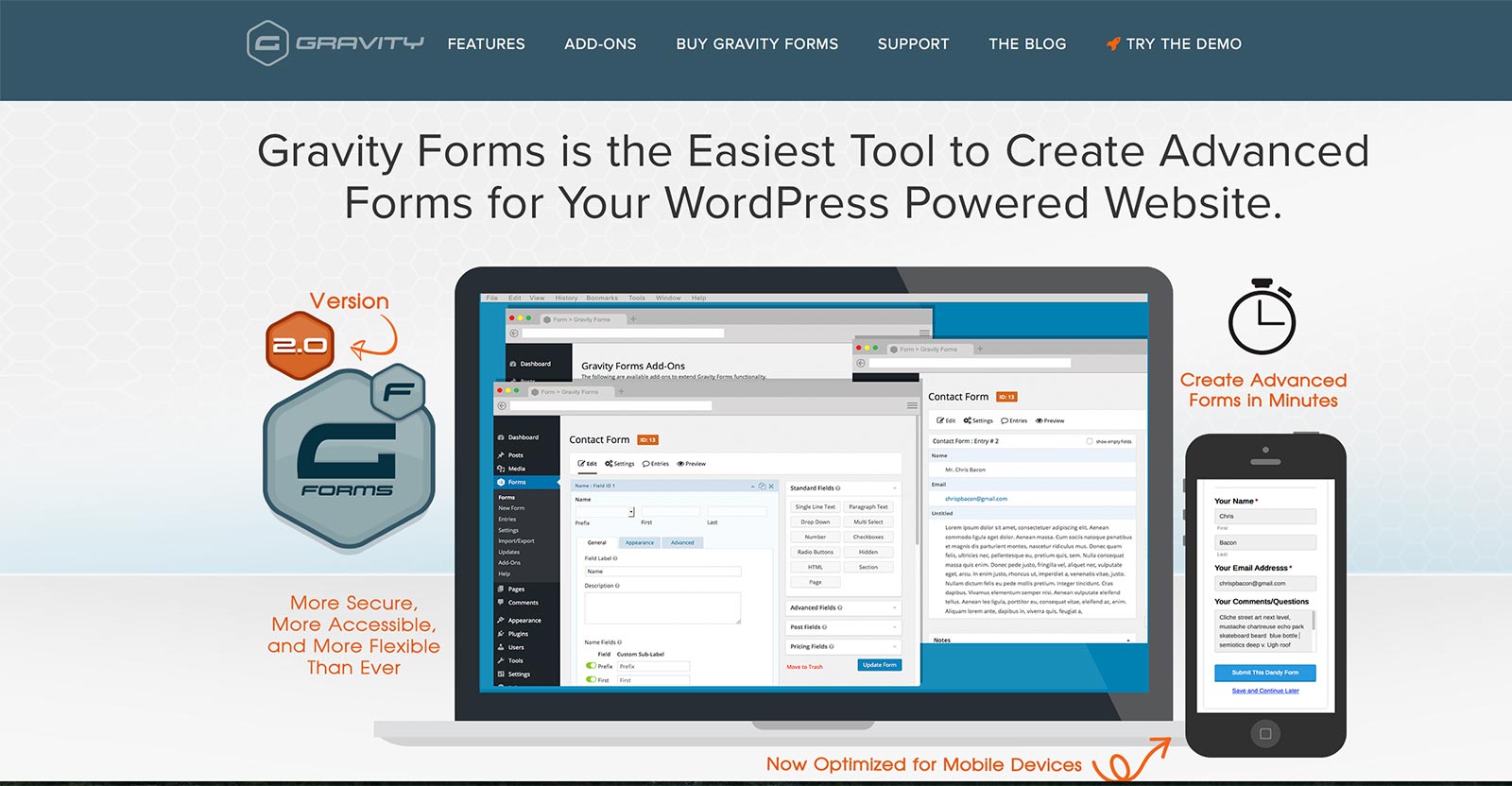
Want to get all advanced functions in one plugin? Gravity Forms offers such that.

Pros:

  • Powerful add-ons
  • Add-ons allow creating user-submitted contents, surveys and even web directory
  • Premium support options like forums and email support. Others as well are available

Cons:

  • No free version
  • Expensive only for one website

Ninja Forms

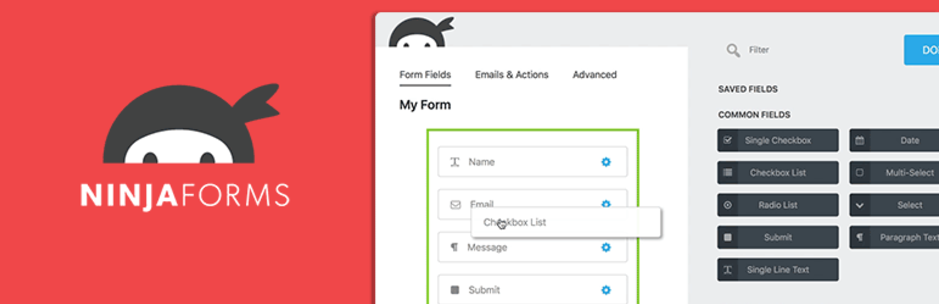
Invest little effort and create a highly interactive form with Ninja Forms. Developers can enhance its features with different functions and hooks.

Pros:

  • Developed with custom features
  • Separate pricing for individual add-ons
  • Premium extensions let to connect with campaign monitor, Salesforce, SMS notifications, FreshBooks and so on
  • Community support option and Ninja Forms docs. are always ready to help

Cons:

  • After buying individual extensions, it feels like saving money. But one-by-one will increase your expenditure.

WP Forms

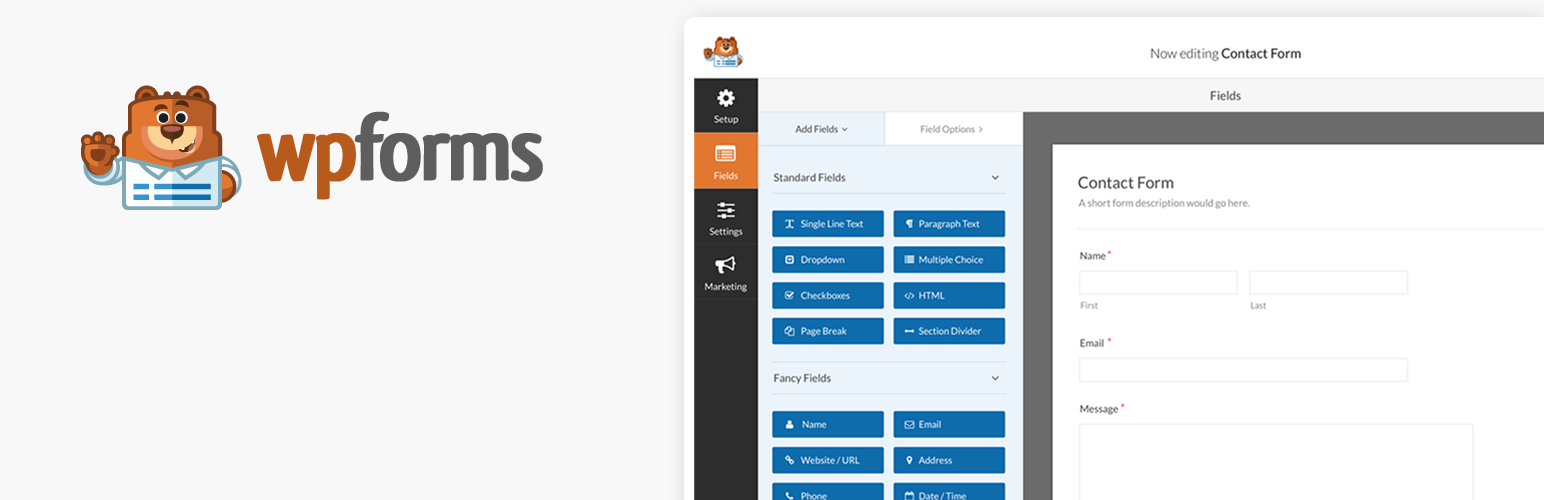
WP Forms is also a beginner-friendly WordPress contact form plugin. Make more fun with WP Forms Lite.

Pros:

  • Generate multi-page forms
  • Payment forms as well as email subscription and order forms also
  • Documentation and set up guide are available with email support
  • Includes a wide range of templates library

Cons:

  • WP Forms Lite is not better than Pro one
  • Upgrade to WP Forms Pro and unlock more features

Pirate Forms

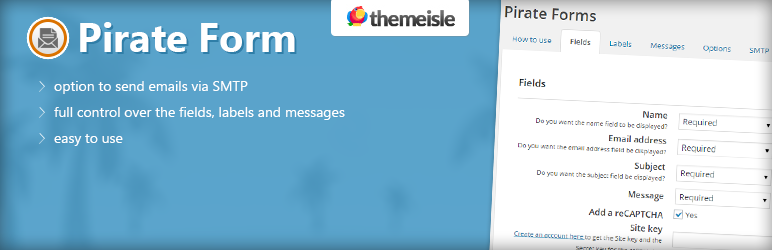
With an easy interface, Pirate Forms able to generate simple contact forms. It has made by Themeisle. It is a contact form plugin as well as SMTP plugin.

Pros:

  • reCAPTCHA to get round spam messages
  • generate fully-responsive contact forms using shortcodes or widgets
  • Unlimited integration with MailChimp and Aweber

Cons:

  • Not a drag and drop builder plugin
  • Unavailability to create subscription, order and payment forms

Quick Overview of WordPress Contact Form Plugins

Are the above details WordPress contact form plugins enough to select?

Let’s have a quick overview of them.

              Plugin                 Rating               Price   Active Installs
Contact Form 7                   4.8                $0            5,000,000+
Gravity Forms                   4.8           $59/year            1,000,000+
Ninja Forms                   4.5           $29/year            1,000,000+
WP Forms                   4.9           $39/year               800,000+
Pirate Forms                   4.7                 $0               200,000+

Tired of using buggy WordPress contact form plugins? Read over this article. With comparison to other plugins, Contact Form 7 is best for web developers and WP forms for beginners.

If I have to replace one with another, please suggest in the comment section.

How Can You Use WordPress Contact Forms?

Contact forms will support you to get in touch with readers. But what else will happen with this?

You may have the perfect contact form installed in site. But you did not take a closer look. The lead generation plugins are playing vital roles. Even though, a contact form can represent website in elegant ways. A singular contact form can manage all the tasks.

Let’s see that how and what a contact form can do which is never imaginable.

Contact form = Cooperating House

The contact form has certified as the #1 standard use case. Practically, after installation, most admins cannot conduct its potential. Many of users got sometimes waiting for the admin’s response. Well, this is not a good sign for any types of business. A contact form must notify you in an email from customers. Besides, other submissions require immediate action. But company channels like Trello or Slack with the integration of contact forms will alert you by SMS/notification.

Any further fun in the future? Or about the safety of your site? Sure, this will not expose your email address. The belonging option will also create events and registration for users by RSVP form. Follow the quick down steps of installation of a contact form.

Want to Add a Contact Form?

Watch this video for a quick overview.

Anything with a WordPress Contact Form

A contact form not only can create RSVP form. It supposed to collect info by auto-populated. Let’s have an overview that how a WordPress Contact form benefits us.

1.      Collect Payment After Selling Out a Product

Thousands of WooCommerce plugins are ready to handle your open source business. Most of them are such commercial. Forms are limitless to collect all payments at a time. Go through with the commercial plugins to receive orders and process payments.

Impose visitors with their greater profits and turn for subscription in your site. The visual editors also help to make beautiful pages according to products. PayPal and Stripe are the most efficient transaction services. Integrate with these payment gateway services.

2.      Testimonials and Reviews by the Customers

How can you increase the number of customers?

For sure, purchasers buy products after having an analysis on it. So let others submit positive reviews on the product page. The star rating will encourage to purchase more of the products. A right form builder creates a stock of opinions. Moderate these and delete the low reviews.

3.      Admit to Take Donations

It is easy to deal with accepting donations. Some deny taking money with the association of forms with payment gateway services. Get the advantage to control over any information of the submitter. Even though, you can separate frequent donations from fixed donations with subscriptions by Recurly and Stripe.

4.      Show Documentation and Accept Job Applications

WordPress mobile optimization has started over many years ago. Even the job seekers strike the internet before submitting their papers application. If you don’t tap this, will miss the chance to enter as an employee.

Todays WordPress contact forms offer users a way to accept uploaded files. The uploaded files contain different employment documentation resume, C.V. and others. Let seekers register and fill up an application. Collect the necessary documents by WP contact form.

5.      Open Events and Let Customers Register in it

Co-ordinating events within scheduled time is a real pain. Even the event will dismiss for the mismanagement.

User registration and program schedule with the appointments should organize perfectly. Similarly, block off time frames and turn off the subscriptions after a limit. Even a right form builder closes down populate data into a spreadsheet.

Keep far from bothering clients to register their unwanted events by you. Trigger custom notification and collect fees from the event planners by forms.

6.    Creative Engagement and CTA

To subscribing visitors more, virtually Constant Contact has typical forms. MailChimp works for informing you about visitors with newsletters. But creative engagement, design and function are sorts of inflexible works. A dedicated form plugin serves much rather than any other stock sign up forms.

For example, here are the tasks of a dedicated forms solution:

  • Header Call to Action
  • Images
  • Different layout fields
  • Popup option

7.      Integrate with CRM Services

One of the practical necessity is Customer Relationship Management. In short, CRM. Check the best CRM plugins index for broader acknowledgment. Even though, toolkits have a quite complicated configuration. Remove the burden about moving data by yourself.

From Capsule to Convertkit and Salesforce to Zoho, will fulfill your demand to manage customers.

8.      Represent Products and Blog Posts in Elegant Way

Accessing drag and drop is a common and important feature of a form builder. This configuration in a media file is also likely essential to upload media files. Where? Obviously on your website. With restraining some junk file submissions, they have an additional restriction in proposals as similar-

  • By extension
  • By type and

Upload files to Dropbox and Amazon S3 to free up storage.

9.      Let Submit Contents by Users

Without a specific format, you will be unable to manage web forms. Using a form builder plugin will let you integrate with Webmerge services. Any document in PDF file would permit to send it to a retail or contact it for your records.

Now your pre-formatted documents are available to users. The very useful archives are obtainable in case of niche procedure. But the fact is, let the contents submitted by your users. This will increase your webpage rating high with effective product sales.

10.      Quiz Quiz

While opening a newsletter, add quiz for users. The quiz questions can be upon any movies or the products you are selling. Couple of questions similarly as-

  • Which Friends character are you?
  • Are you in the opposition of La Casa De Papel?

These will make fun and escalate your sales and websites popularity.

Limits of WordPress Contact Forms

Everything has restrictions similarly WordPress contact forms have several ones. But this article is not for concern of listing all those.


Wrapping Up

Are you fed up? Want to add something new on WordPress Dashboard?

WordPress contact form is the right one for your job. In the next article, I will introduce with you the best contact forms in 2018. If you want an update, keep eyes on Voidcoders.